

Authorize Duplika at NIC.ar to Register .com.ar and .ar Domains
Updated last week
To register .com.ar and .ar domains in your name, you need to grant us power of attorney (authorization) at NIC.ar, Argentina’s domain name registry. With this authorization, our team can handle the registration procedures at NIC.ar on your behalf. This tutorial follows NIC.ar’s official guide to granting power of attorney from one individual to another.
These instructions apply when the domain holder is an individual. If the holder is a legal entity, NIC.ar provides separate instructions for granting power of attorney from a legal entity to an individual.
Before you begin
You’ll need:
Your CUIT/CUIL number.
An AFIP Tax Code (Clave Fiscal) with Level 2 access or higher, associated with that CUIT/CUIL.
Step 1: Sign in to NIC.ar with your Tax Code
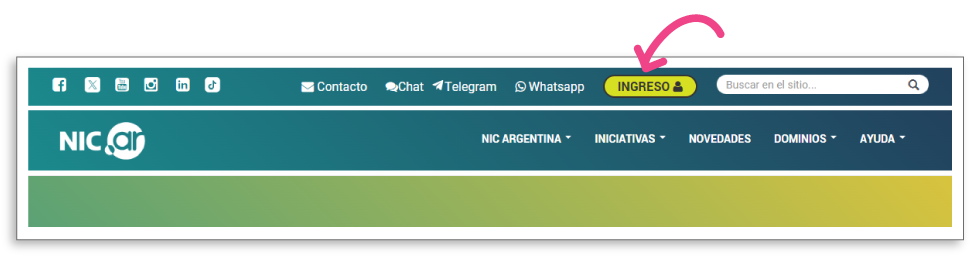
Go to nic.ar and click the SIGN IN button in the top-right corner.
Choose CUIT/CUIL AND TAX CODE and sign in with your CUIT/CUIL and Tax Code.
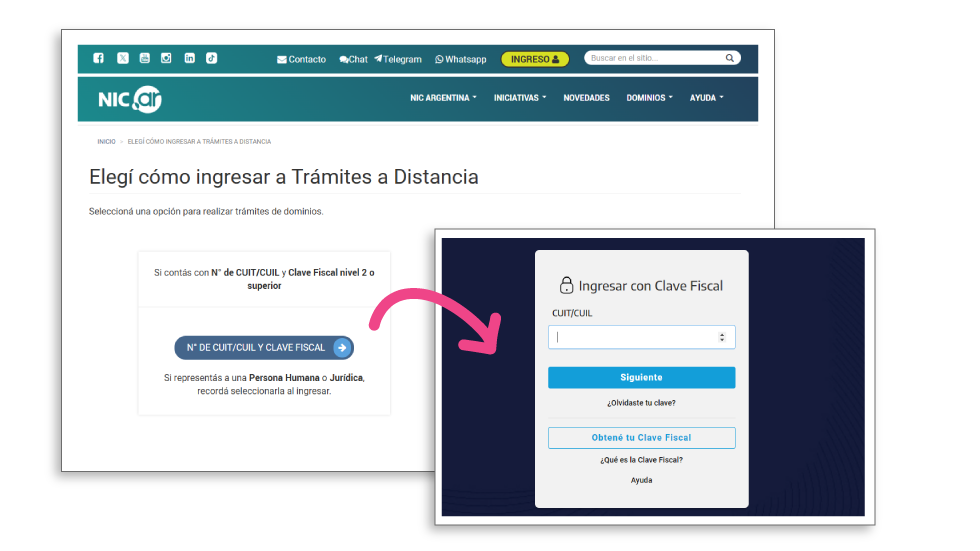
If you’re acting on behalf of an individual or legal entity, remember to select it when signing in.
Step 2: Go to the Authorized Representatives section
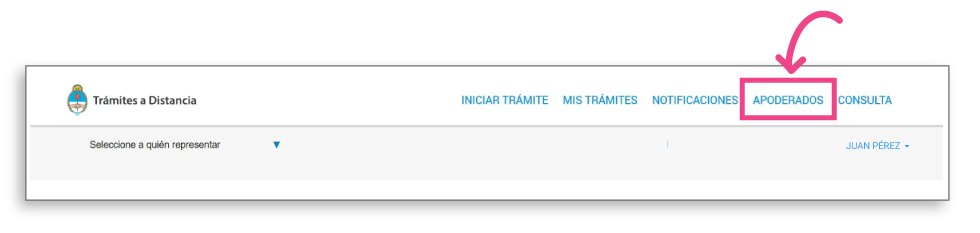
Once you’re in Remote Procedures, click AUTHORIZED REPRESENTATIVES in the top menu.
Step 3: Find Duplika by CUIT/CUIL
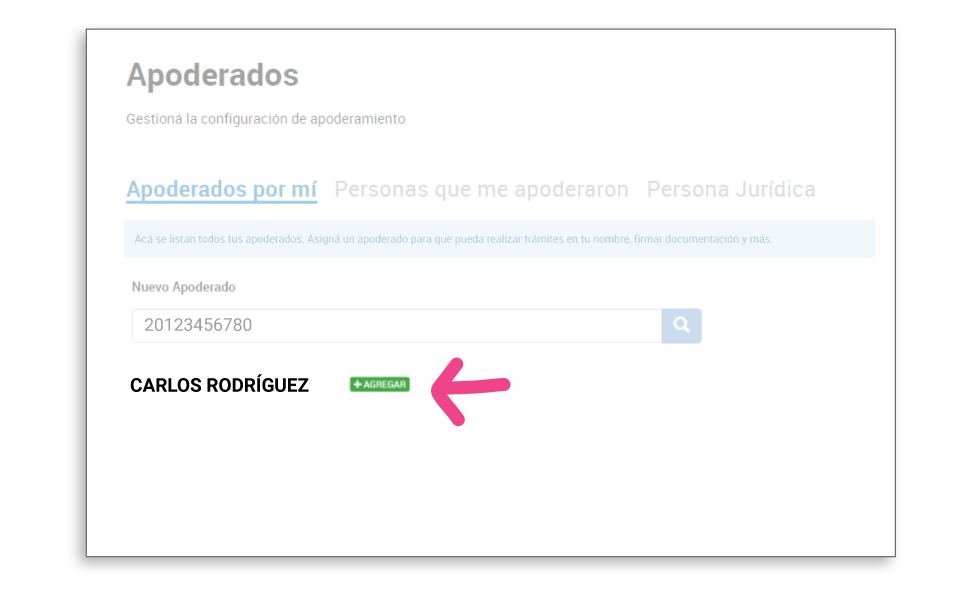
On the Authorized Representatives I’ve Appointed tab, search for Duplika by its CUIT/CUIL number in the New Authorized Representative field.
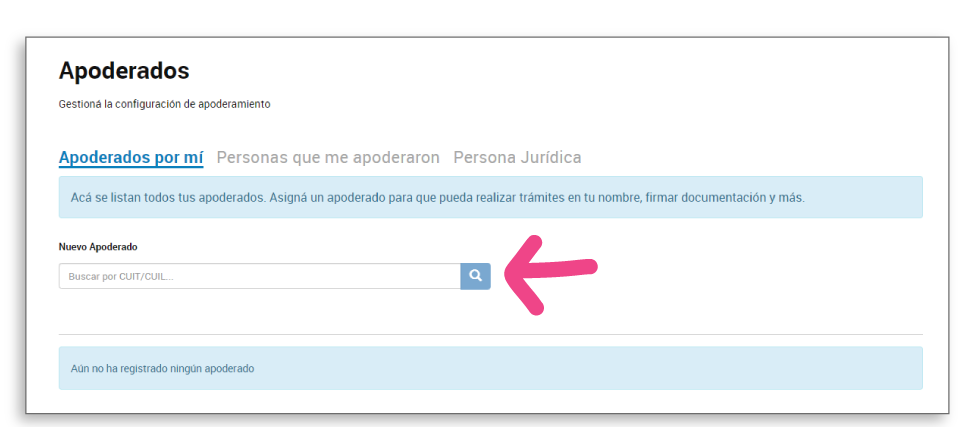
When the result appears, click + ADD.
Step 4: Configure the representative’s permissions
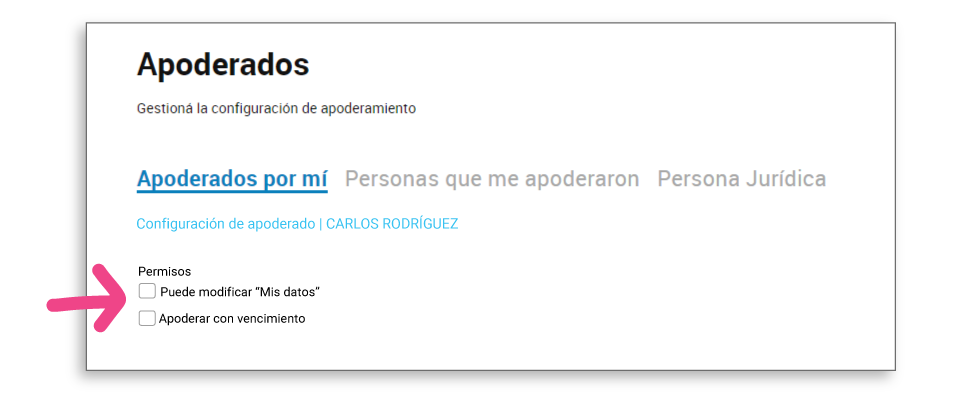
When you add the representative, the Representative Settings screen opens. Leave the Can edit “My details” and Appoint a representative with an expiration date boxes unchecked, unless you want to grant those additional permissions.
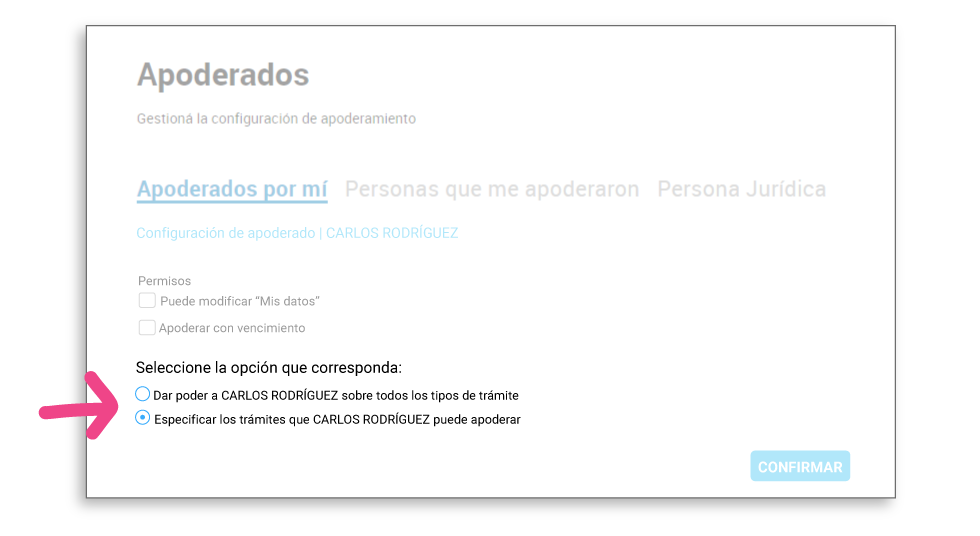
Below, under Select the applicable option, choose Specify the procedures the representative can act on.
Step 5: Select the domain procedures and confirm
In the Procedure selection section, use the search box (for example, enter “NIC Argentina”) to list the available procedures, then select the domain-related procedures from the list.
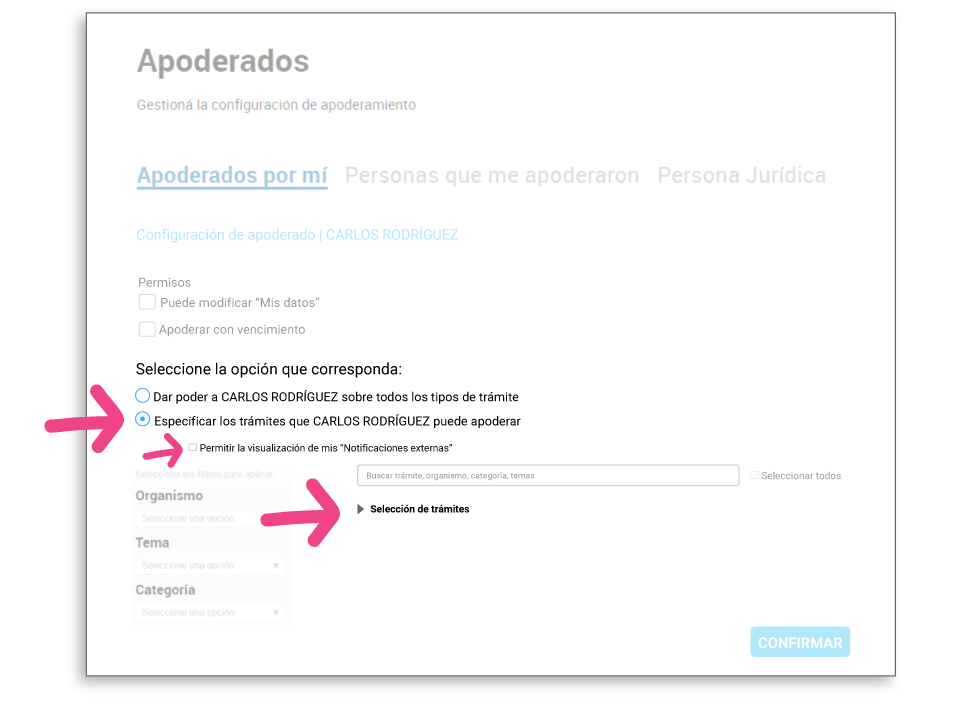
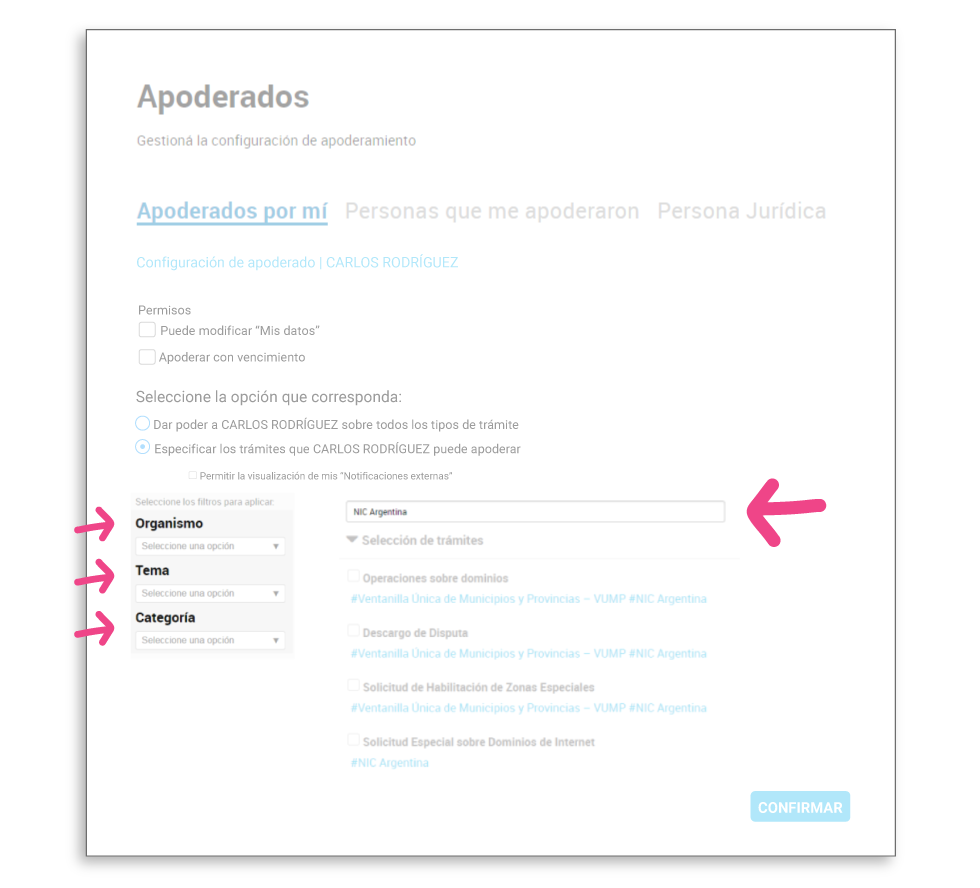
Check the boxes for the domain procedures you want to enable.
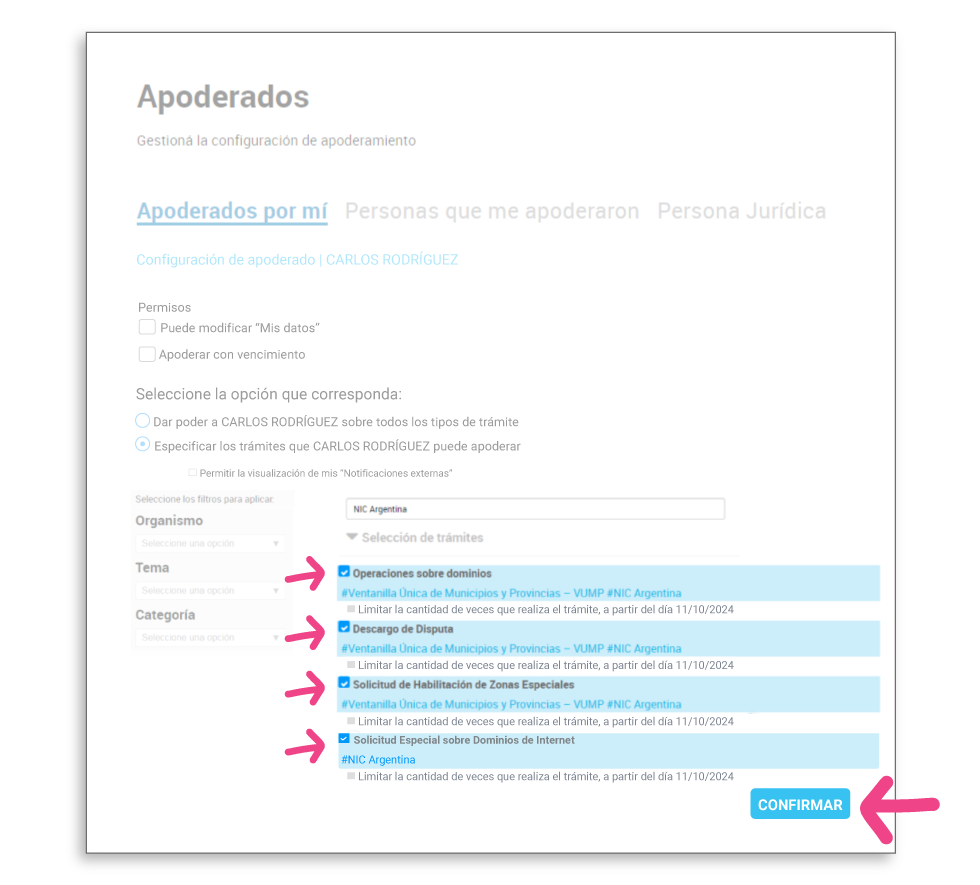
Click CONFIRM.
Step 6: Verify that the power of attorney was registered
The representative appears in the table on the Authorized Representatives I’ve Appointed tab, along with their CUIT/CUIL, name, authorization date, and the VIEW POWER OF ATTORNEY, SETTINGS, and DELETE actions. You can use SETTINGS to review or change the permissions you granted at any time.
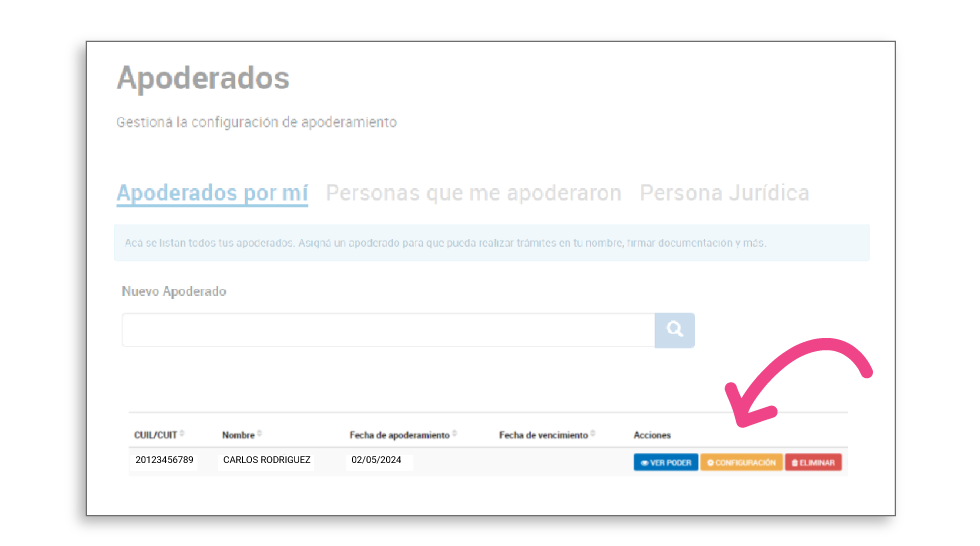
Step 7: Let us know
Once you’ve completed the authorization, let our team know through the support desk at mi.duplika.com, via WhatsApp, or by email so we can register your .com.ar and .ar domains.