

Change Your Hosting Plan
Updated 7 days ago
You can request an upgrade or downgrade from the service you already have in Mi Duplika. If you want to change that same service, you don’t need to purchase another hosting account.
Before choosing a new plan
Identify which limit you need to increase. Disk space, CPU, RAM, and the number of files are different resources. Having free disk space doesn’t rule out an application reaching its memory or processor limit.
Before downgrading your plan, review your current usage. Your files, email, databases, and number of websites must fit within the limits of the new plan.
Confirm the type of change. An upgrade within the same service may retain your account and its data. Switching to another platform or a Cloud server may require a coordinated migration.
Request the change
Go to My Services in the client area and select the service you want to modify.
Select Change Plan from the menu on the left.
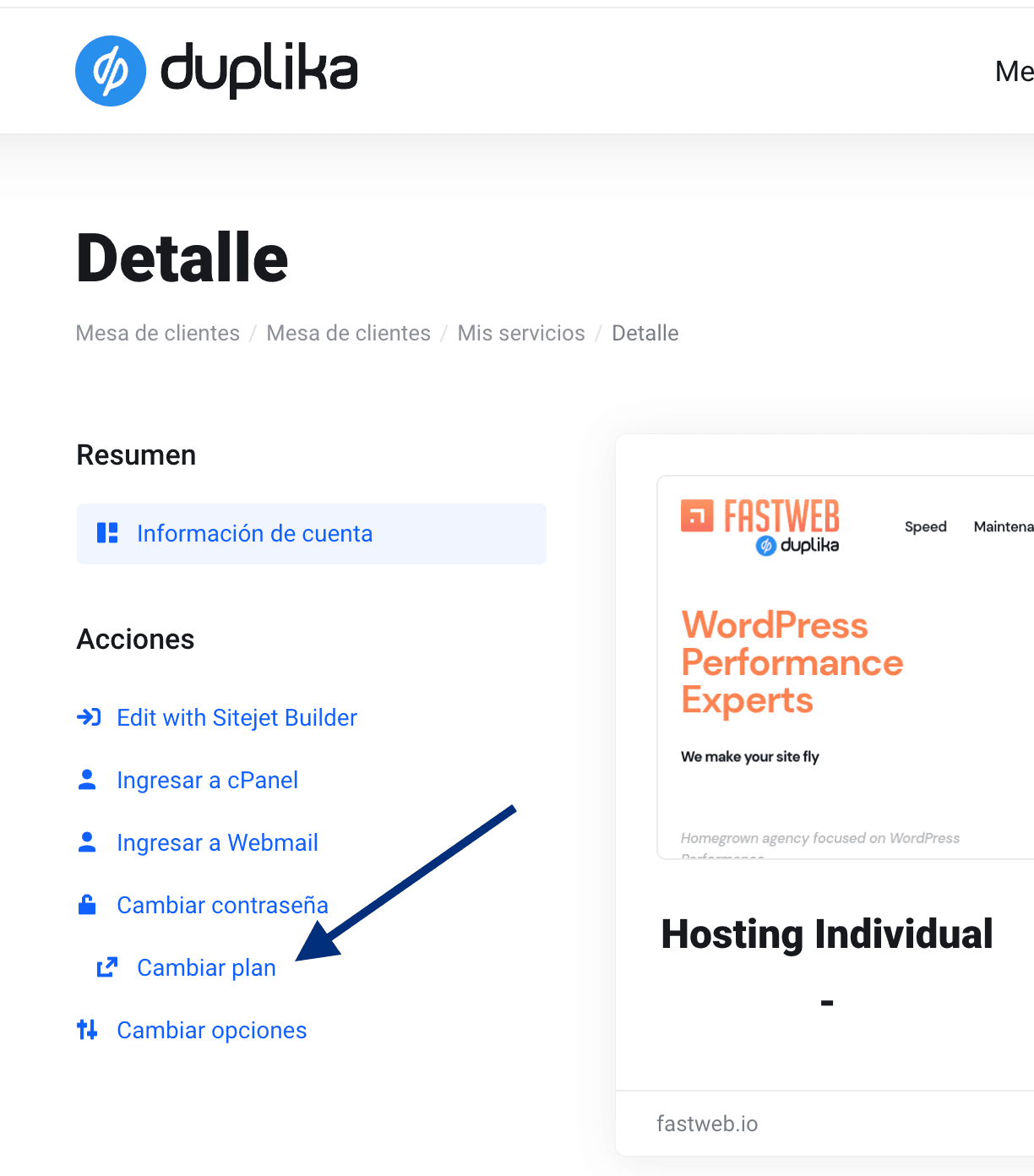
Select the new plan you want to switch to.
The system will automatically calculate the difference, taking into account the unused portion of your current plan and its billing frequency.
Plan upgrades and downgrades do not incur any additional fees, apart from the price differences between our hosting plans.
Review the amount and terms shown in the order before confirming it. If you don’t see the plan you need or the option to change it, open a ticket and include the service and the goal of the change; we’ll point you in the right direction.
If you received a usage alert, see hosting resource limits and share the time the problem occurred. Your usage at the time you check may be lower than the peak that triggered the alert.