

How to Access via SSH
Updated 3 months ago
To access our hosting account via SSH, you can use a free SSH client such as Putty. The details you need to enter are:
Server: Your domain
Username: The username for your hosting account.
Password: The password for your hosting account.
Port: 4444
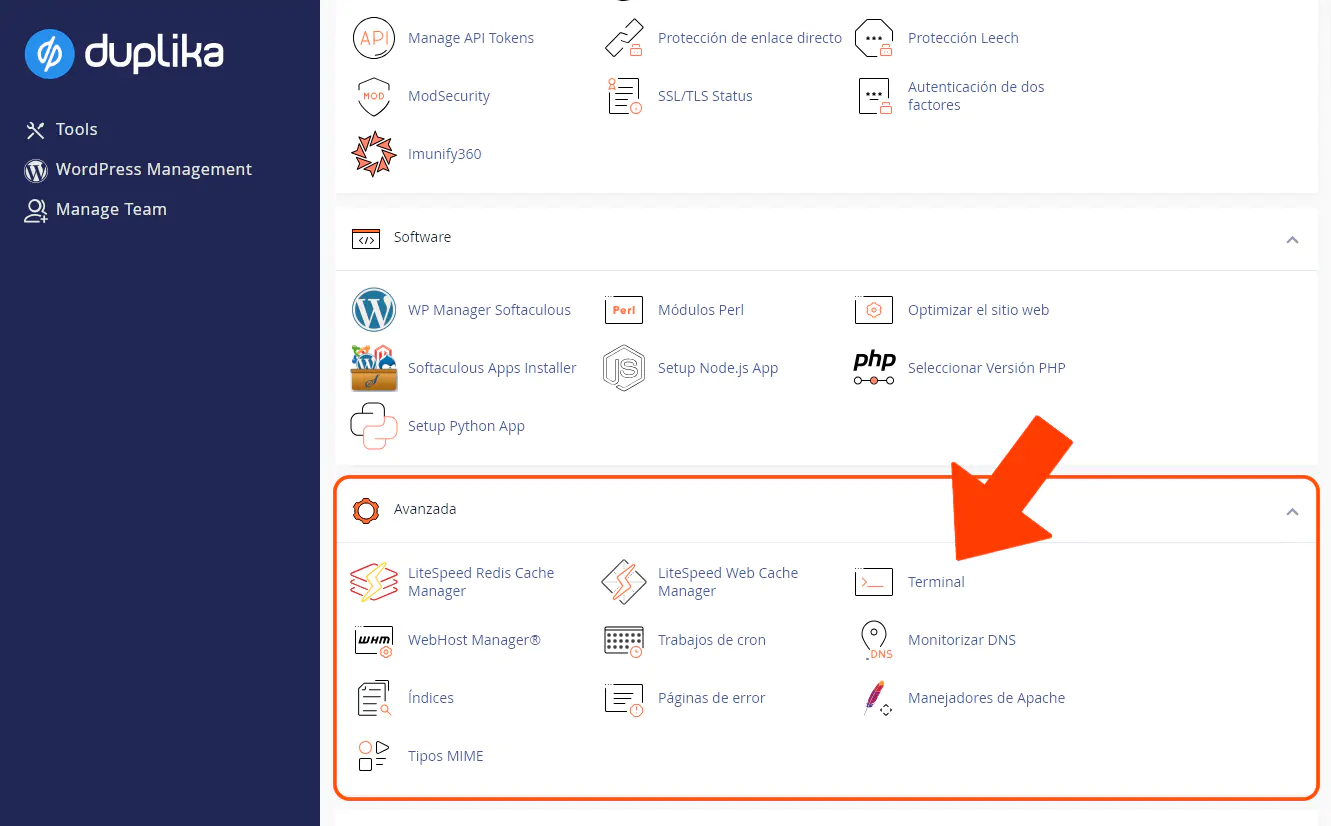
The cPanel tool also lets you access the console from your browser using the Terminal option. To use it, log in to cPanel at the address shown in the screenshot below (replace "mydomain.com" with your site's correct URL).
Once logged in, look for the Terminal tool shown in the screenshot below:
Was this helpful?
Was this helpful?