Disk Usage Details
Updated 2 months ago
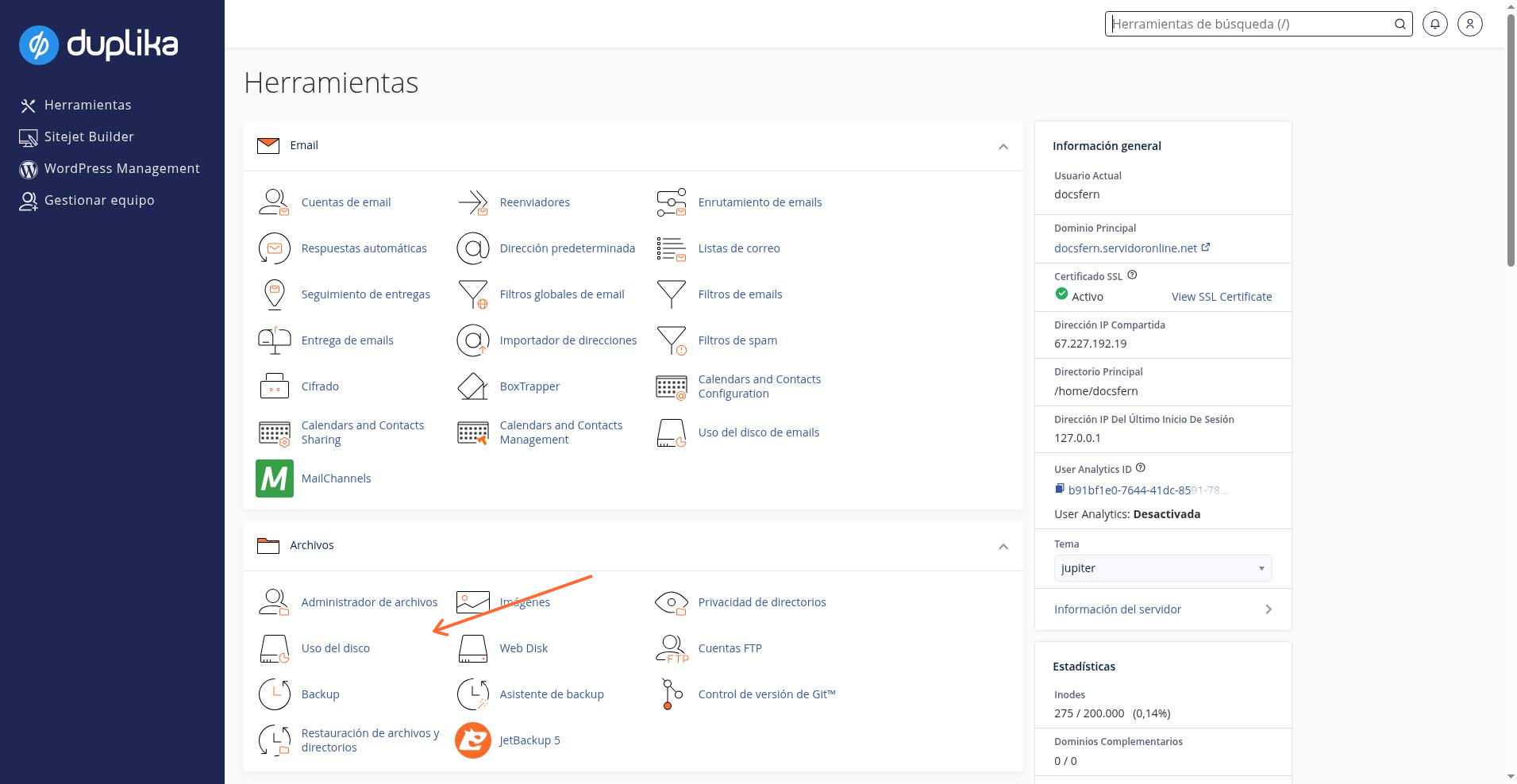
In our cPanel control panel, we'll look for the link named "Disk Usage" in the panel on the right, as shown in the screenshot below.
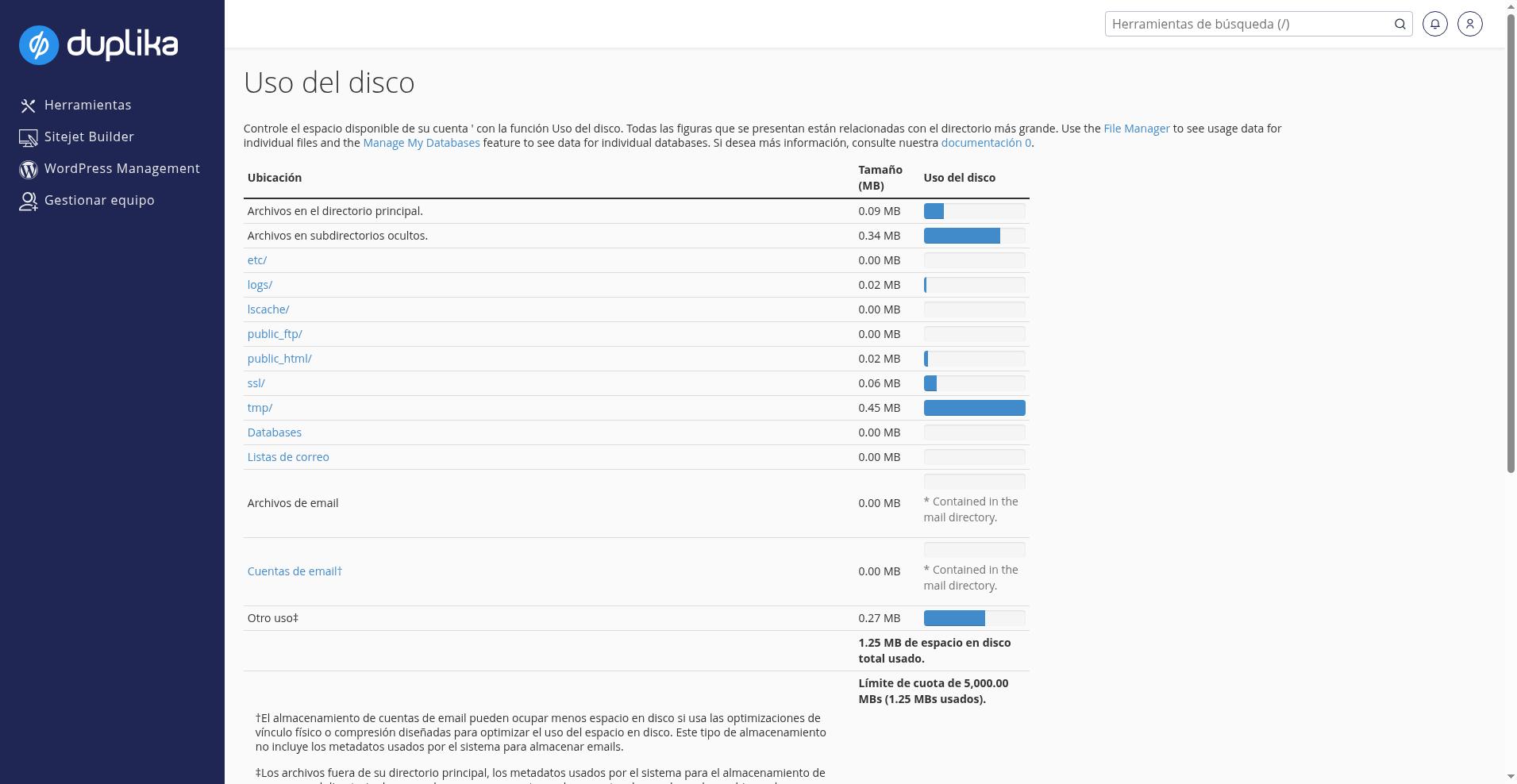
Of course, the table and its details will vary depending on the situation, but regardless of the example numbers, the data shown is as follows:
Files in the main directory: Loose files located in our home folder
Files in hidden subdirectories: Files in folders whose names begin with a period. The most common ones in this case are .cpanel, .cagefs, .cl.selector, .softaculous, .htpasswd and they always represent system folders (our account will have serious problems if we delete these files!). Note: if we find other folders that we haven't mentioned, we should check that they don't contain malicious content.
etc. folder: Contains email usernames and passwords. These files are essential for email to work via POP3, IMAP, and SMTP. If we delete these files, emails may no longer appear in cPanel's list, or we may stop receiving them.
logs folder: Contains historical data about access to Apache (website) and FTP. We can delete this data, but keep in mind that these logs cannot be recovered. If FPM is enabled for our account, we will also find PHP error log files here.
public_ftp folder: This folder is no longer in use; it is where FTP files uploaded by—or for—anonymous users are stored. If the provider enables it, access to this folder is managed through Anonymous FTP, allowing anonymous users to download files we previously uploaded without needing access to other areas of the website. We must explicitly configure permissions, preferably for downloads only, and never give FTP users access to strangers.
public_html folder: This is where our website files are stored (note: if we have several websites, we may see separate folders for each one).
ssl folder: Contains our SSL certificates and private keys. We must never share these files with anyone. If we delete them, HTTPS access will stop working.
tmp folder: Contains temporary files and is also where our account's statistics are stored.
MySQL: Summarizes the space used by all our databases
Email files: Summarizes the space used by the mail folder. This includes all email accounts configured in cPanel, any files that may have been placed there, accounts that we deleted without deleting their files (or that are no longer detected because files were deleted from the etc folder), as well as files from the main account (which appears at the end of the email list).
Email accounts: Summarizes the space used by the email accounts cPanel can find (this does not include trash folders, accounts cPanel doesn't detect, or the main account).
Other usage: This value will usually be zero and indicates that there are files outside our home folder that are owned by our user and are also counted toward our account. In the example above, there was a backup file that we moved outside the home folder, which caused this value to increase.
Below this table, we'll find another one with expandable folders; there we can see more details about where most of the disk space is being used (we recommend sorting by "disk usage" for a clearer view).