

How do I add my identity to email?
Updated 3 months ago

In this article, we'll explain how to make your name appear in emails you send from WebMail with RoundCube.
Problem
By default, cPanel mail accounts don't provide a name or identity for the sender. As a result, recipients see only the email account's username in the emails they receive. For example, we sent an email to a Gmail address using the test account [email protected]
Let's see how that email appears in Gmail:
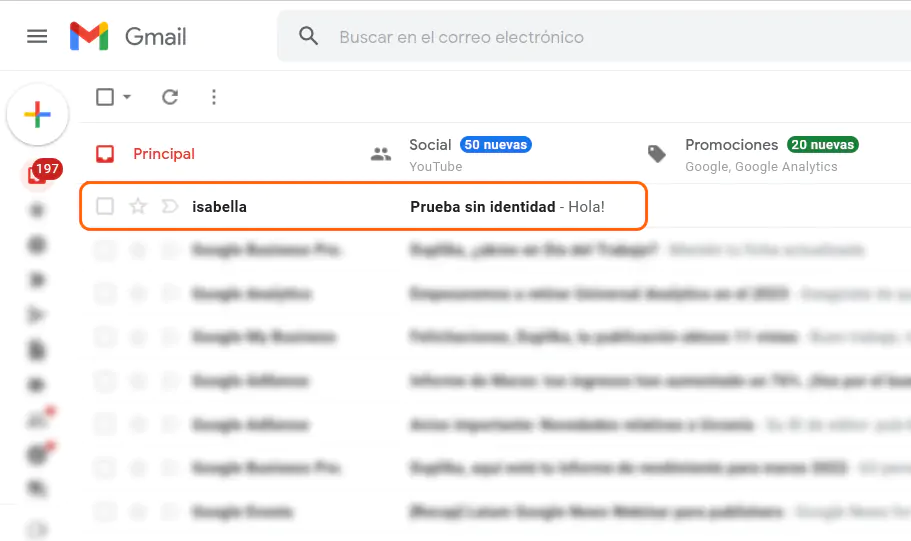
The full name is Isabella Colombotto; however, only "isabella" is visible because it is the email account's username.
Solution
To give our email account an identity, we need to access our webmail settings and fill in the details as shown in the screenshot below:
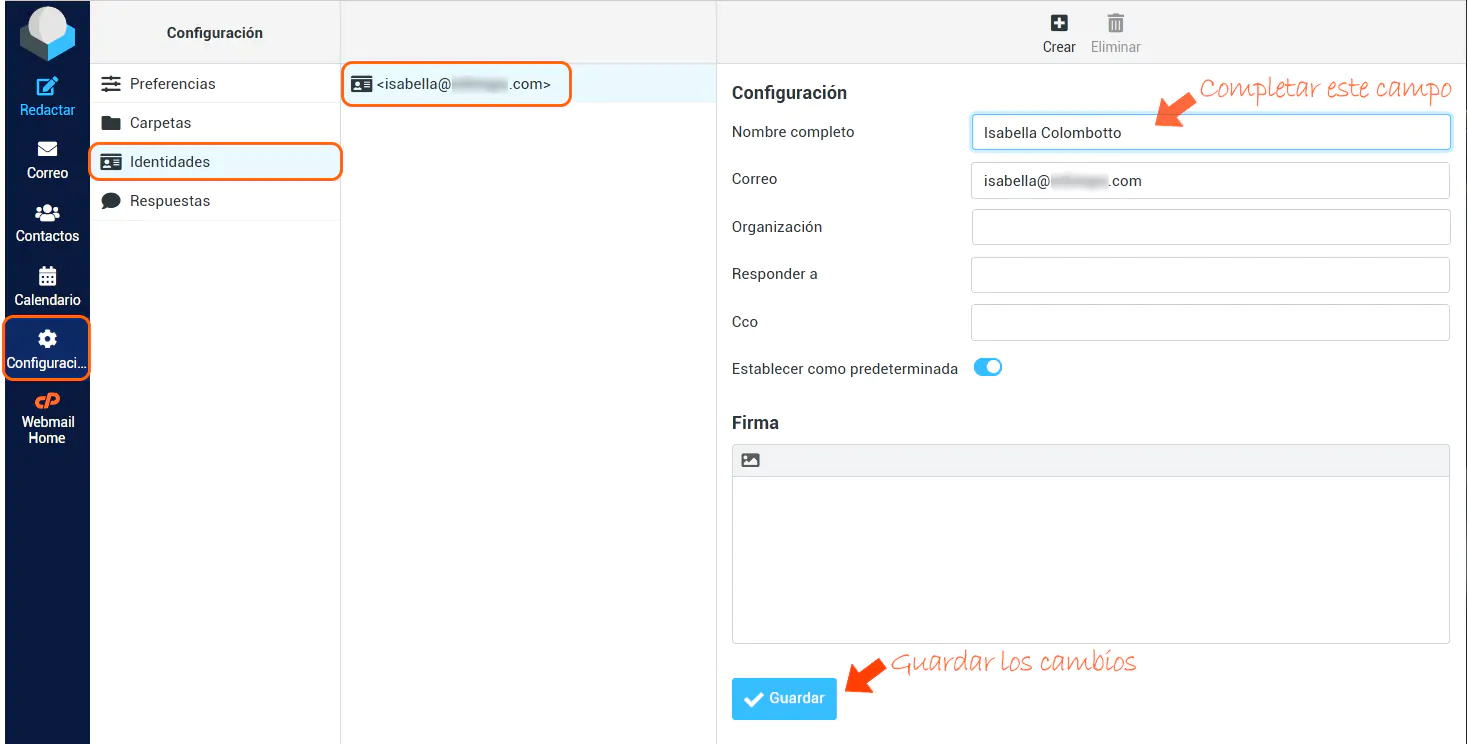
After saving the changes, we sent another email to Gmail to check that the full identity appears.
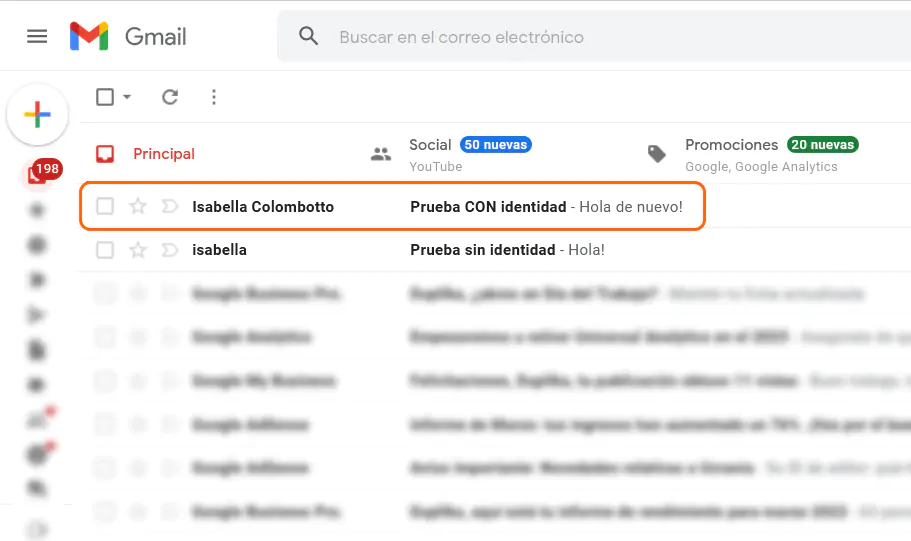
Identity added!
If you have any questions, you can write to us and we'll be happy to help. Best of luck, and thanks for reading.