

How do I delegate my .com.ar domain to my hosting provider?
Updated 4 weeks ago
Delegating a domain means specifying which DNS servers are authoritative for it, so the domain can find where your site is hosted. If you host your site at Duplika, the process involves entering the Duplika DNS servers in NIC Argentina. You can complete the process online, and the delegation will become active during the day.

Before you begin
You’ll need your CUIT/CUIL and Clave Fiscal. For a company or organization’s domain, the person completing the process on its behalf must sign in with Clave Fiscal level 3; for personal use, level 2 or higher is sufficient.
You’ll also need the DNS servers from your hosting provider. NIC Argentina requires you to enter at least two DNS servers. You can find Duplika’s exact DNS server names in the article Duplika DNS servers.
Delegate your domain step by step
Go to nic.ar/ingreso and select CUIT/CUIL and Clave Fiscal. If you don’t live in Argentina, select ID and Password instead.
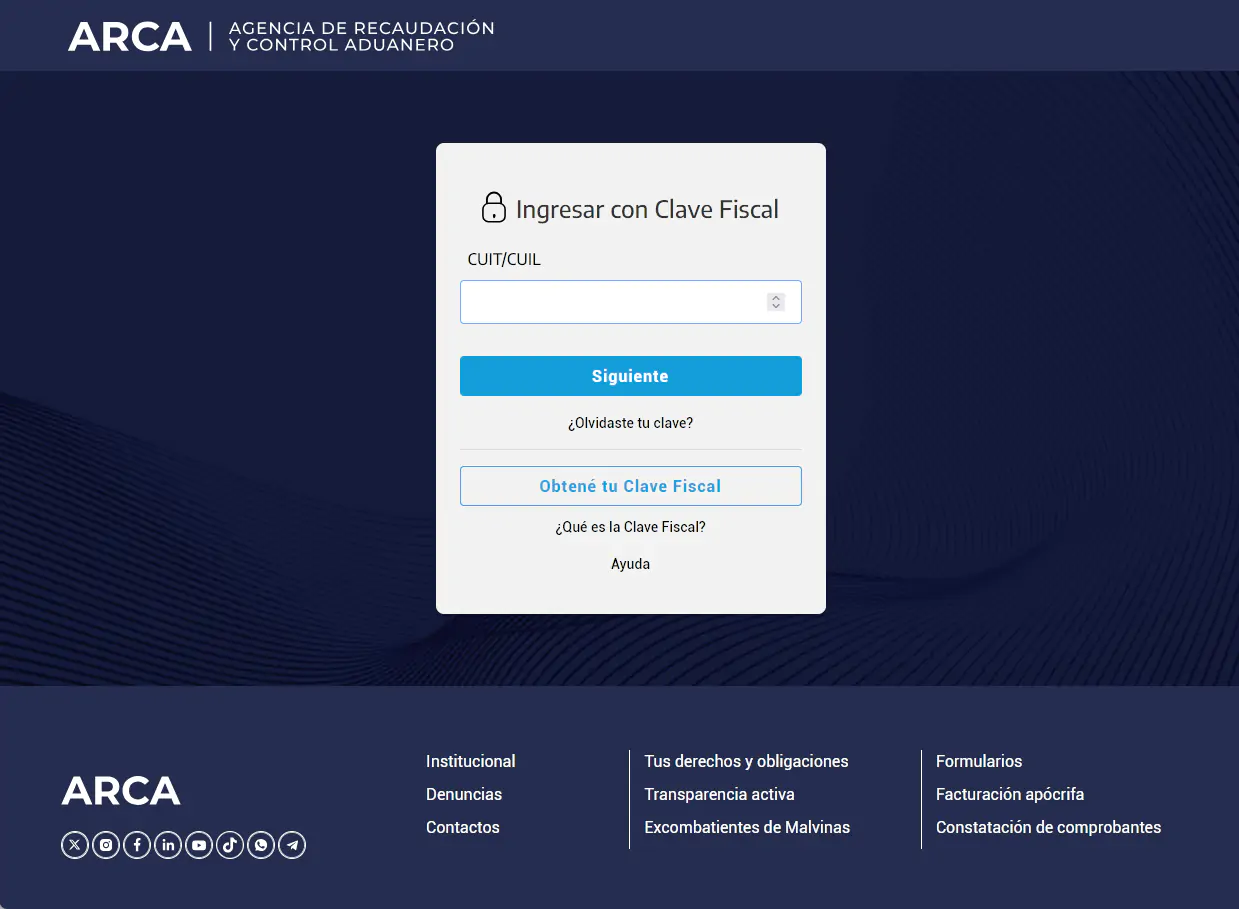
Enter your Clave Fiscal on the page that opens. The system will take you back to the procedures platform. The agency that administers Clave Fiscal is now ARCA, the successor to AFIP, so some screens may still show the name AFIP.
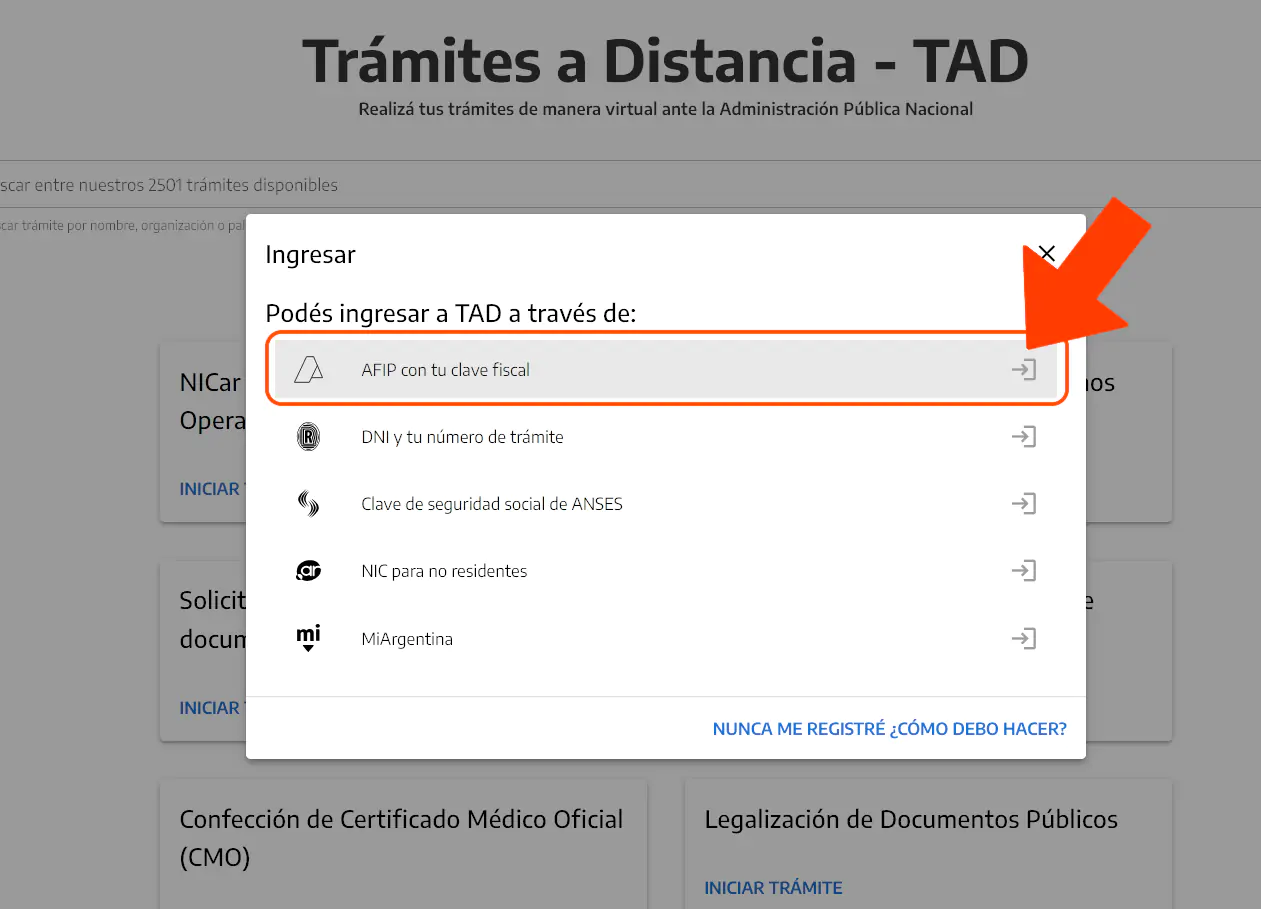
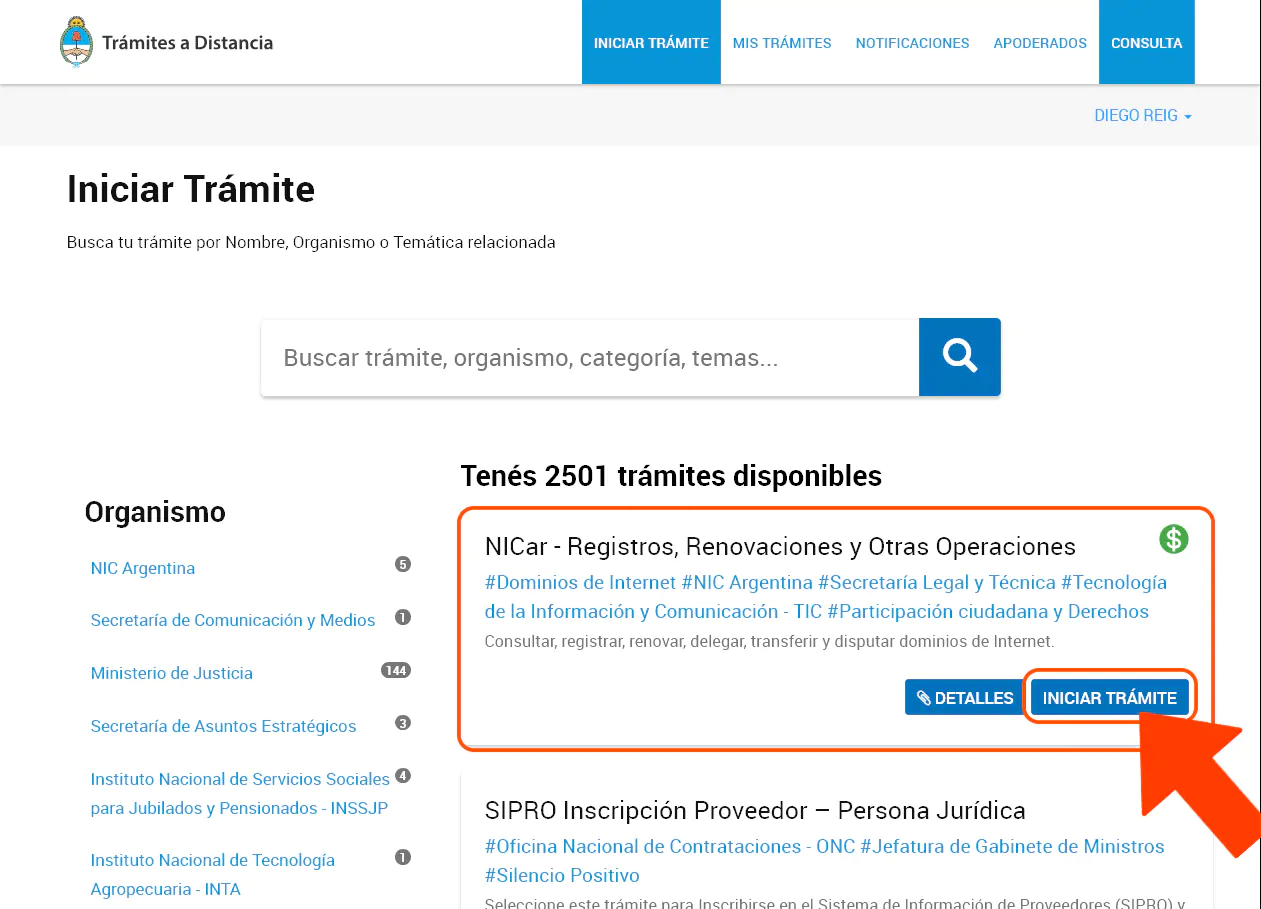
In Trámites a Distancia, click Start procedure under the title NICar - Records, Renewals, and Other Operations.
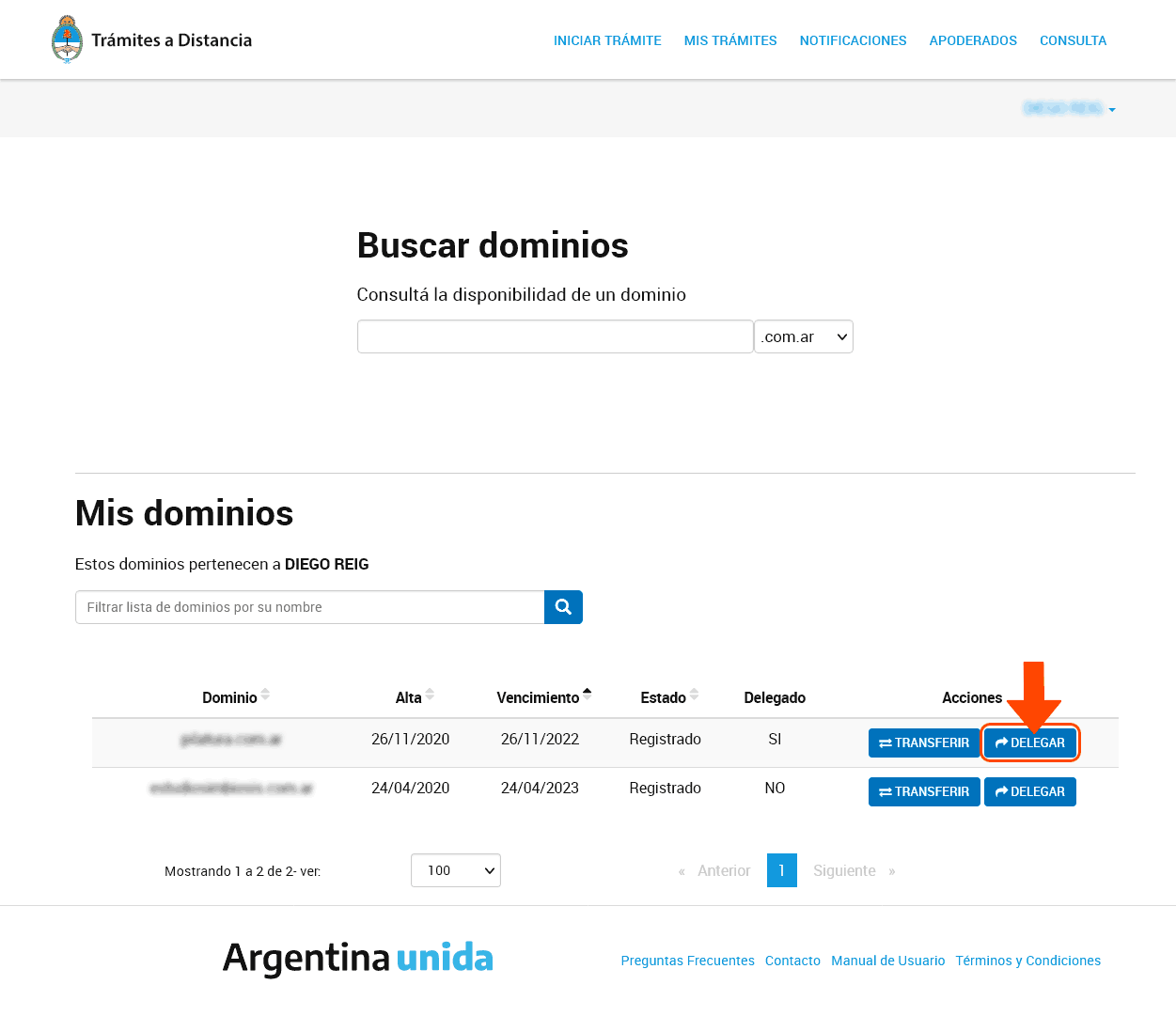
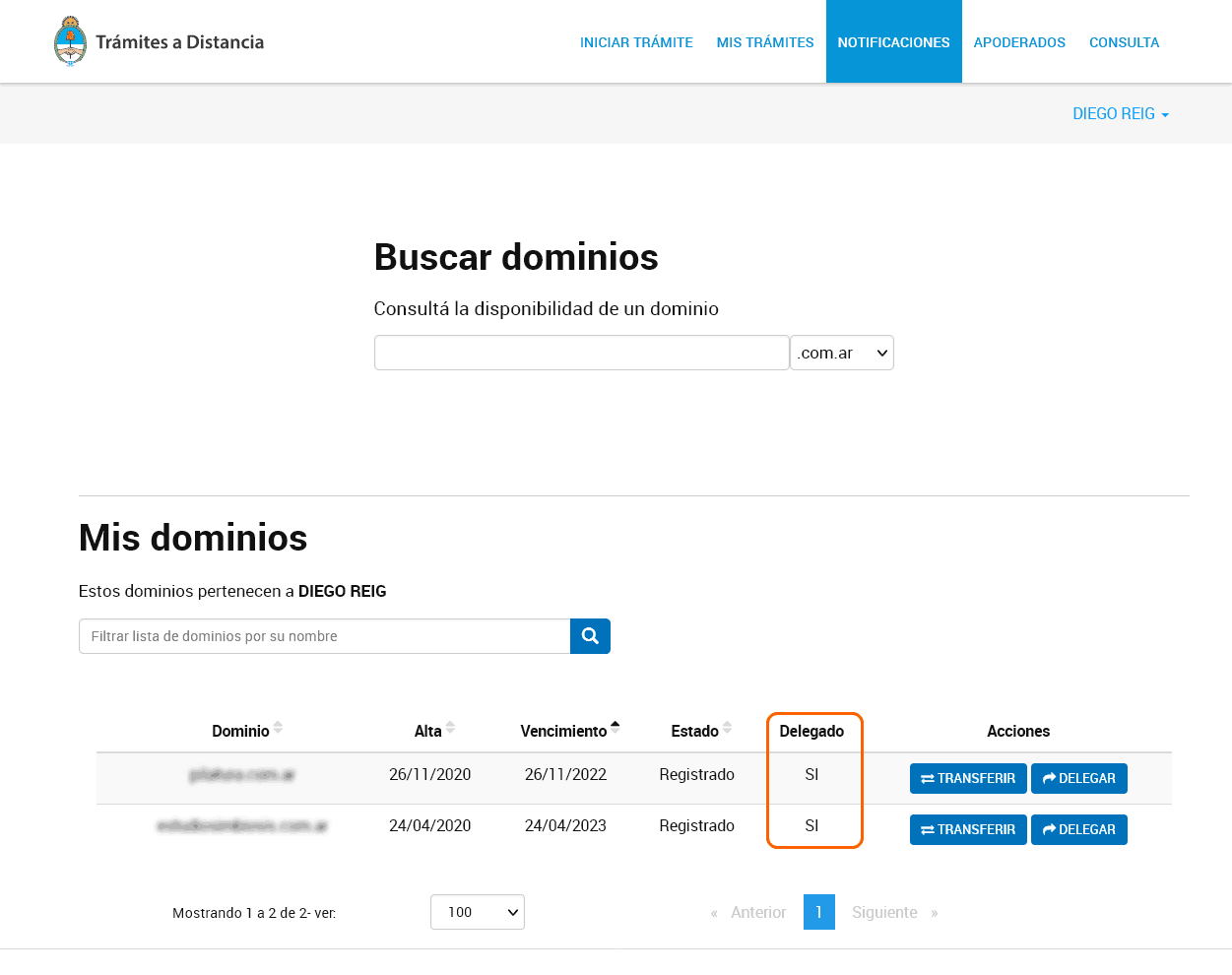
In the list of domains that appears, click Delegate on the row for the domain you want to delegate.
If the domain is new, the Host, IPv4, IPv6, and Actions columns will be empty. Select Add a new delegation.
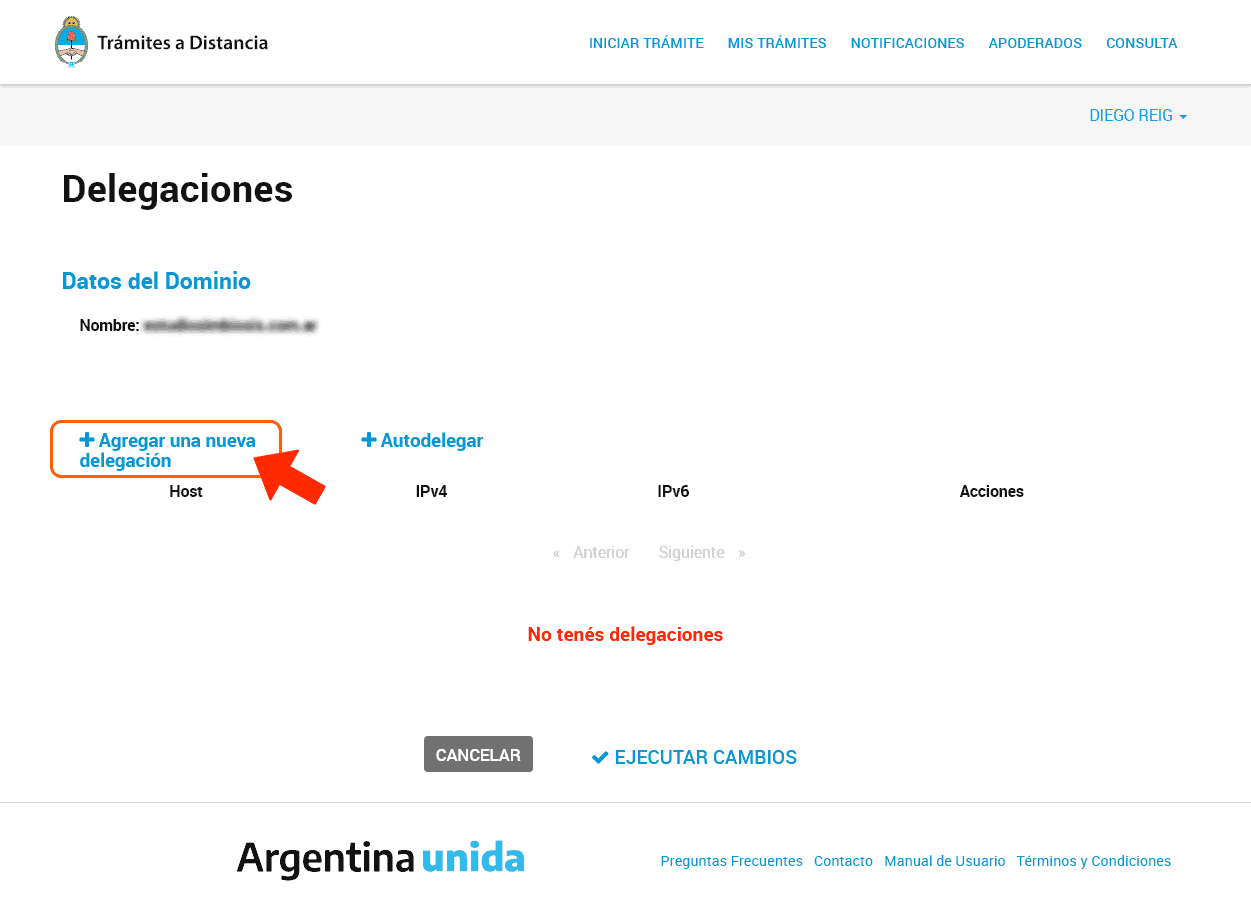
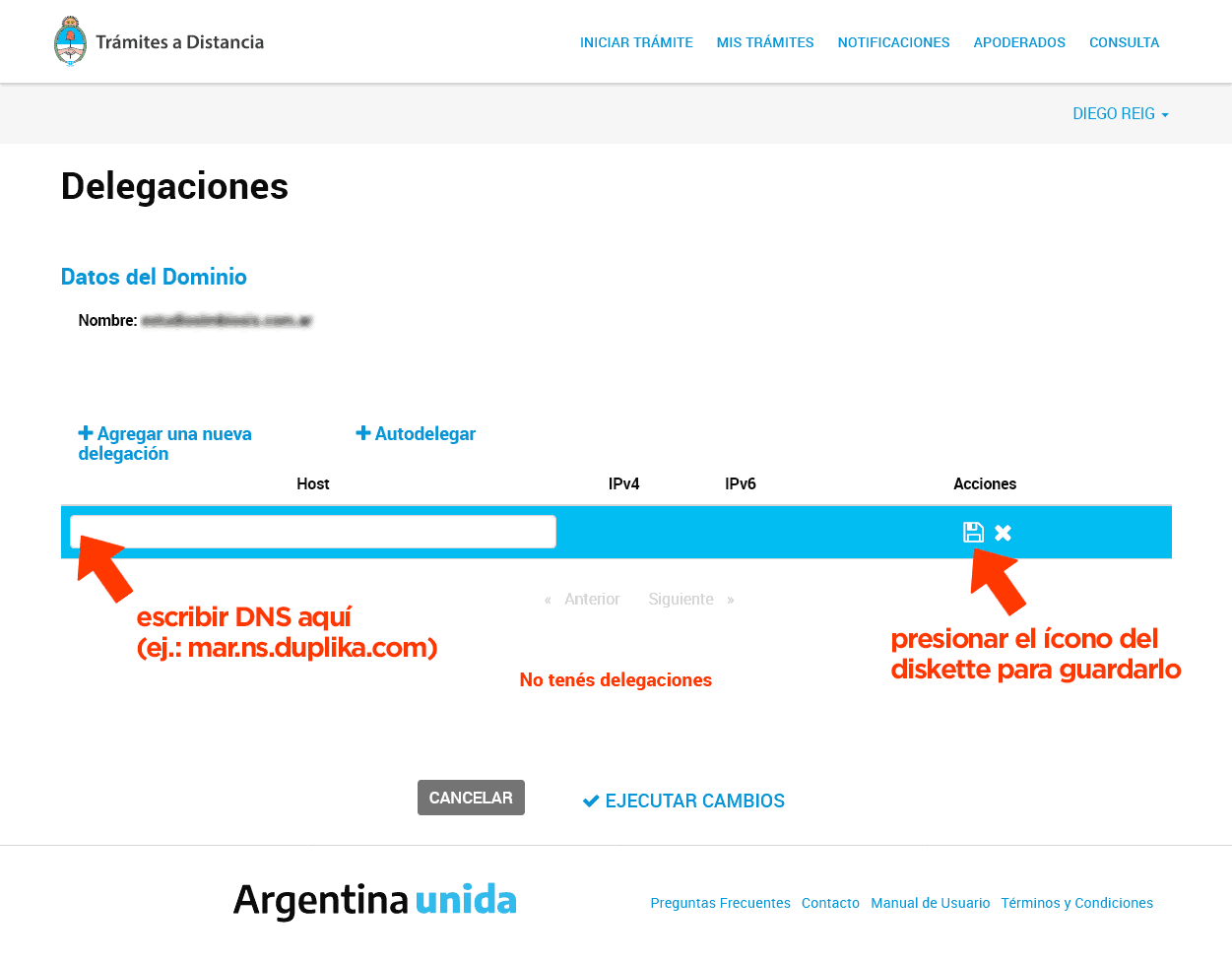
Enter your provider’s first DNS server and click Save. Repeat for the second DNS server and any additional ones, as needed.
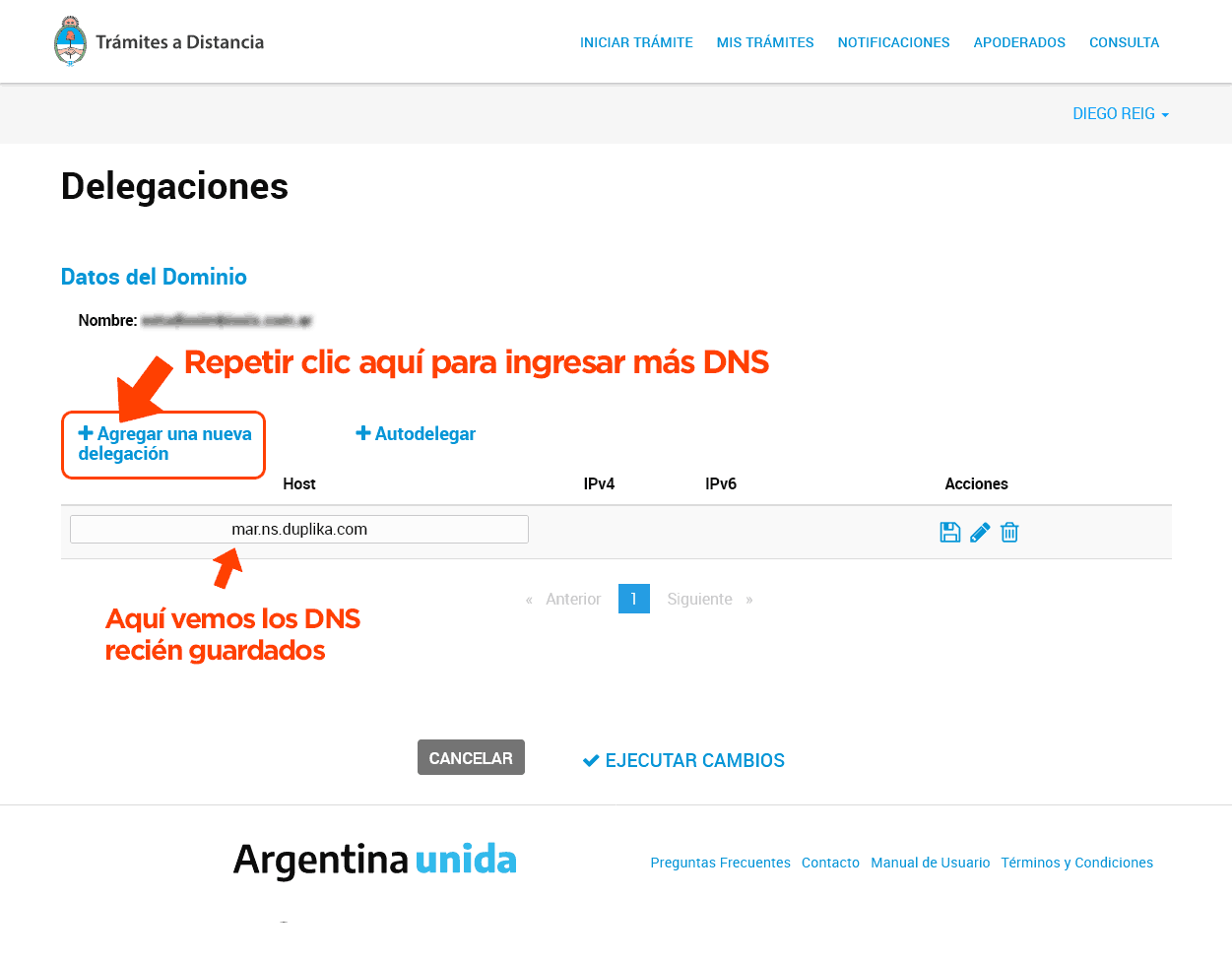
Confirm the changes by clicking Apply Changes.
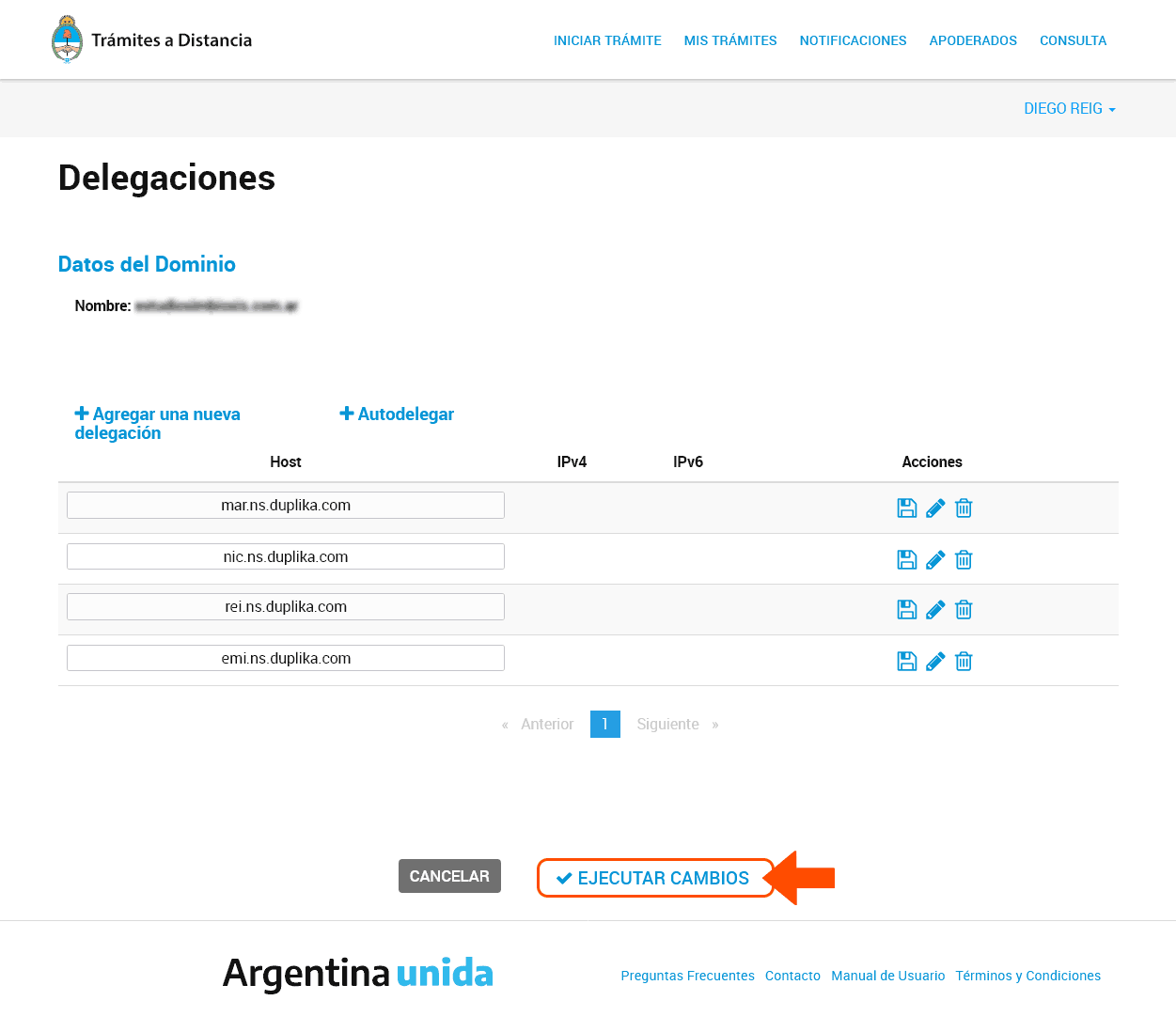
Check the corresponding column in the list to make sure the domain has been delegated.
When to use Auto-delegation
NIC Argentina’s Auto-delegate option is for cases where the DNS servers are within the domain you’re delegating. In that case, instead of adding a new delegation, enter the host name and its IP addresses (IPv4 and/or IPv6), then confirm by clicking Save and Apply Changes. To host your site at Duplika, the usual method is to follow the steps above using Duplika’s DNS servers.
How long does it take to work?
NIC Argentina says the delegation will appear as active during the day. DNS propagation begins after that: this is the process by which the change is distributed across the internet, making your site accessible on the new hosting from anywhere in the world. Full propagation may take longer, depending on the circumstances. In DNS propagation: how long it takes and how to check a change, we explain how to check it.