

¿Cómo añadir nuestra Identidad al correo?
Actualizado hace 3 meses

En este artículo te explicaremos cómo hacer para que aparezca tu nombre en los correos que envias desde WebMail con RoundCube.
Problema
Por defecto, las cuentas de mail en cPanel no proveen un nombre/identidad al remitente. Entonces, los mails que reciben tus destinatarios sólo ven el nombre de usuario del correo. Ejemplo: enviamos un correo a una casilla de Gmail empleando la casilla de prueba [email protected]
Veamos cómo se recibe dicho correo en Gmail:
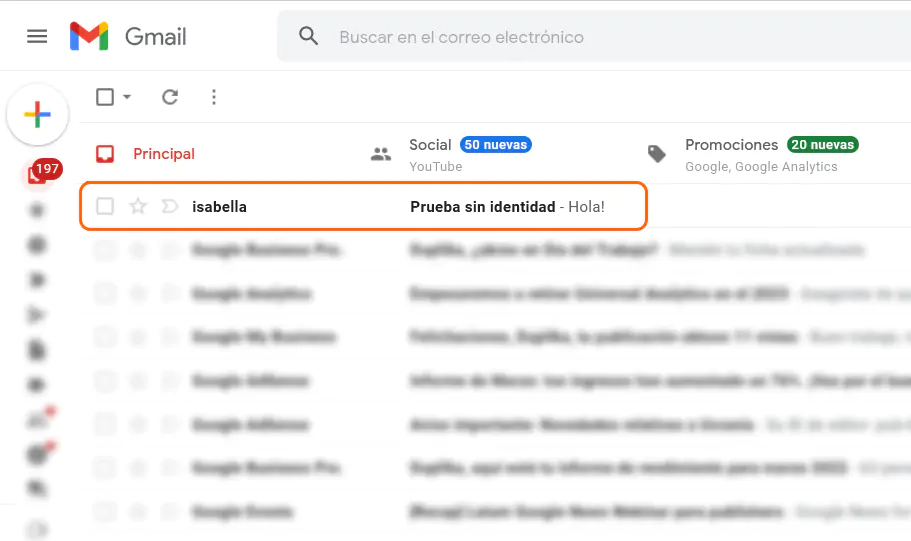
El nombre completo es Isabella Colombotto; sin embargo, sólo aparece visible "isabella" pues es el nombre de usuario del correo.
Solución
Para darle identidad a nuestra casilla de correo debemos acceder a la configuración de nuestra webmail y completar los datos tal cual se enseña en la captura inferior:
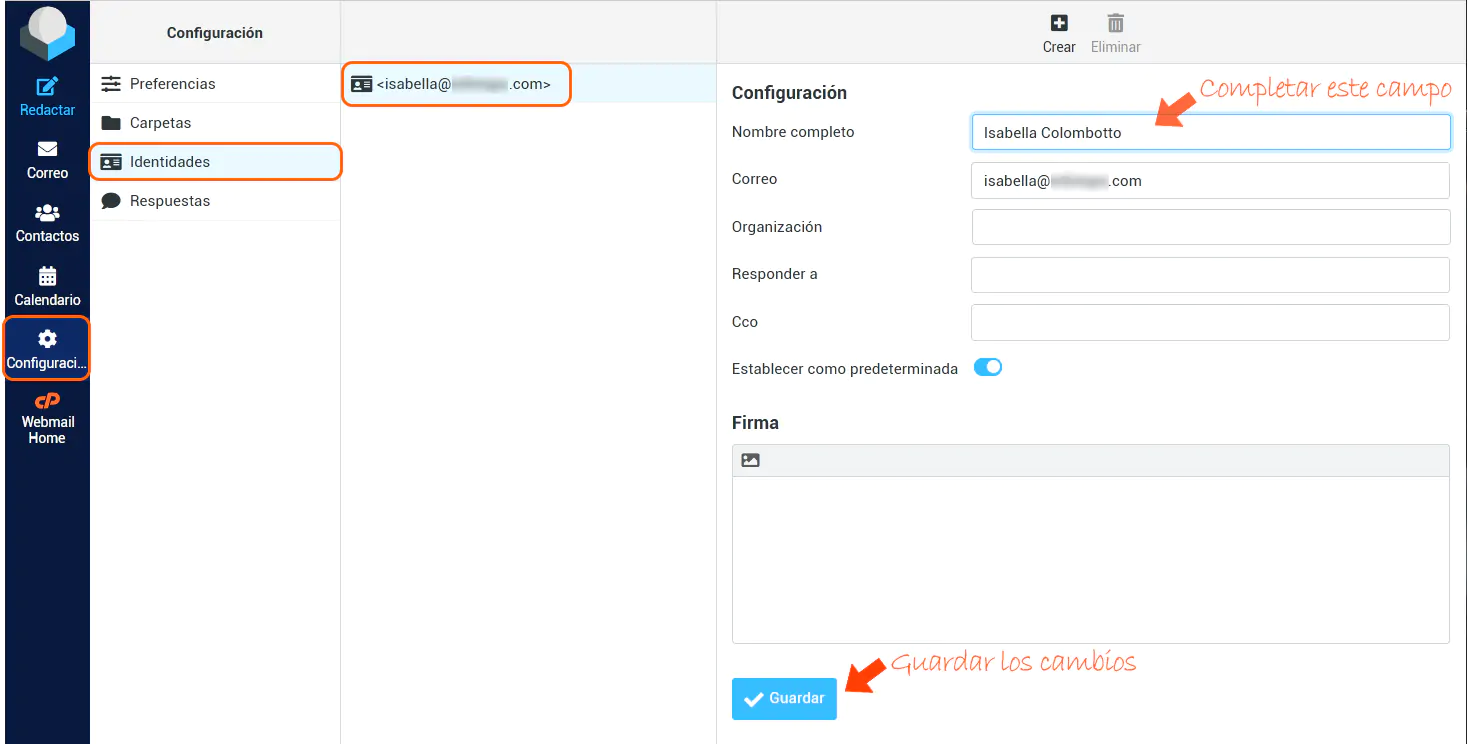
Guardados los cambios, probamos de enviar otro correo a Gmail para comprobar la identidad completa.
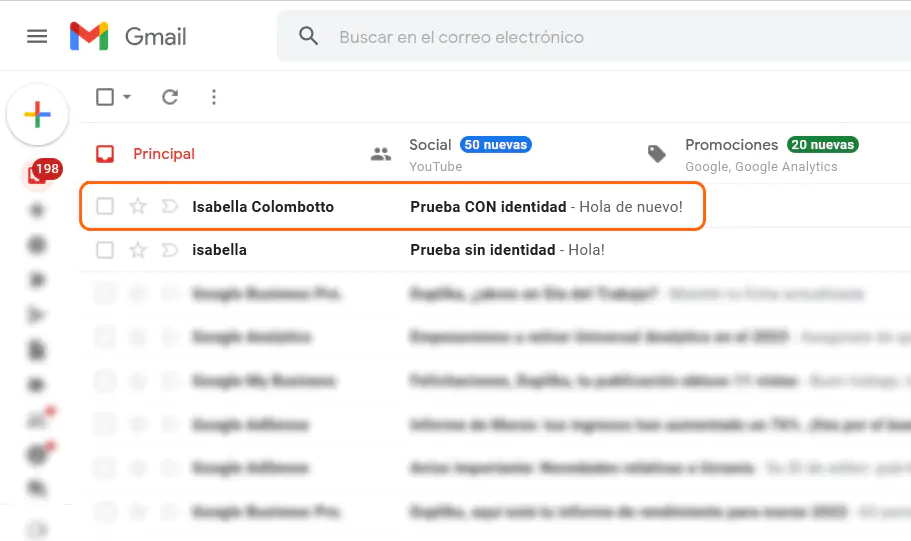
¡Identidad completada!
Si surge alguna duda puedes escribirnos para que podamos ayudarte. Éxitos y gracias por leer.