

Como verificar el espacio ocupado en mi hosting con DonWeb
Actualizado hace 2 meses
Si tenemos un plan de hosting en Duplika y queremos verificar el espacio total que ocupa el contenido de nuestra web, debemos:
1- Ingresar a mi.duplika.com para acceder al panel de control de nuestro sitio:
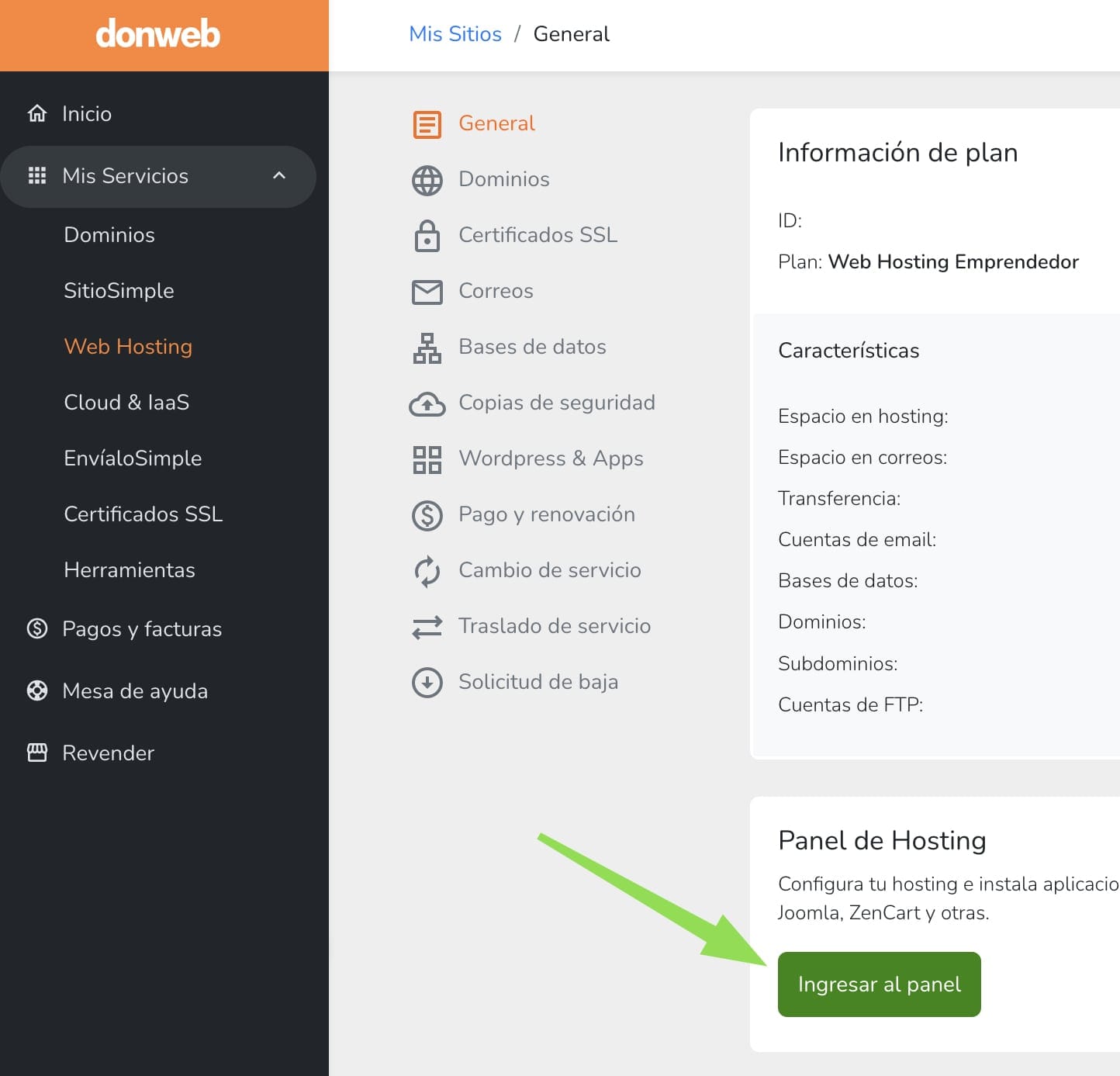
2- Hacer clic en nuestro usuario, arriba a la derecha, y seleccionar "Información".
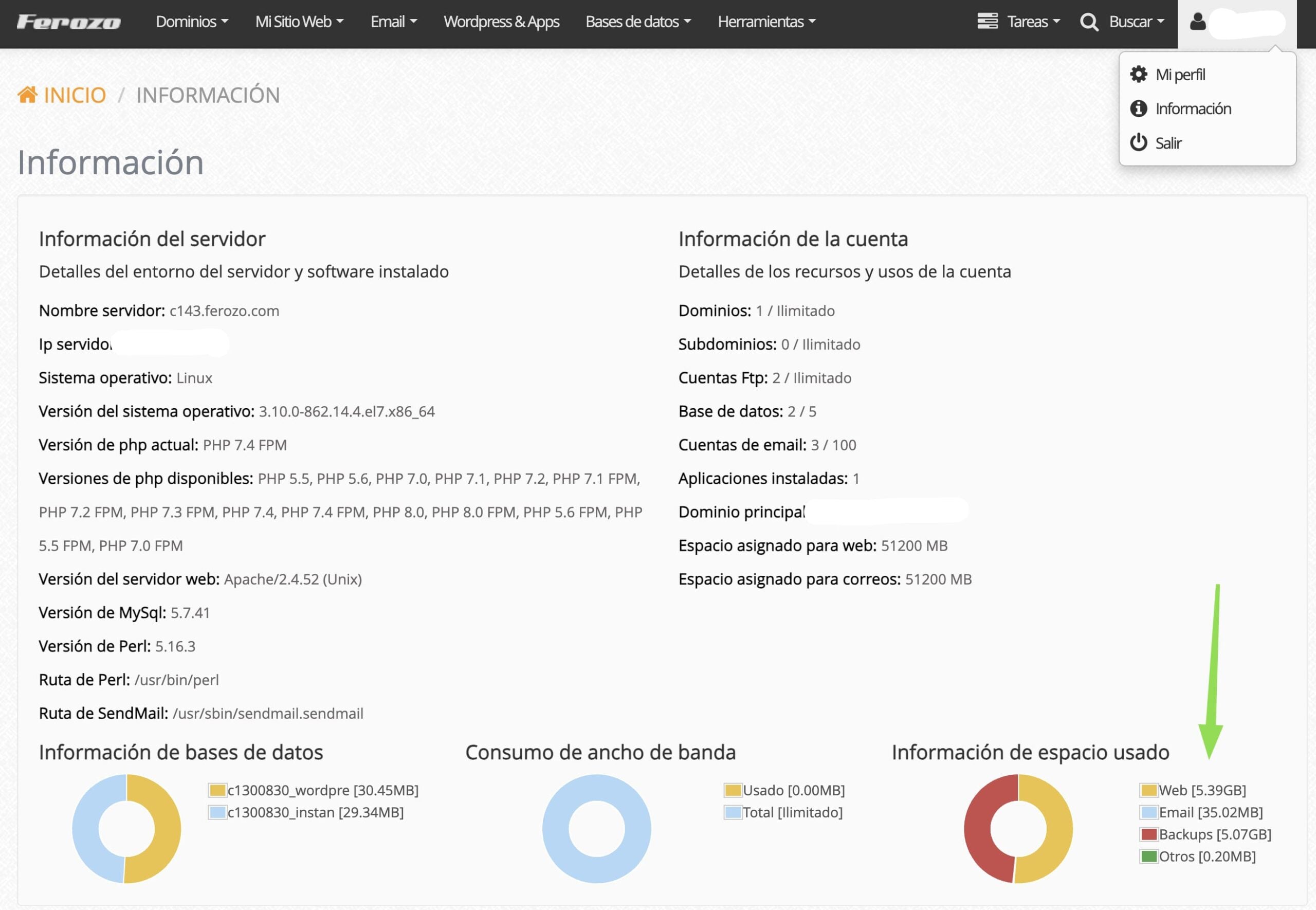
Allí podremos ver el espacio ocupado de nuestra cuenta.
¿Te fue útil?
¿Te fue útil?