

Importing a Database via SSH
Updated 3 months ago
Importing a database from phpMyAdmin is a very simple process, but if our database is very large, it may be necessary to import it from the terminal / SSH.
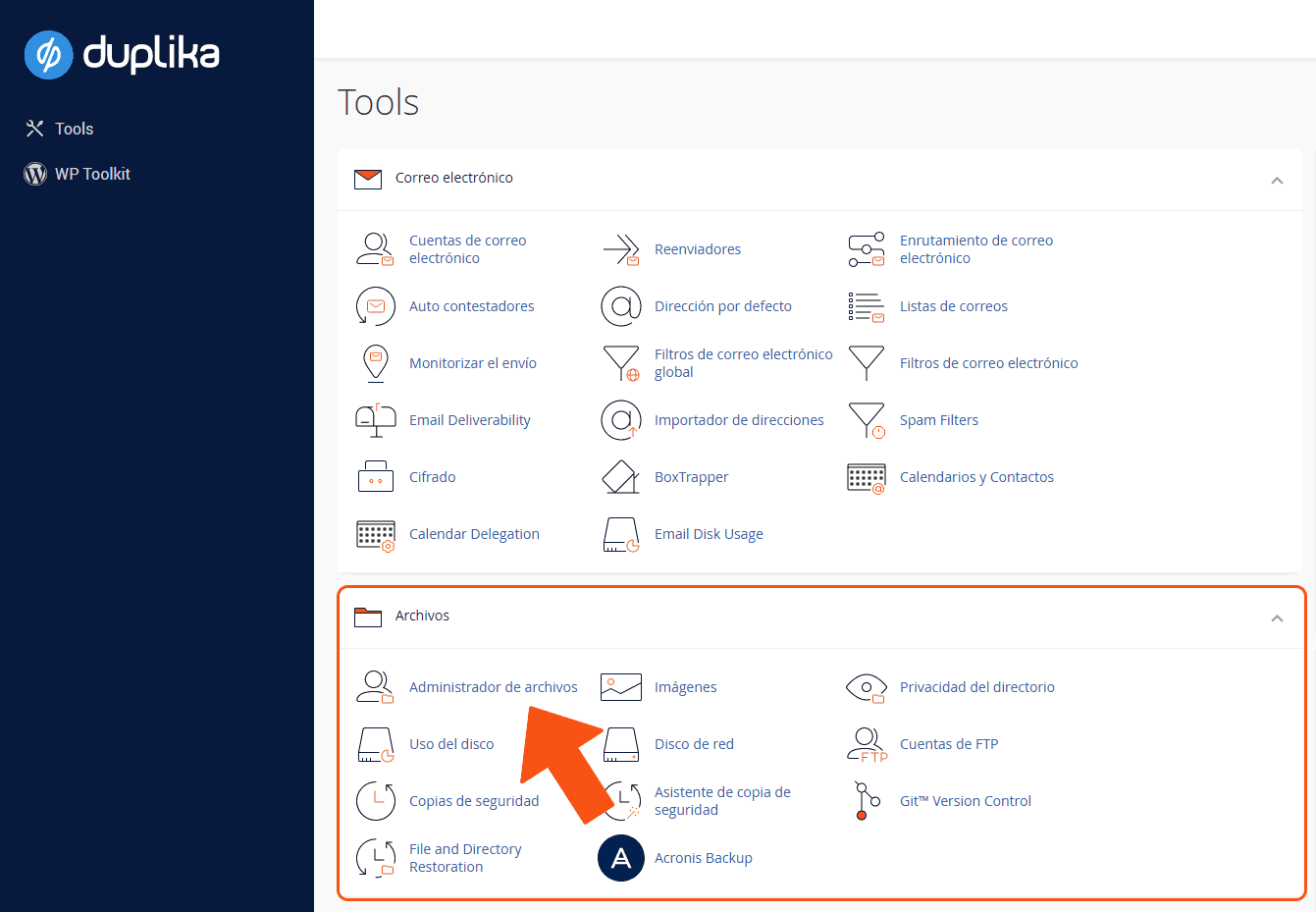
To do this, from the control panel, we need to upload the .sql database using the File Manager (or an FTP client).
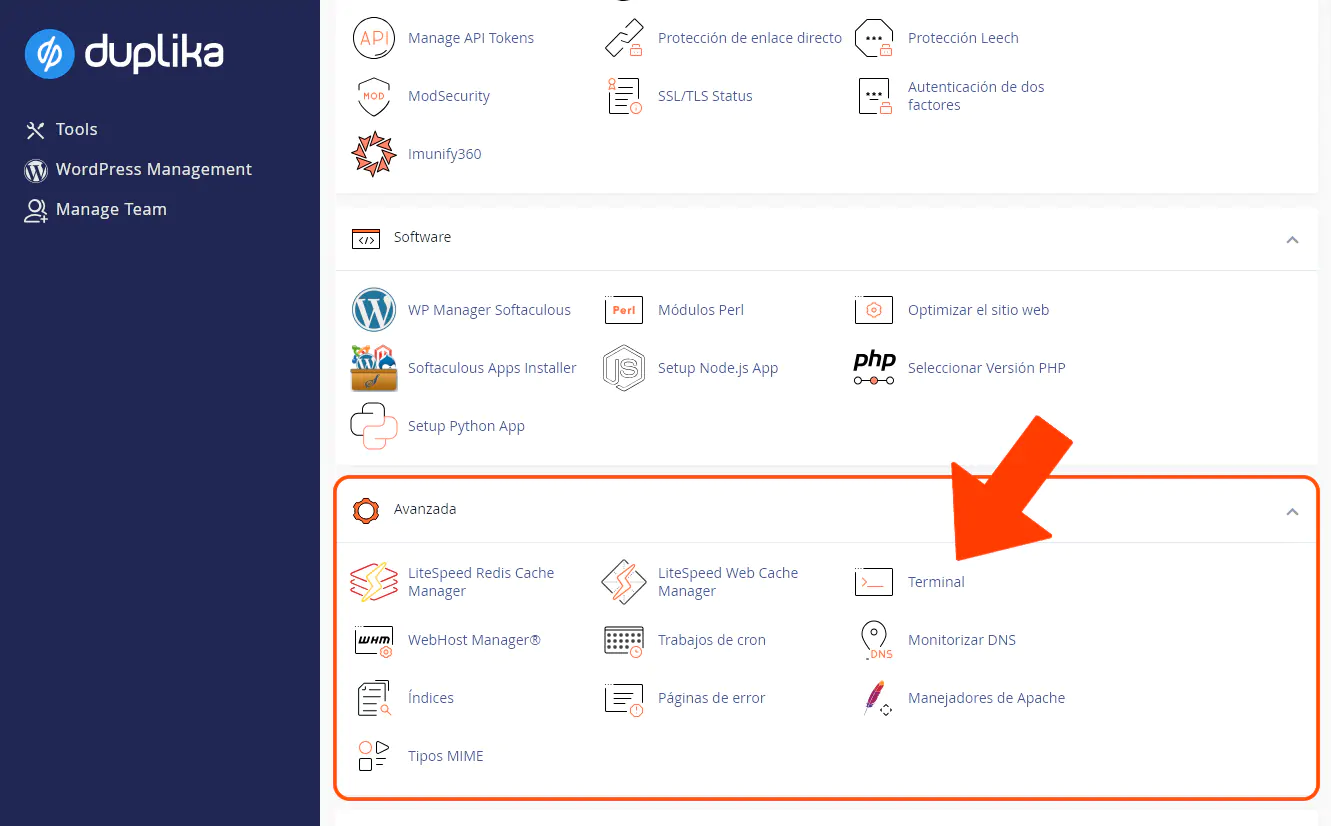
, The next step is to select the Terminal option.
There, we can enter the following command to import the database:
mysql -u USER -p DB < basededatos.sqlNote: in the command above, we need to replace the following:
USER with the MySQL user created previously.
DB with the MySQL database created previously.
basededatos.sql with the name of the .sql file you uploaded previously.
As a security measure, the system will ask us for the MySQL user's password.
Remember to grant the user permissions so they can access and write to the database in question.