Imunify Security en WordPress: funciones y bloqueos
Actualizado hace 4 semanas
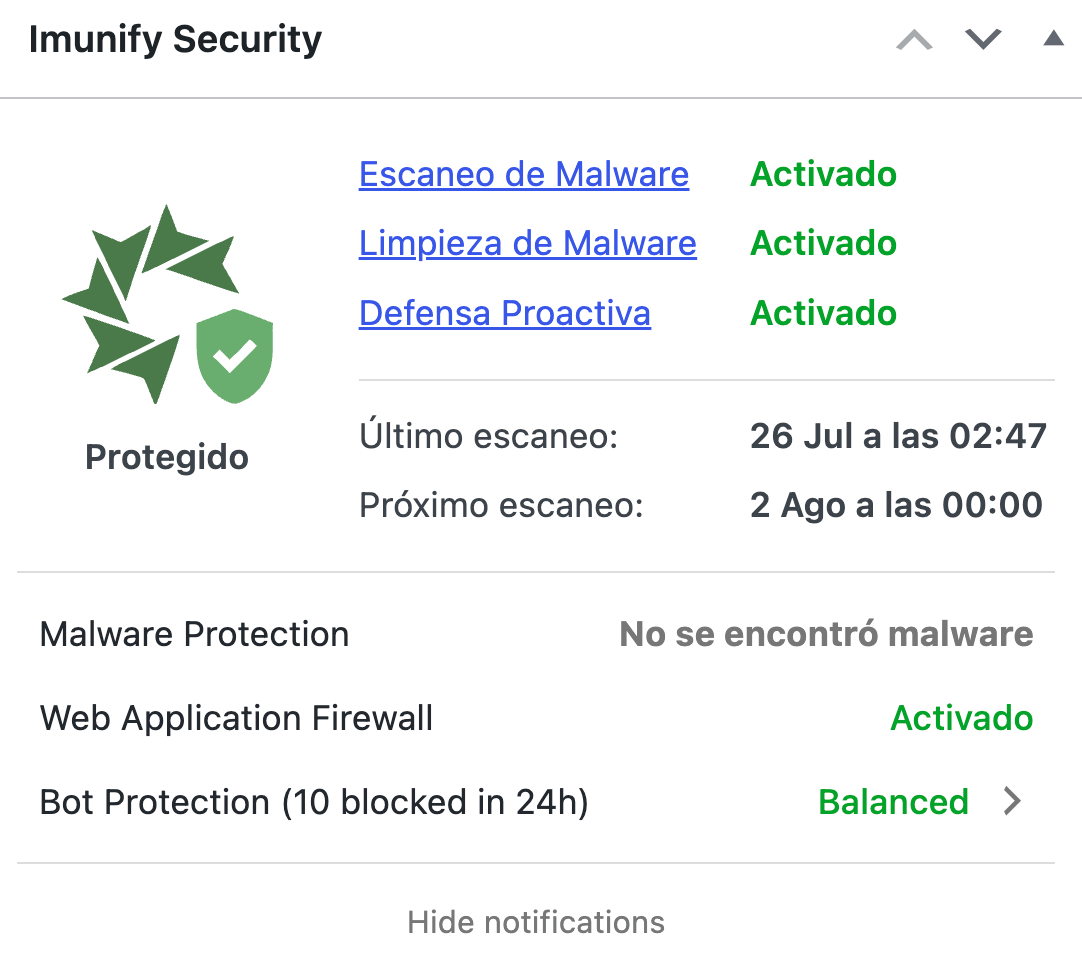
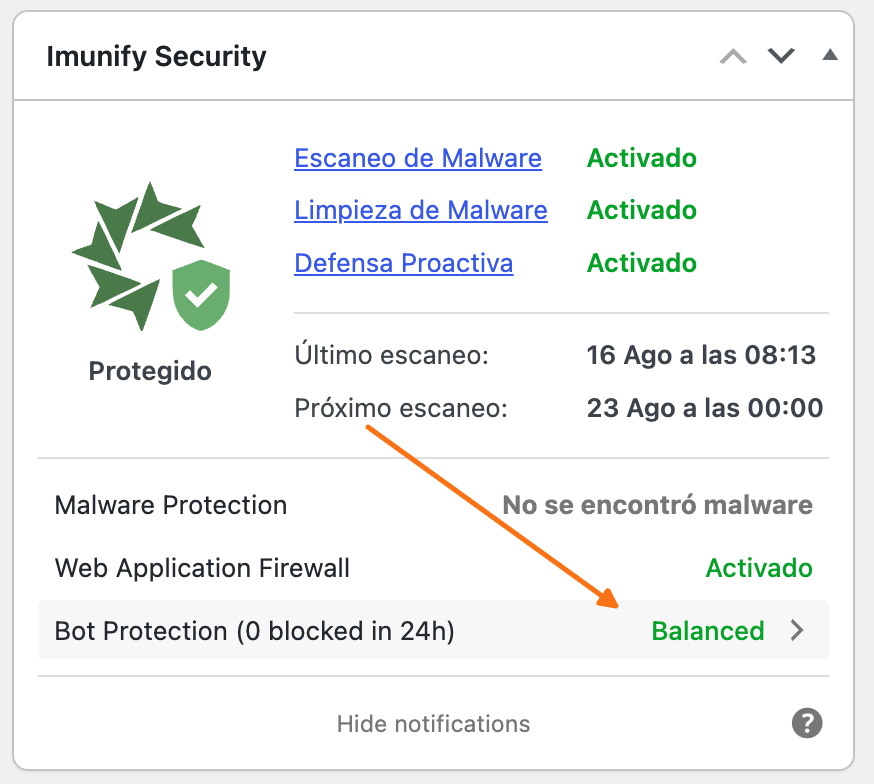
Nuestro plugin de seguridad permite ver en tiempo real, amenazas, bloqueos y optimizaciones para bots. El mismo está conectado al firewall del servidor, mostrando los resultados y análisis continuos de malware en su WordPress, brindándole seguridad eficiente a su aplicación.
El plugin es liviano y permite conocer el estado de seguridad de nuestro sitio, y tomar acciones en caso de detectar alguna vulnerabilidad. Todos los procesos son ejecutados a nivel servidor, sin afectar el rendimiento y consumir recursos de su plan de hosting.
Las nuevas funciones incorporadas en el plugin, son:
Detectar que plugins y plantillas son utilizadas
Nuestro WAF aplicará parches virtuales con reglas especificadas para cada plugin o plantilla
Bloquear intentos de explotar vulnerabilidades conocidas, aún si el plugin aún no fue actualizado
Muestra especifica que bloqueos son realizados, directamente en el escritorio de su WordPress
Si ya posee otro plugin de seguridad y/o quiere desactivar Imunify Security, puede desactivarlo y eliminarlo cuando guste sin comprometer la seguridad de su sitio.
Error Rate Limit Exceeded
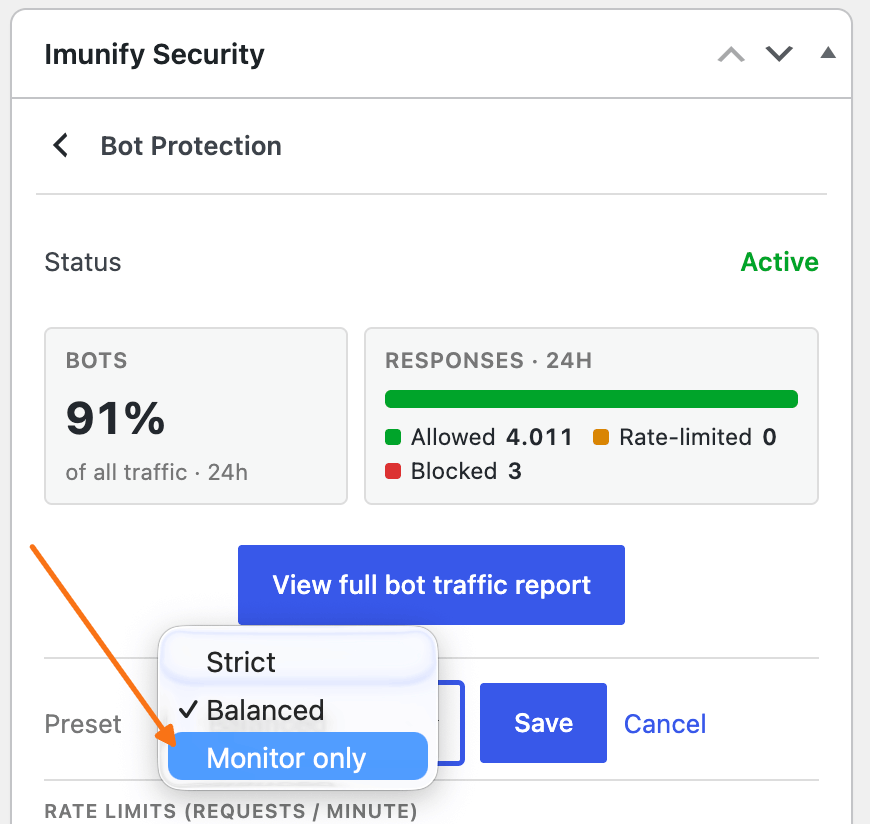
Si recibe el error Rate Limit Exceeded, puede desactivar la protección pero mantener el plugin activo, puede cambiar el modo a Monitoreo únicamente: