

New PHP Selector
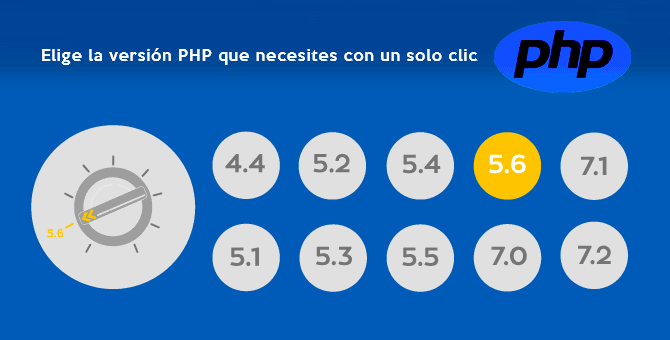
Thanks to our integration with CloudLinux, we've launched the new PHP Selector, a virtual “knob” that lets you choose whichever PHP version you want. The PHP Selector allows users to select the specific PHP version their project or framework requires.
You now have the flexibility to choose from all popular PHP versions.
The options include the latest version, PHP 7.4, and you can also choose the older 5.6 version.
How do I change my site's PHP version?
Since we provide cPanel hosting, log in to cPanel using your site's URL with the cpanel subdomain.
Like this:

Note: Replace «mysite.com» with your domain's correct URL.
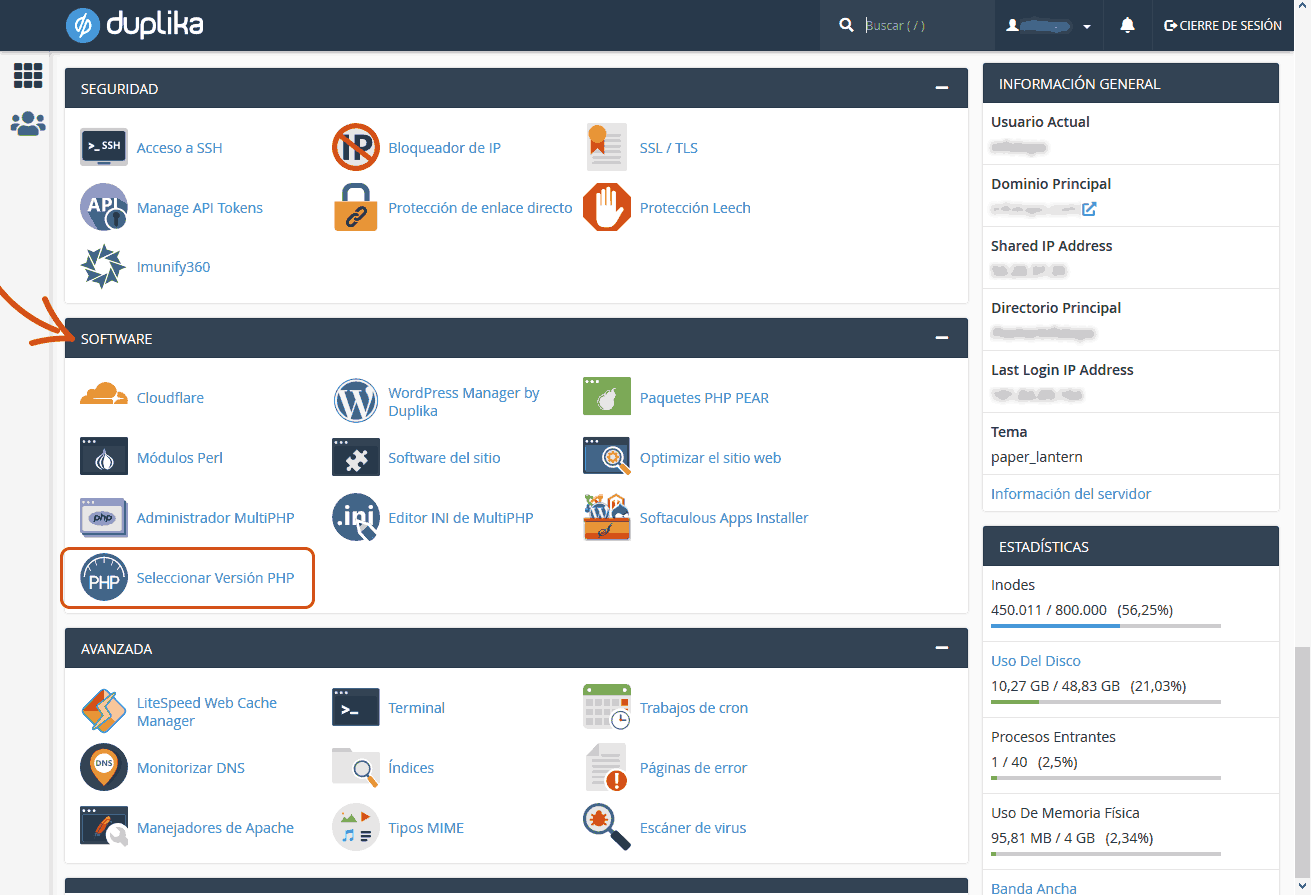
Once logged in, look for the ‘Select PHP Version’ tool in the software category, as shown in the screenshot below.
When you open the tool, you'll see the following screen:
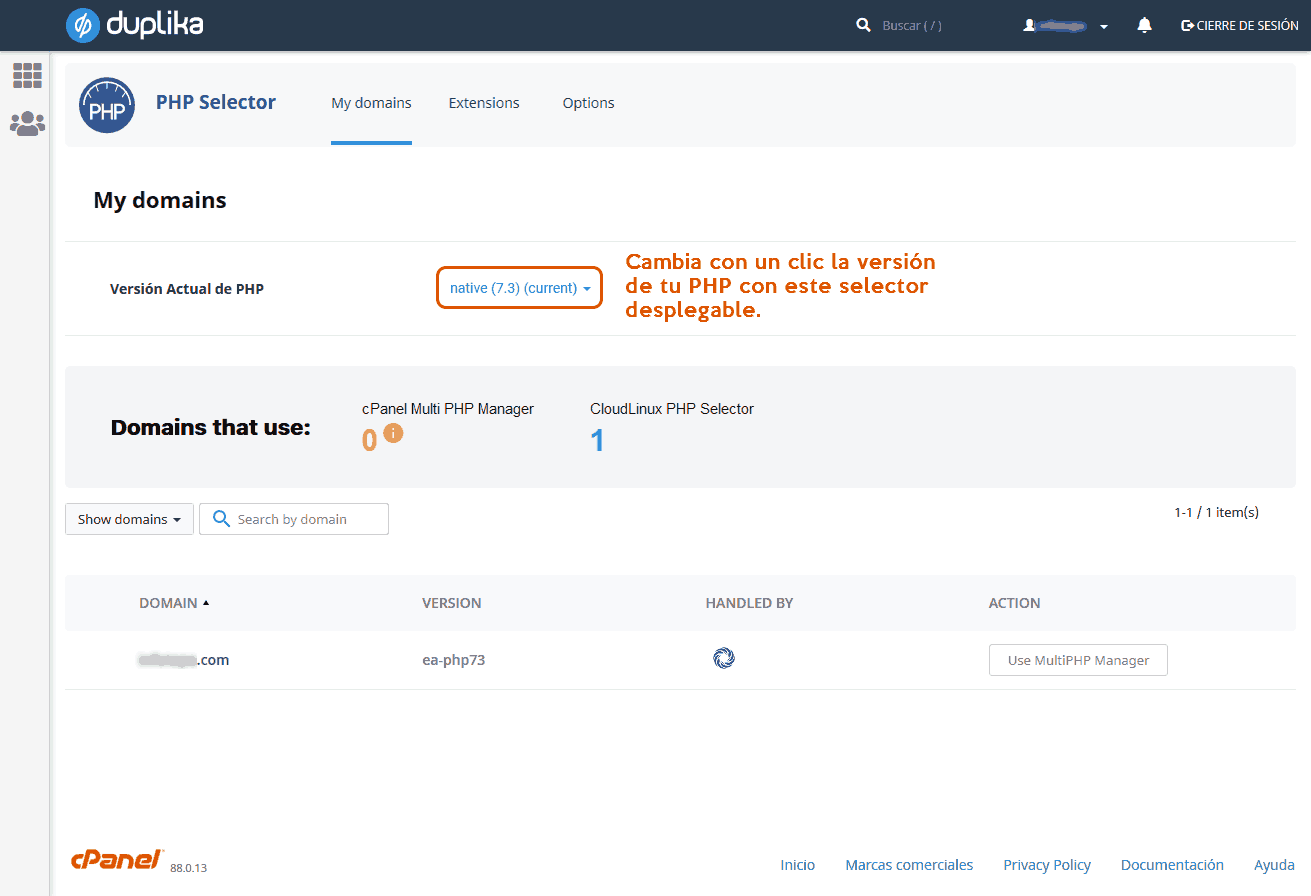
That's all.
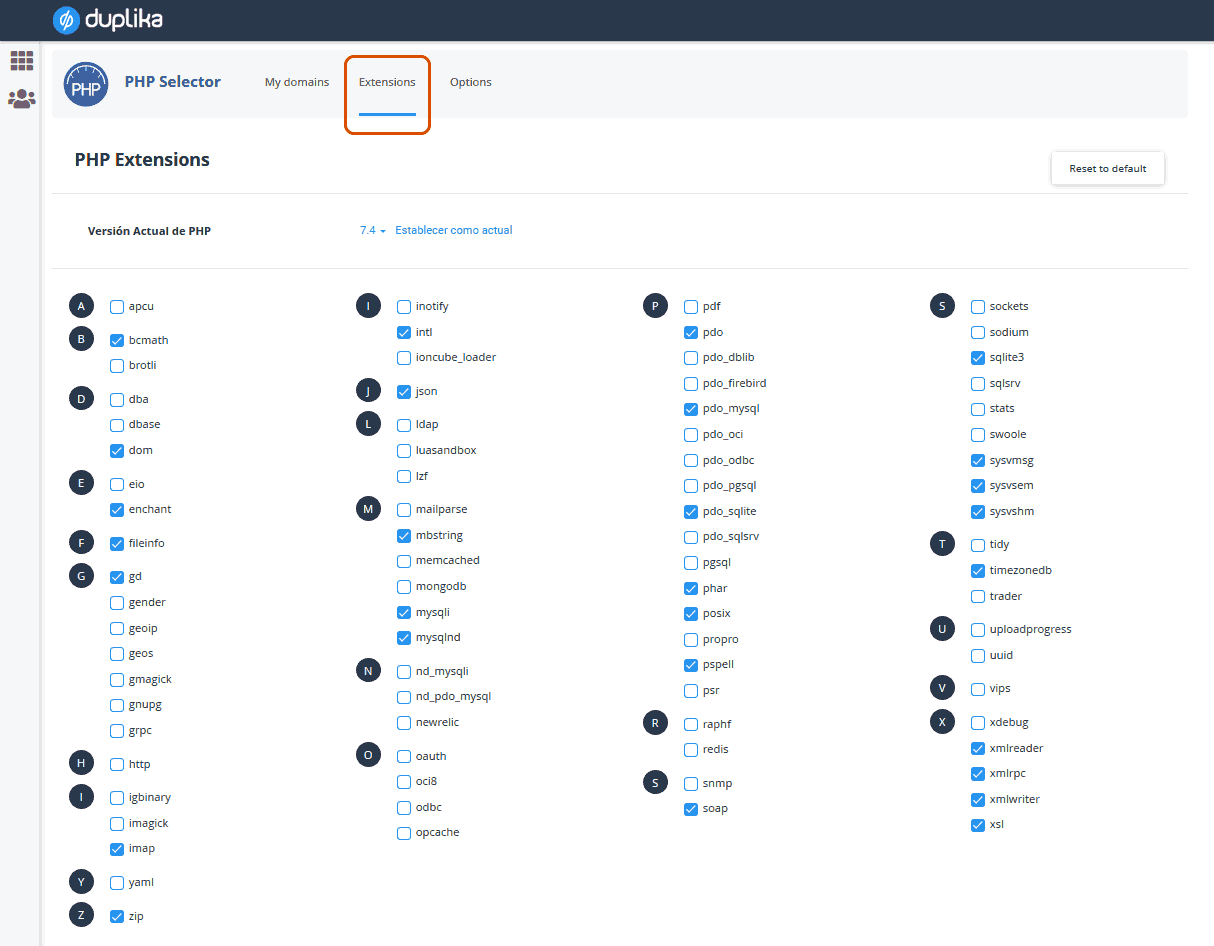
As a final note, you can also add PHP extensions with a single click without editing files or making changes to .htaccess.
To do this, go to the ‘Extensions’ tab and select the ones you need.
If you have any questions or are unable to complete a step, email us at [email protected].
As always, we're here to help. Thanks for reading.