Train the Filter and Report Spam
Updated 3 months ago

You can train and improve your account's spam filter by reporting emails that were not automatically filtered.
To do this, first sign in to the email account's webmail:

Replace midominio.com with your domain.
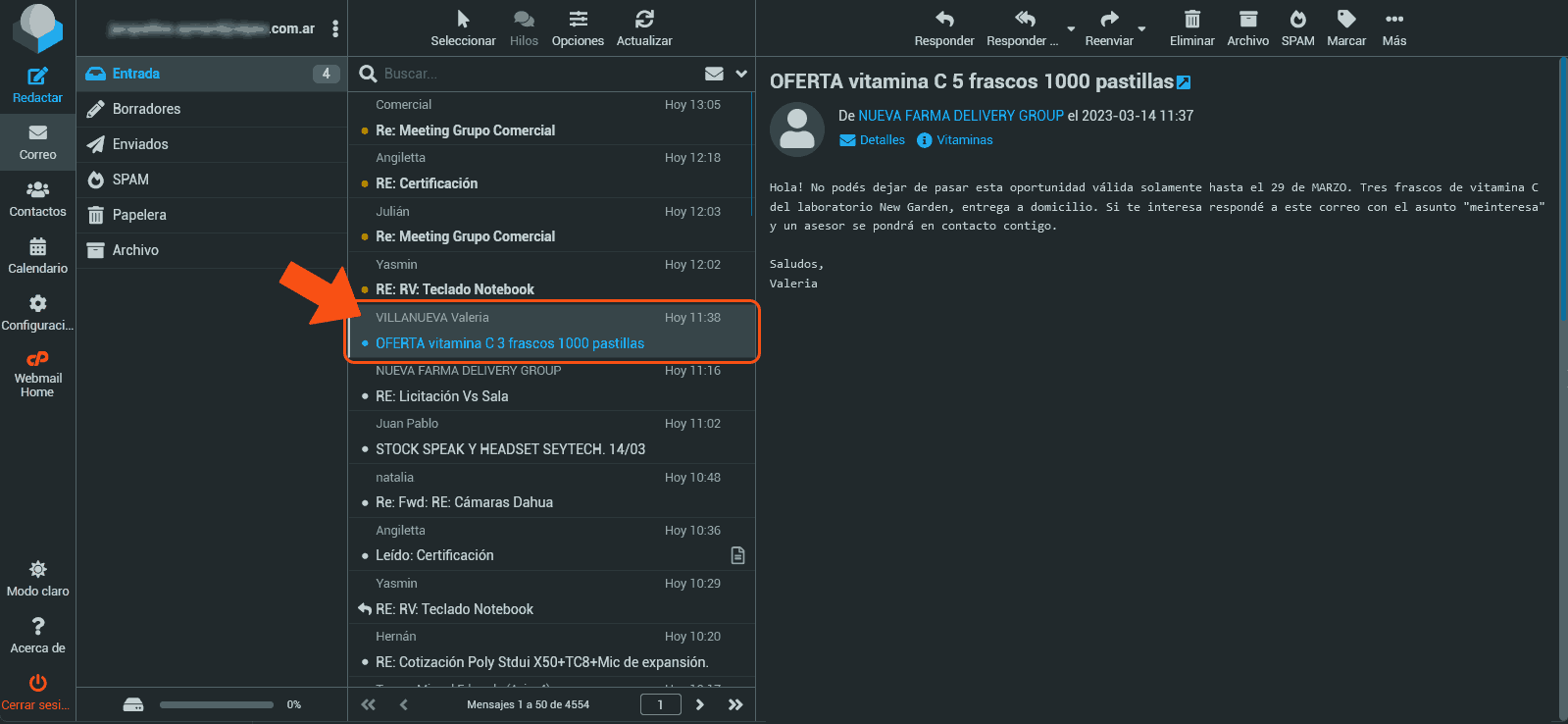
Once signed in, select the unfiltered unwanted email:
Then click the SPAM button:
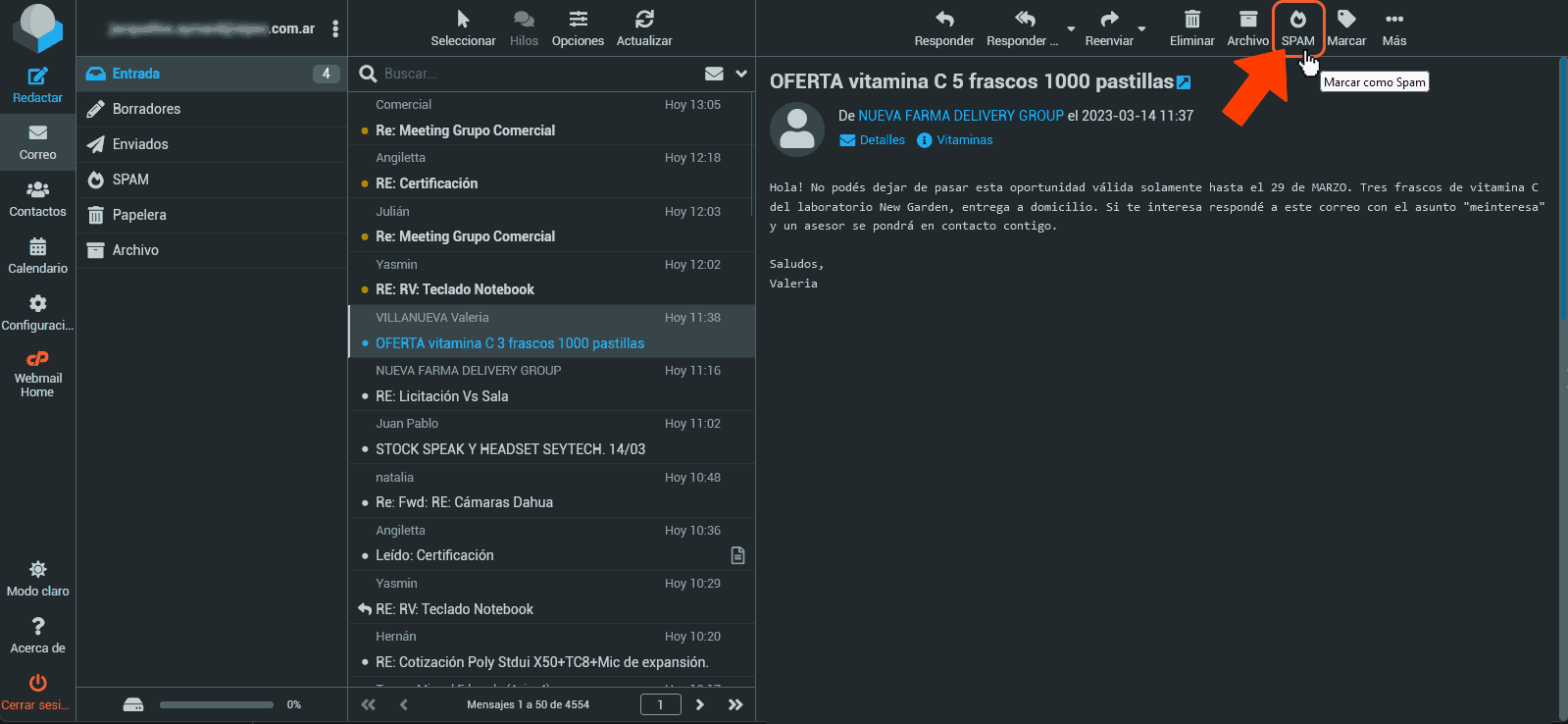
It's important to know that marking an email as SPAM not only stops you from receiving more emails from the sender, but, more importantly, the intelligent SPAM filter learns from this email so it can identify new, similar emails.
For example, future emails from the same IP address will no longer reach your inbox. And that's not all: the intelligent filter helps prevent those emails from reaching others (when more than one person marks them as SPAM). In short, the message body, its subject, and the server it came from become suspicious patterns.
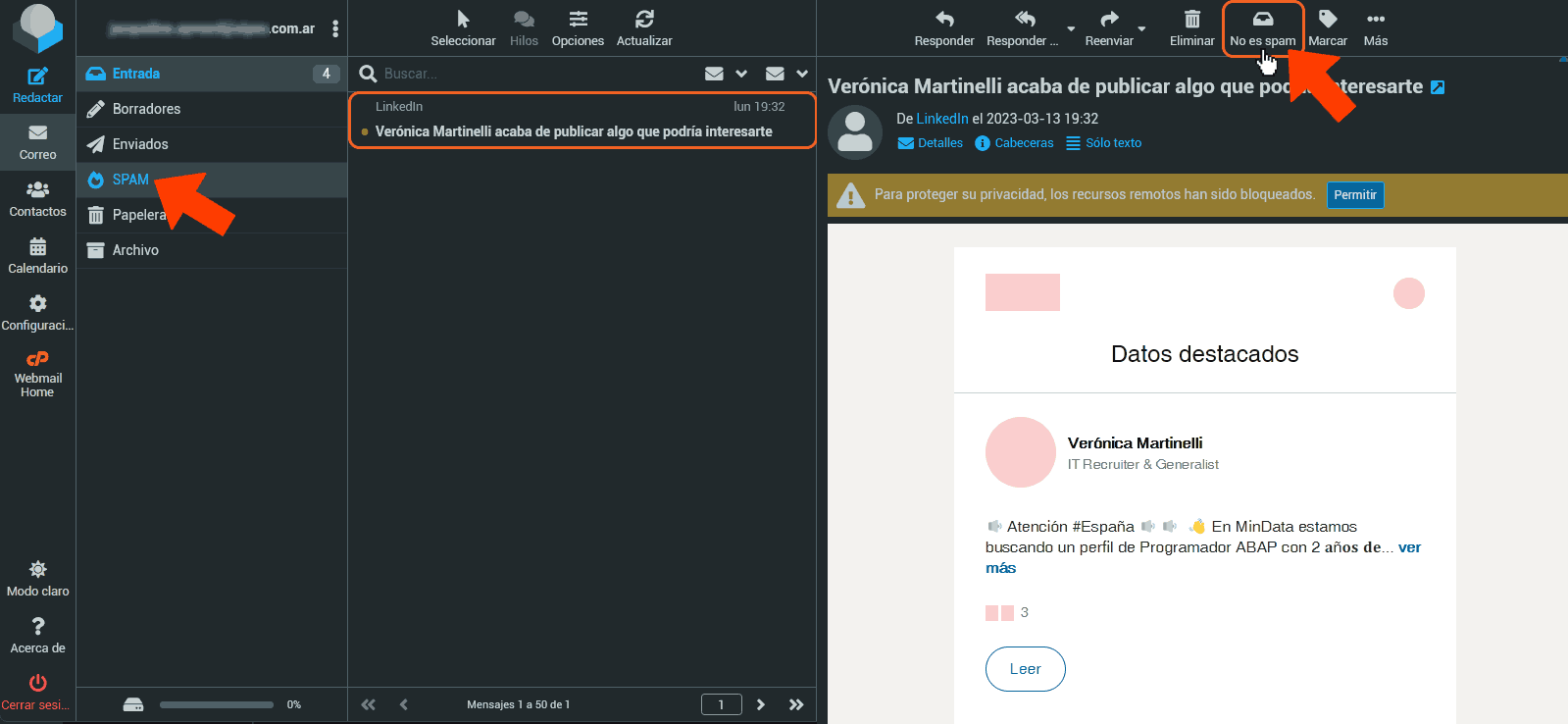
Prevent Valid Emails from Being Filtered as Junk
Conversely, if you find valid emails in your spam folder, you can report them as not spam to train the filter and prevent them from being filtered again.