Entrenar filtro y reportar spam
Actualizado hace 3 meses

Es posible entrenar y mejorar el filtro antispam de su cuenta, reportando los correos que no fueron filtrados automáticamente.
Para ello primero debemos ingresar al webmail de la cuenta de mail:

Reemplazamos midominio.com por su dominio.
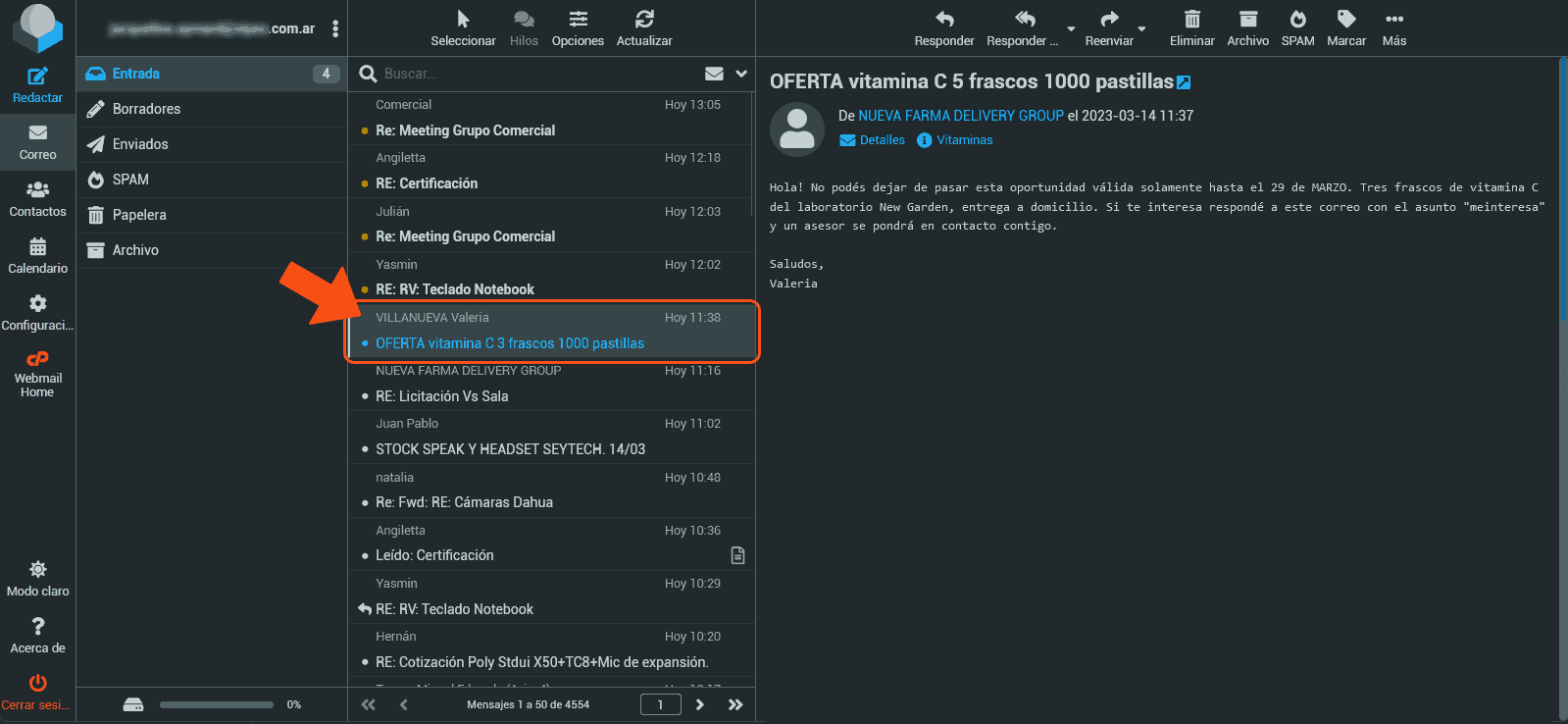
Una vez que ingresamos, seleccionamos el correo no deseado no filtrado:
Y luego hacemos clic en el botón SPAM:
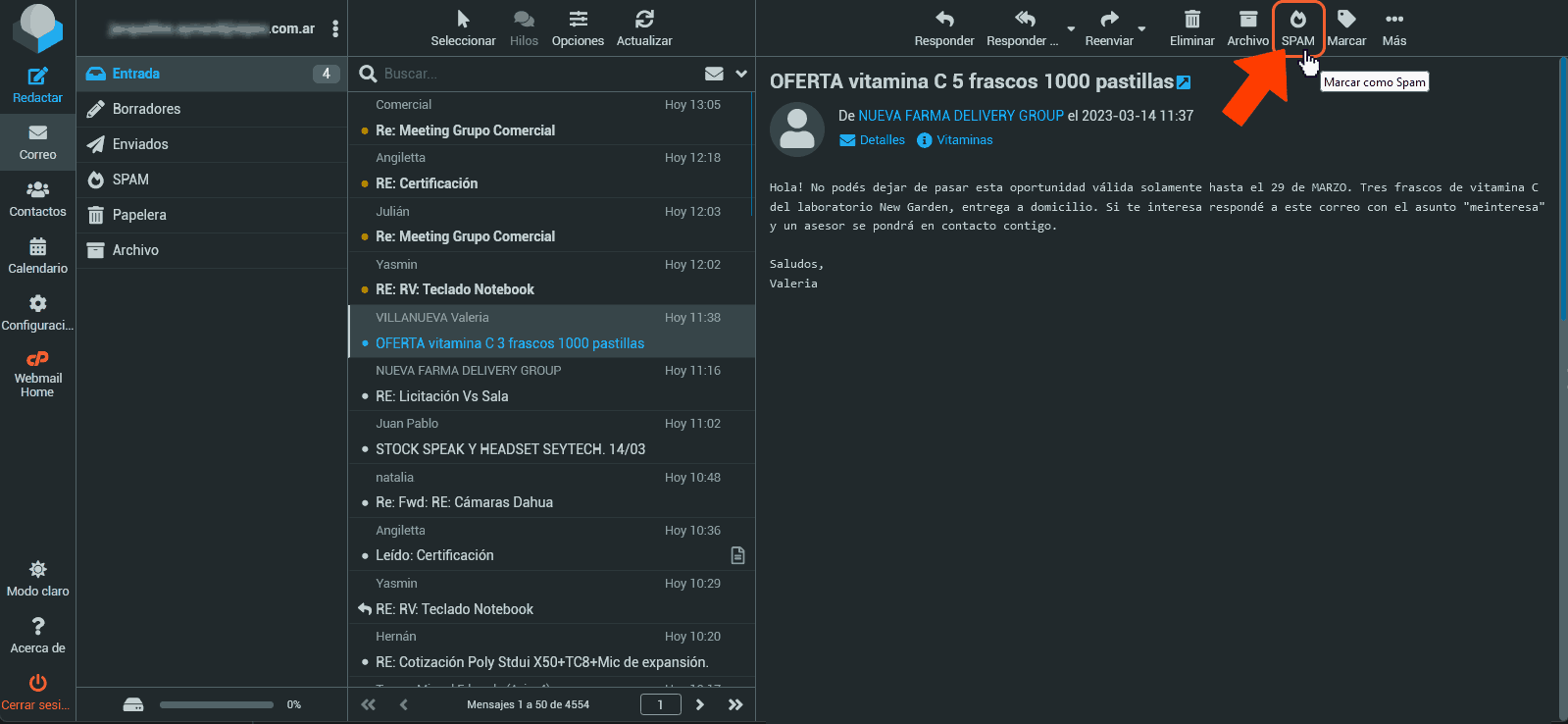
Es importante saber que, al tildar de SPAM dicho correo, no solamente no recibiremos más emails del remitente sino que, mucho más importante, el filtrado inteligente de SPAM aprende de este correo para poder identificar nuevos correos similares.
Por ejemplo, futuros correos que provengan del mismo IP ya no ingresarán a nuestra casilla. Y eso no es todo: el filtro inteligente ayuda a prevenir que dichos correos le lleguen a otros (en la medida en que más de una persona los tilde como SPAM). En conclusión, el cuerpo del mensaje, su asunto y el servidor de dónde proviene se convierten en patrón sospechoso.
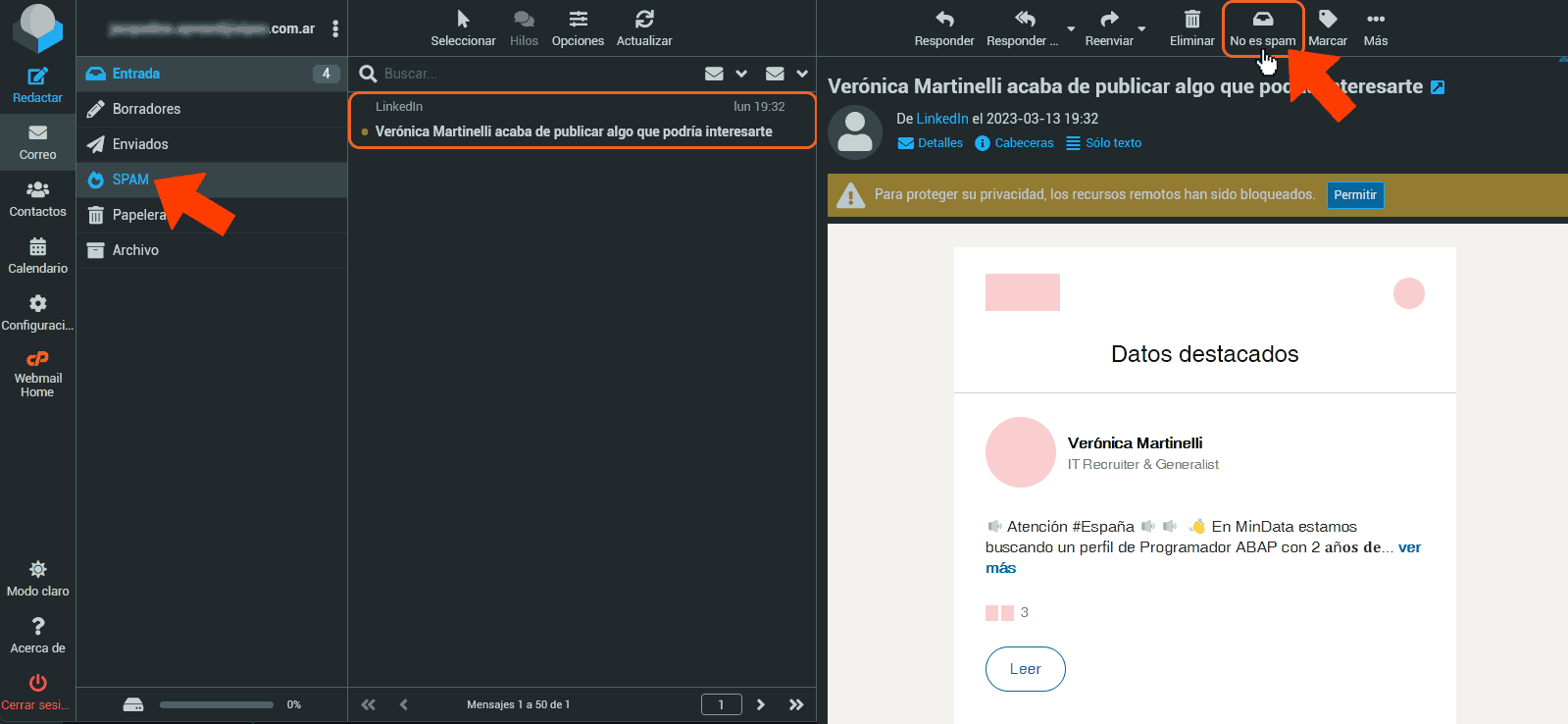
Evitar que correos válidos sean filtrados como No Deseados
A la inversa, en caso de que en nuestra casilla de spam, encontremos correos válidos, podemos reportar los correos como no spam, para entrenar el filtro y evitar que éstos correos sean filtrados nuevamente.