Webmail: Acceder a tus mails desde tu navegador
Actualizado hace 3 meses
Si ya has creado tus cuentas de correo, vas a poder ingresar a las mismas para enviar y recibir correos desde tu navegador web (ya sea en PC, Mac, o cualquier dispositivo mobile).
Acceso desde navegador
La dirección para acceder a tu webmail es:

Por supuesto, reemplaza "midominio.com" por la URL correcta de tu sitio.
Los datos de acceso son:
Usuario: Tu casilla de mail completa (ejemplo: [email protected])
Contraseña: La contraseña de acceso de dicha cuenta
Si no recuerdas los datos de acceso a tu cuenta de mail, deberás reiniciar los datos de acceso desde tu panel de control cPanel, opción Correo Electrónico.
Ingresa a tu cPanel con la siguiente URL (nuevamente, modificando "midominio.com" por la dirección real de tu sitio).

Tras ingresar a tu cPanel, podrás administrar todas tus casillas de correo aquí:
A continuación detallamos algunas mejoras que puede realizar en su webmail para mejorar su navegación y uso
Visualizar mails como hilos
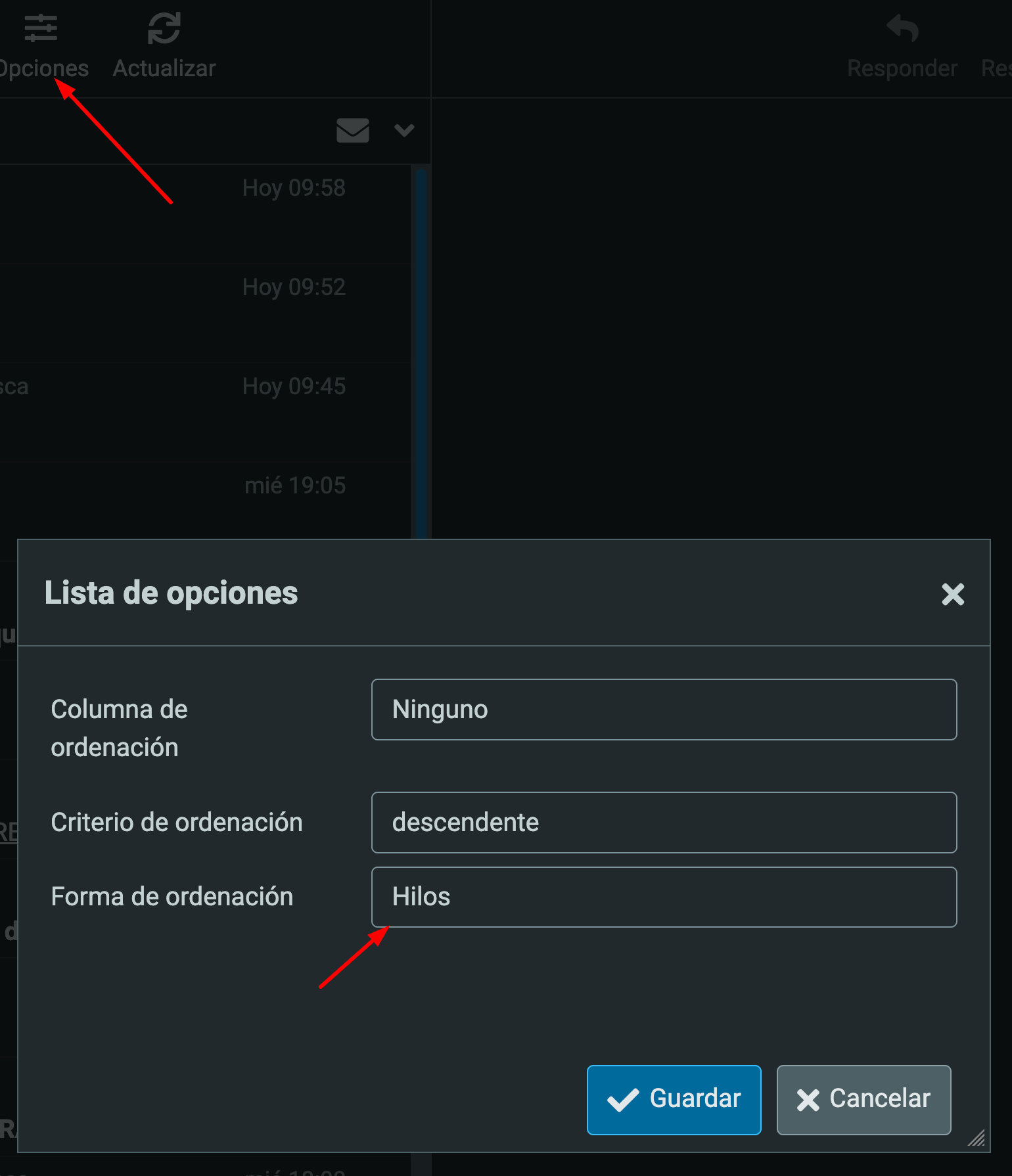
Si desea visualizar los correos como hilos de mensajes, para que cada mail sea agrupado en su respectivo hilo de mails, como hace Gmail y otros proveedores, debemos ajustar la opción "Forma de ordenación" a Hilos desde las opciones:
Redactar en HTML y responder encima del original
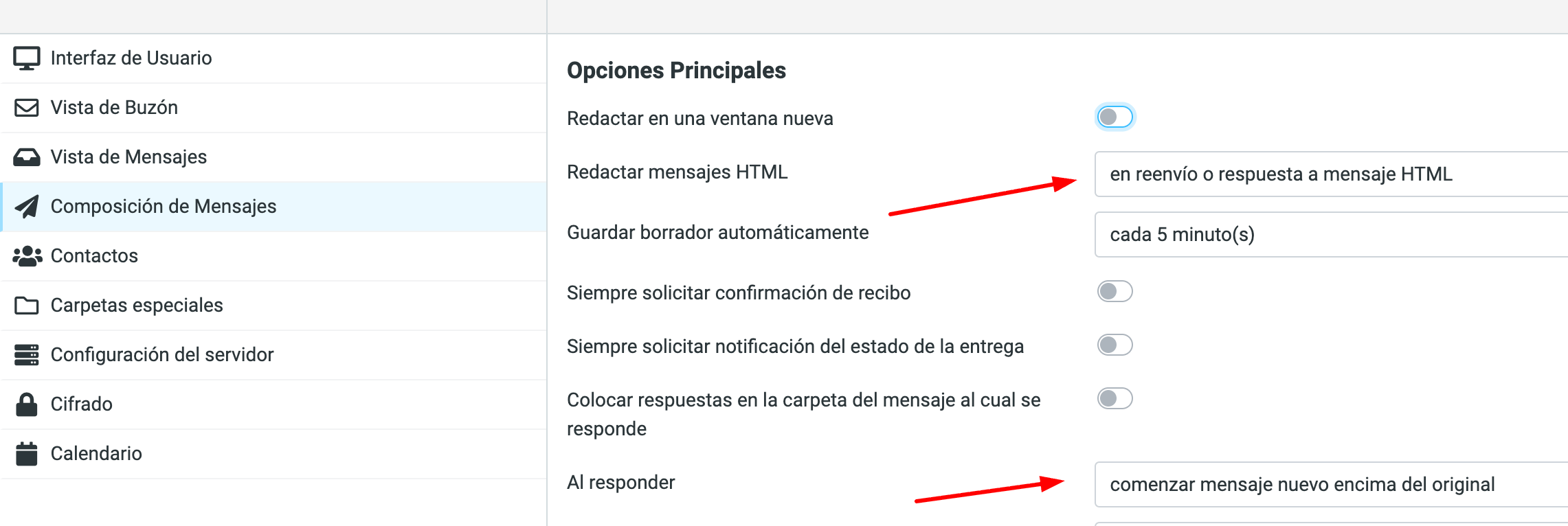
Otra opción que recomendamos activar en caso de que querramos darle formato a nuestro mail, o incluir alguna firma en HTML, es "Redactar mensajes HTML", activando la opción Siempre, o bien "en reenvío o respuesta a mensaje HTML".
También sugerimos activar la opción "Al responder": Comenzar mensaje nuevo encima del original.