Webmail: Accessing Your Emails from Your Browser
Updated 3 months ago
If you’ve already created your email accounts, you can access them to send and receive emails from your web browser (whether on a PC, Mac, or any mobile device).
Accessing webmail from a browser
The address for accessing your webmail is:

Of course, replace "midominio.com" with your site’s correct URL.
Your login details are:
Username: Your full email address (example: [email protected])
Password: The password for that account
If you don’t remember your email account login details, you’ll need to reset them from your control panel under cPanel, Email.
Go to your cPanel using the following URL (again, replacing "midominio.com" with your site’s actual address).

After logging in to your cPanel, you can manage all your email accounts here:
Below, we describe some improvements you can make to your webmail to enhance your browsing and user experience.
View emails as threads
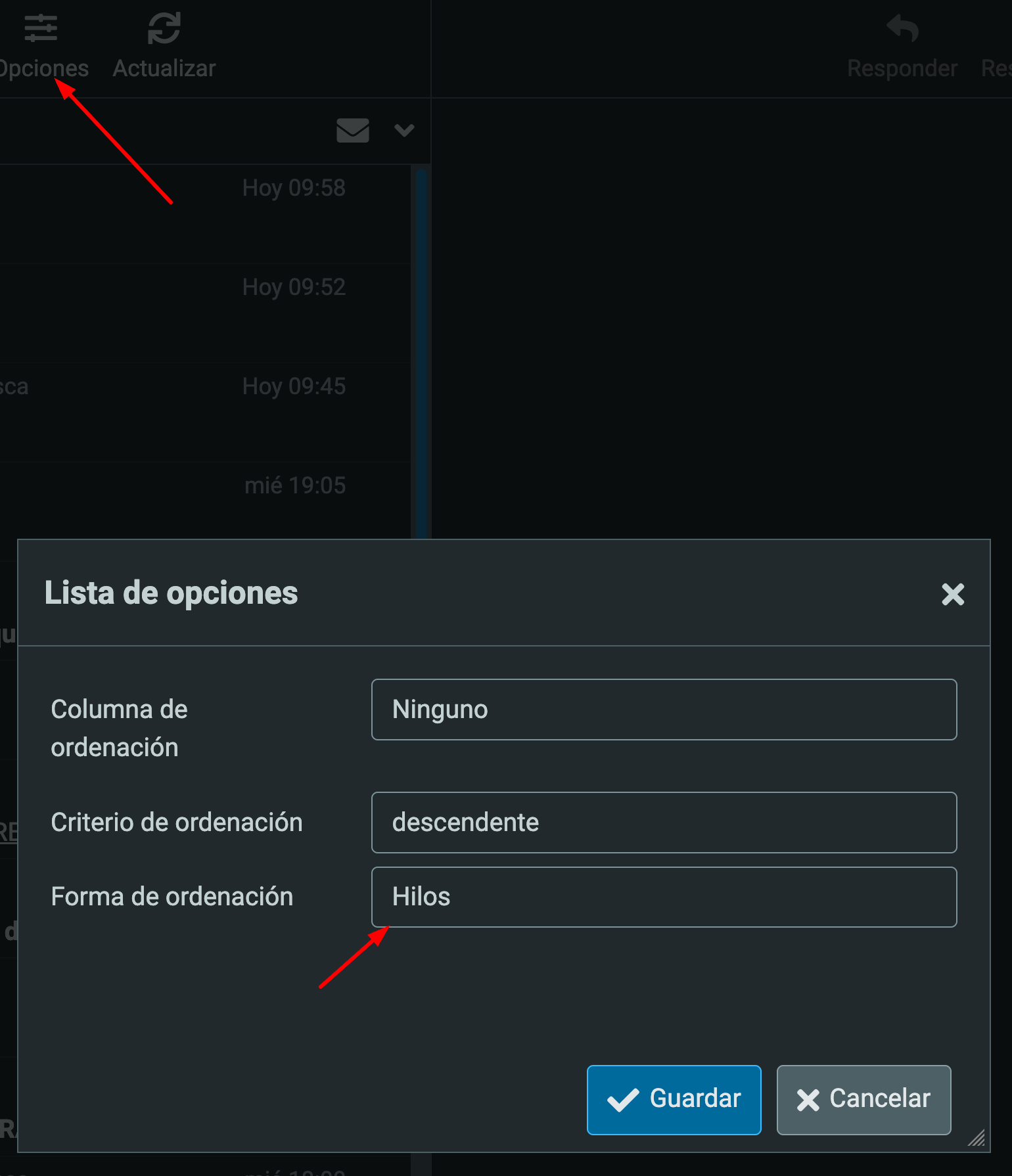
If you want to view emails as message threads, so that each email is grouped into its respective thread, as Gmail and other providers do, set the "Sort order" option to Threads in the options:
Compose in HTML and reply above the original message
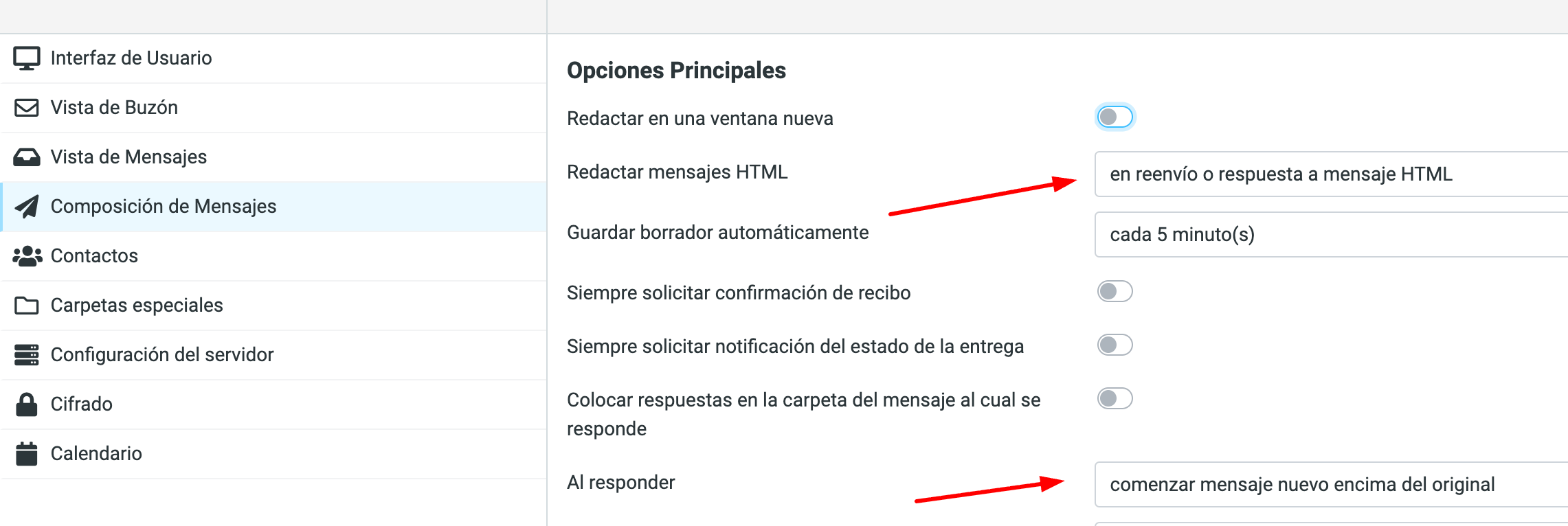
Another option we recommend enabling if you want to format your email or include an HTML signature is "Compose HTML messages". Set it to Always, or to "when forwarding or replying to an HTML message".
We also recommend enabling the "When replying" option: Start new message above the original.