

Cambiar plan de hosting
Actualizado hace 9 meses
A continuación detallamos los pasos para cambiar tu plan de hosting, ya sea para ampliarlo o para reducirlo.
Ingresa en Mis Servicios dentro de la mesa de clientes y selecciona el servicio que deseas modificar.
Selecciona la opción Cambiar plan en el menú de la izquierda.
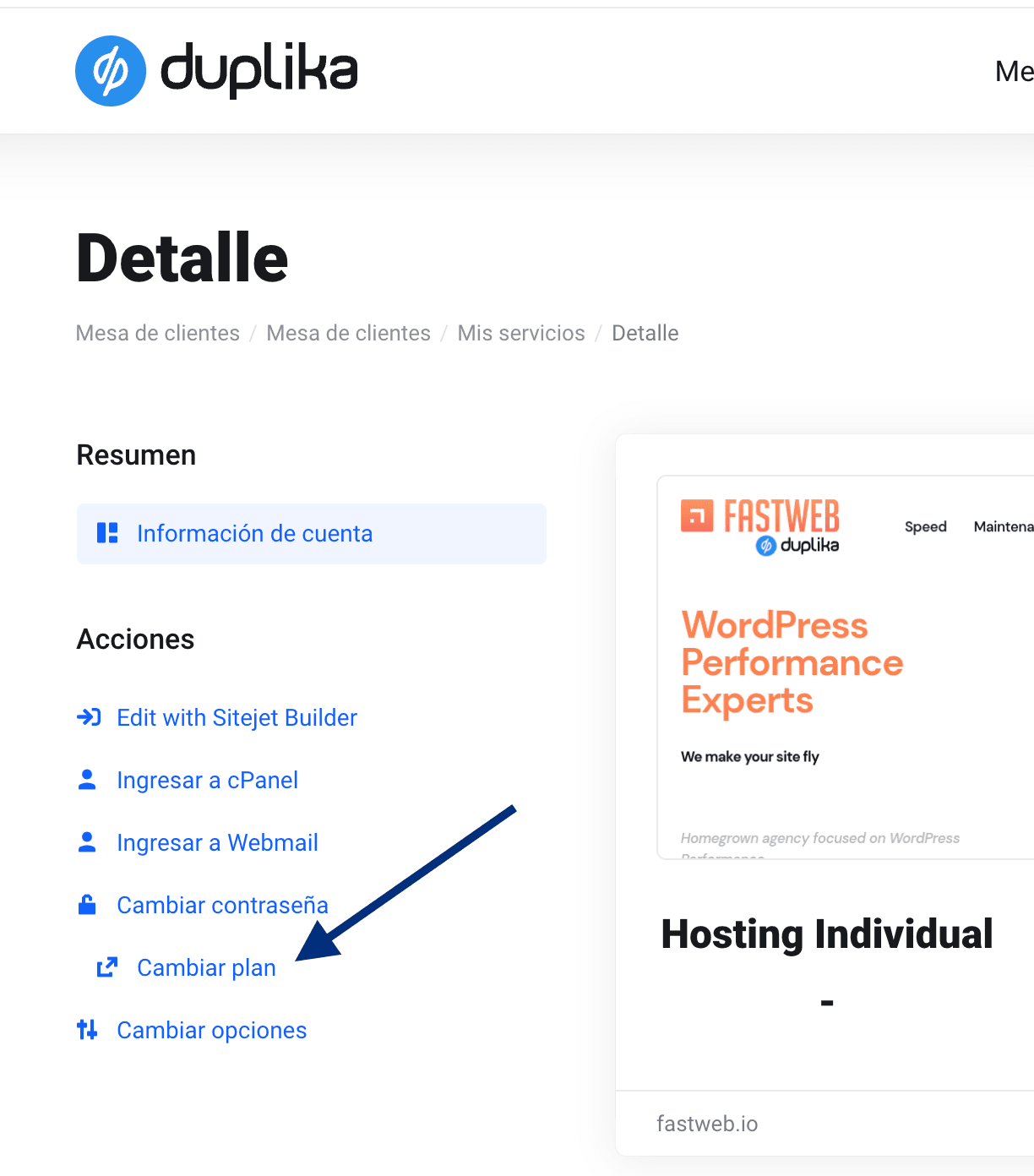
Selecciona el nuevo plan al que deseas adoptar.
El sistema calculará automáticamente la diferencia, teniendo en cuenta el período no utilizado de tu plan actual y la periodicidad.
Cada ampliación o reducción de plan no es recargado con ningún tipo de costo adicional, más allá de las diferencias de costos en cada uno de nuestros planes de hosting.
¿Te fue útil?
¿Te fue útil?