

Change PHP Version and Settings
Updated 2 months ago
In this brief guide, we'll show you step by step how to change the PHP version for your hosting service and adjust its settings.
Adjust PHP settings on hosting plans
Access cPanel
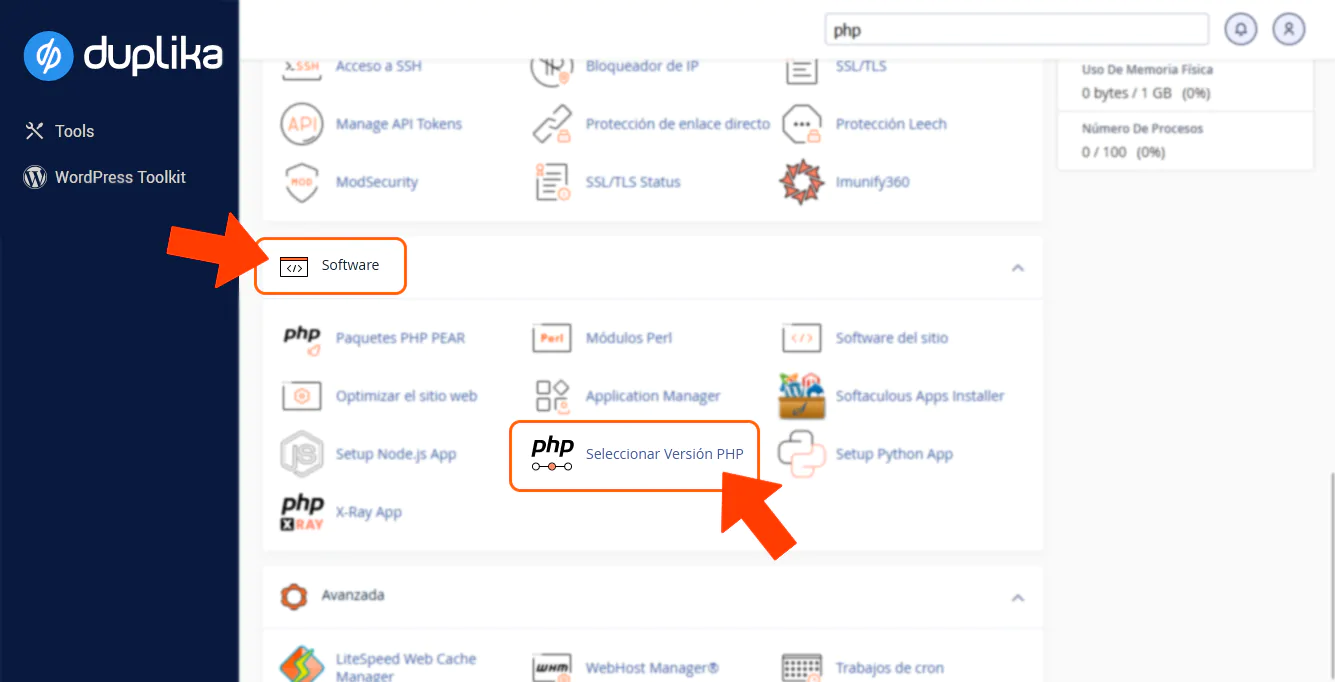
Select PHP Version
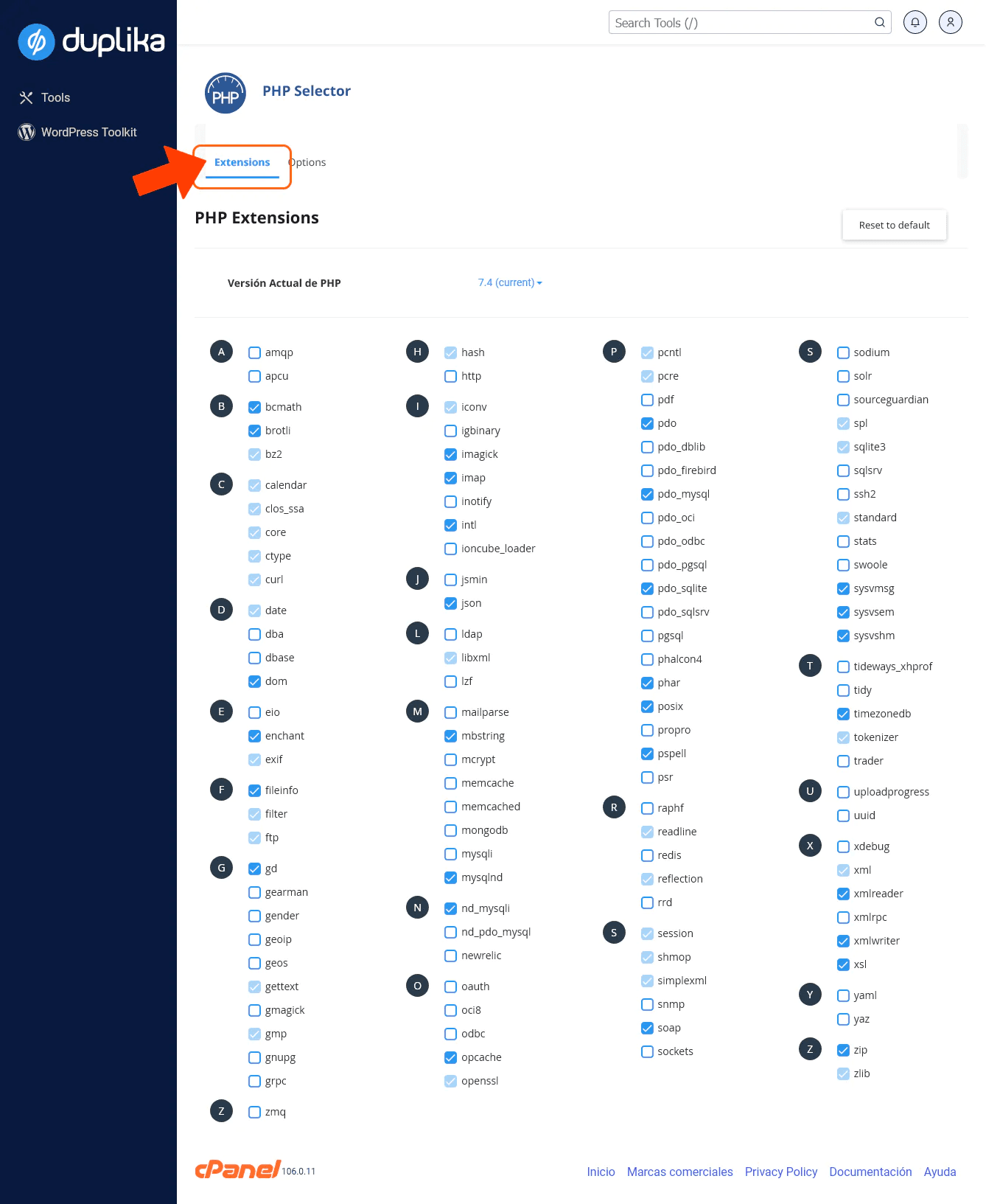
Extensions: You can enable opcache or any other extension your CMS application needs. We recommend selecting Reset to default to enable the recommended extensions.
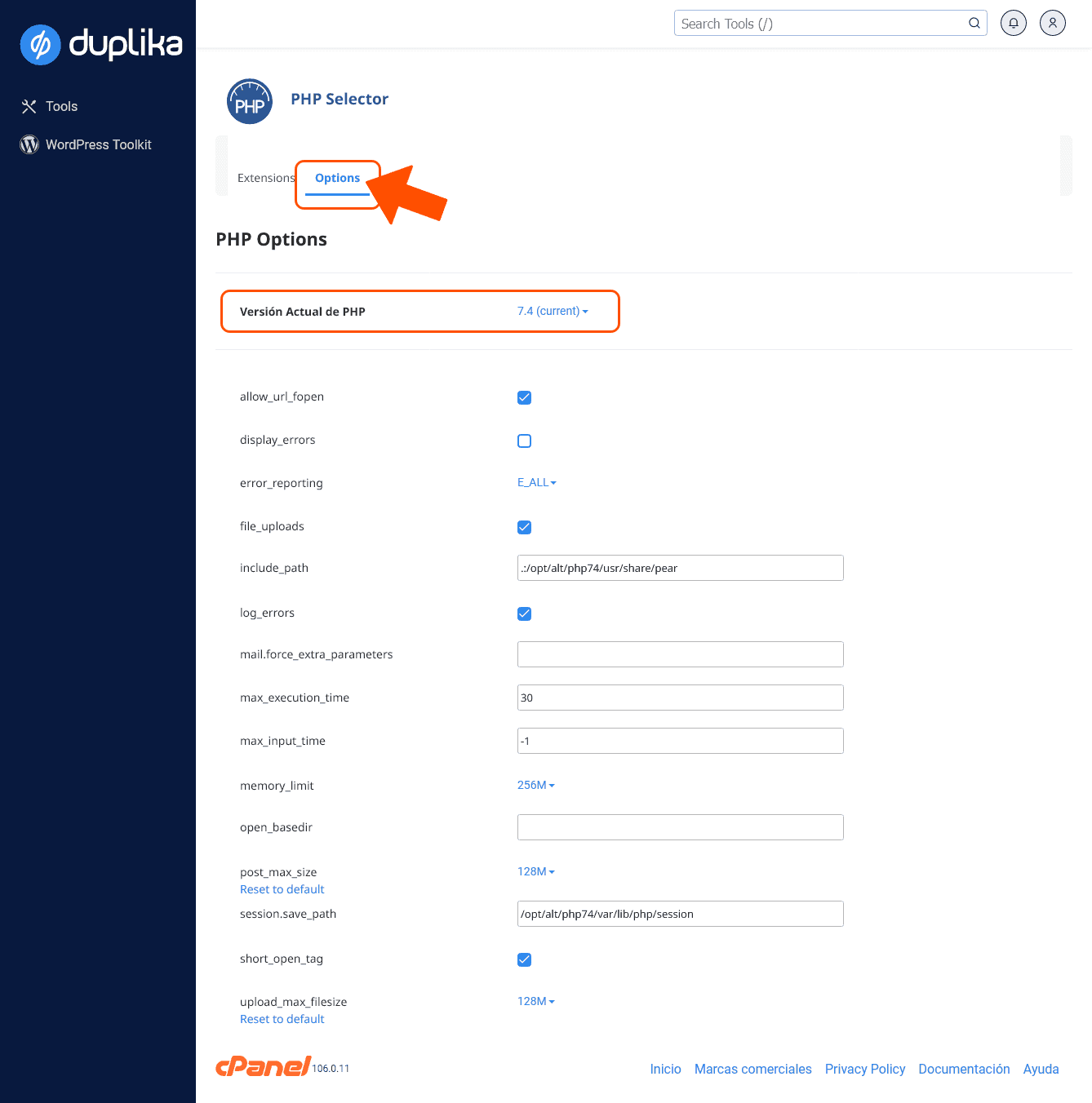
Options: You can adjust the settings for the selected PHP version:
Cloud or dedicated server without Cloudlinux
If you use a cloud or dedicated server without Cloudlinux, you can use cPanel's native PHP selector, MultiPHP Manager.
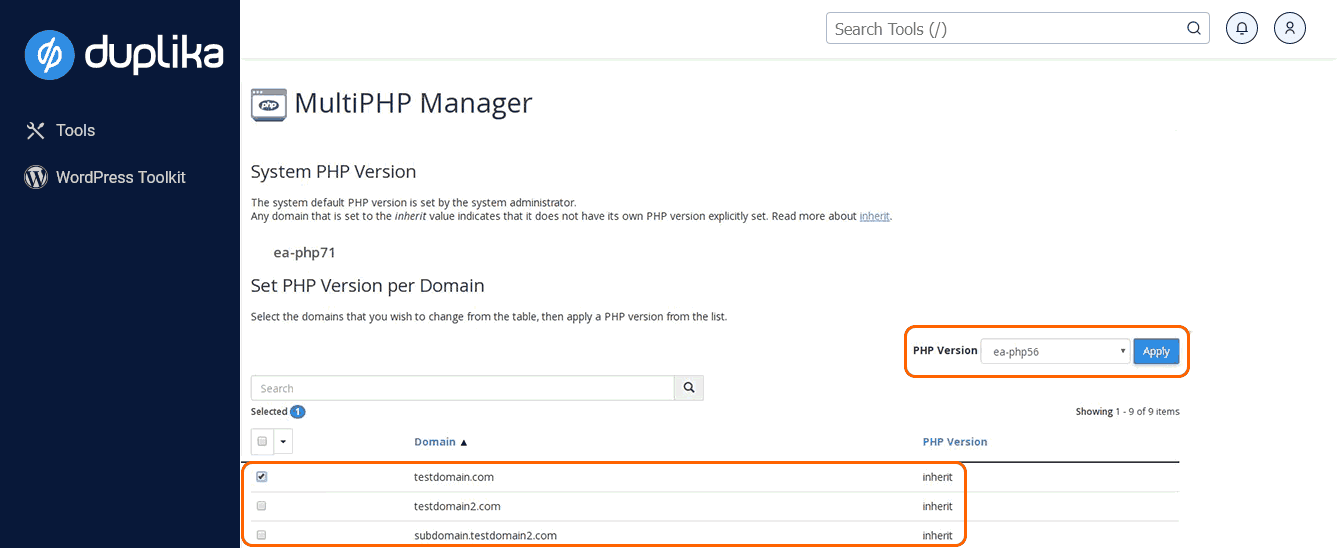
MultiPHP lets you configure the PHP version for each domain or virtual host.
Note: The settings selected in this area of cPanel will override the version selected in the 'Select PHP Version' area.
Was this helpful?
Was this helpful?