

Email Setup on Android
Updated 2 months ago
To set up an email account on any device or in any email program, you must create the email account first.
Once you've created the email account, you can download Gmail or any other email app you want to use from the Google Play Store.
In the Gmail app, open your Profile and tap Add another account.
1- Select the Other option.
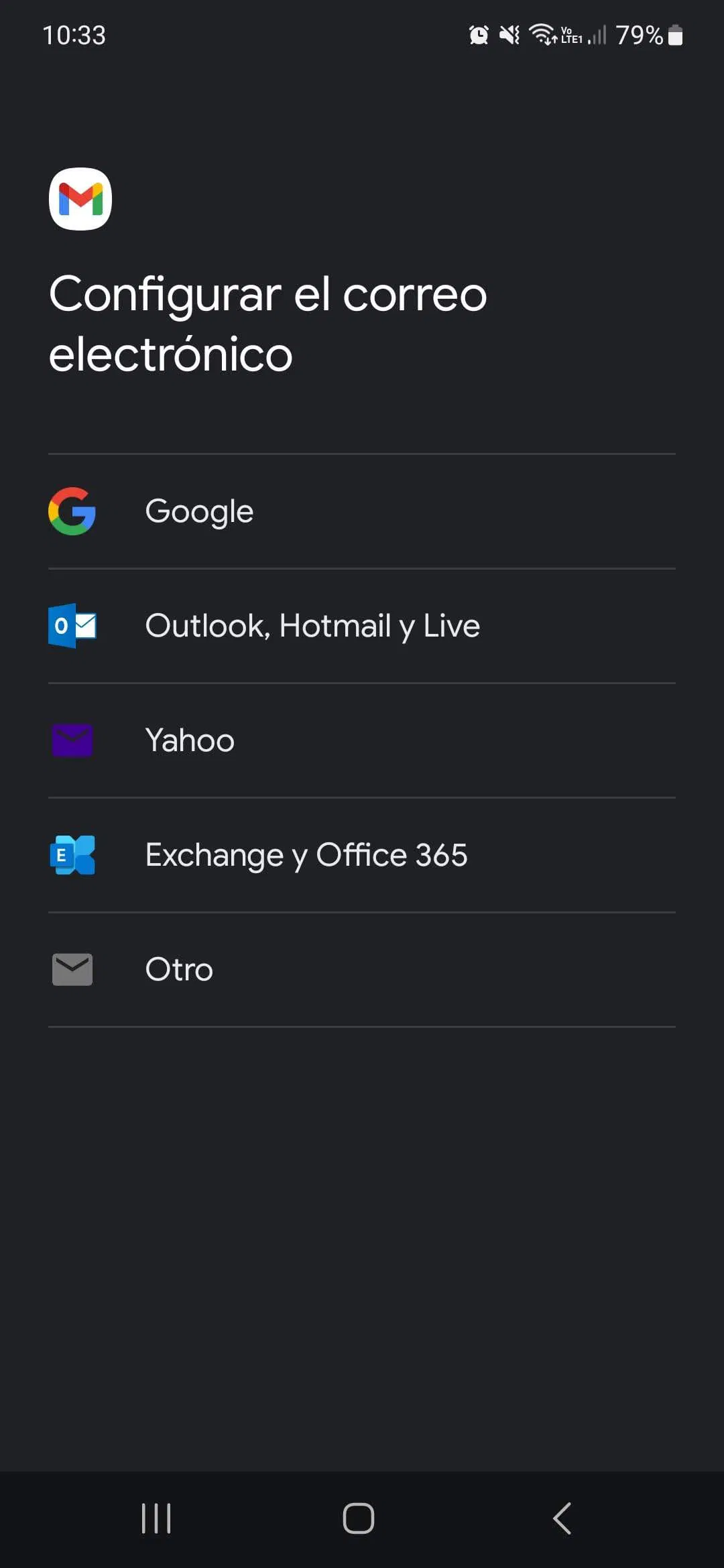
2- Enter the email address and select "Manual setup," then select Personal IMAP
3- Once you've done this, the app will ask for the password for the email account you created.
4- On the next screen, configure the incoming server using your account details:
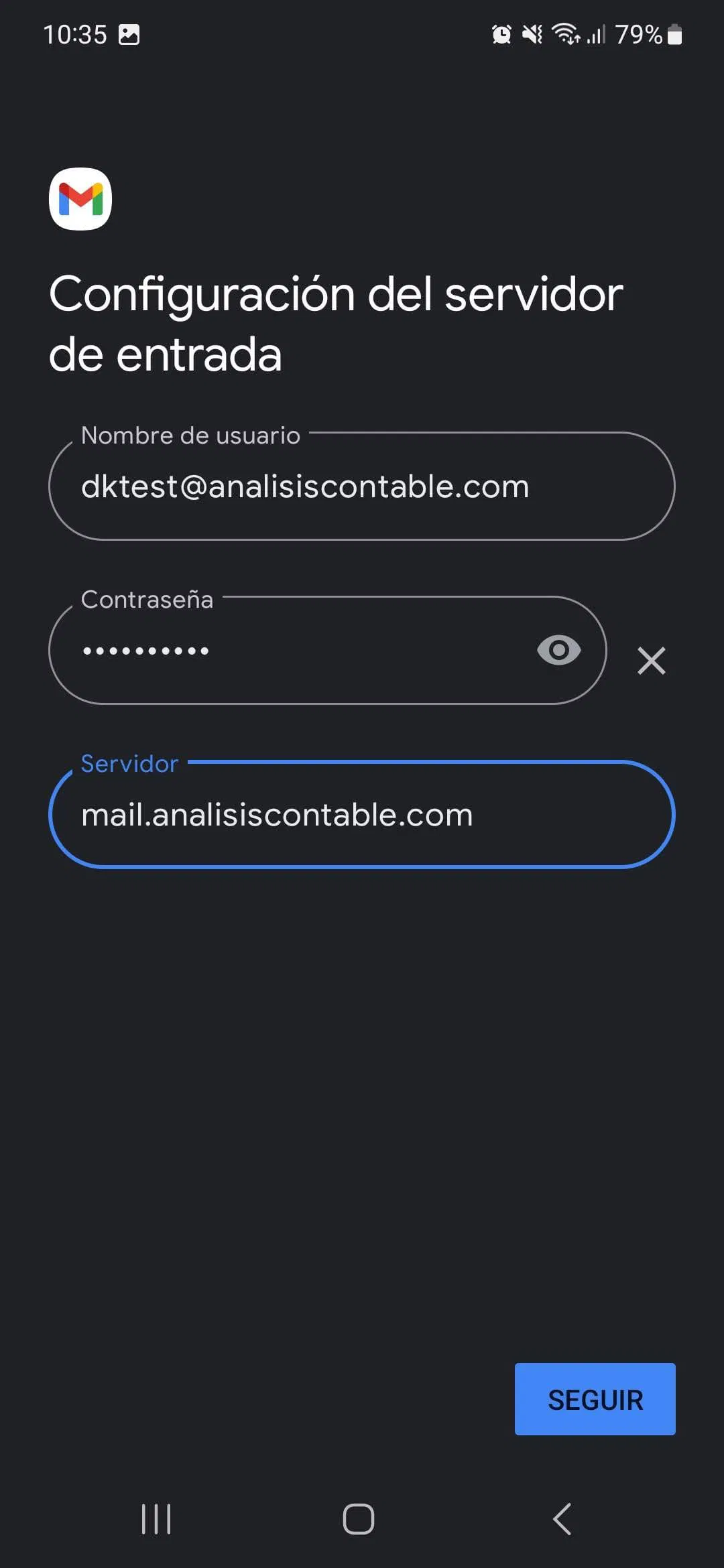
- Username: The full email address.
- Password: The email account password.
- Mail server: mail.tudominio.com (replace tudominio.com with the actual domain of your website and email account)
5- On the next page, you can configure the outgoing server. Enter your account details in the fields again.
- Username: The full email address.
- Password: The email account password.
- Mail server: mail.tudominio.com (replace tudominio.com with the actual domain of your website and email account)
6- The account setup will be completed on the next screen, and the account will be activated.