

File Limits per Account and How to Analyze the Details
Updated 4 weeks ago
Our shared hosting plans have different limits on the number of files you can host on your site.
Below is a list of each plan and its respective limit:
Starter: 200,000
Essential: 400,000
Advanced: 600,000
Professional: 800,000
Business: 1,000,000
Oak: 1,200,000
The cloud and dedicated server plans have no file limit.
With rare exceptions, the vast majority of sites do not need more files than the limit assigned to each of our plans.
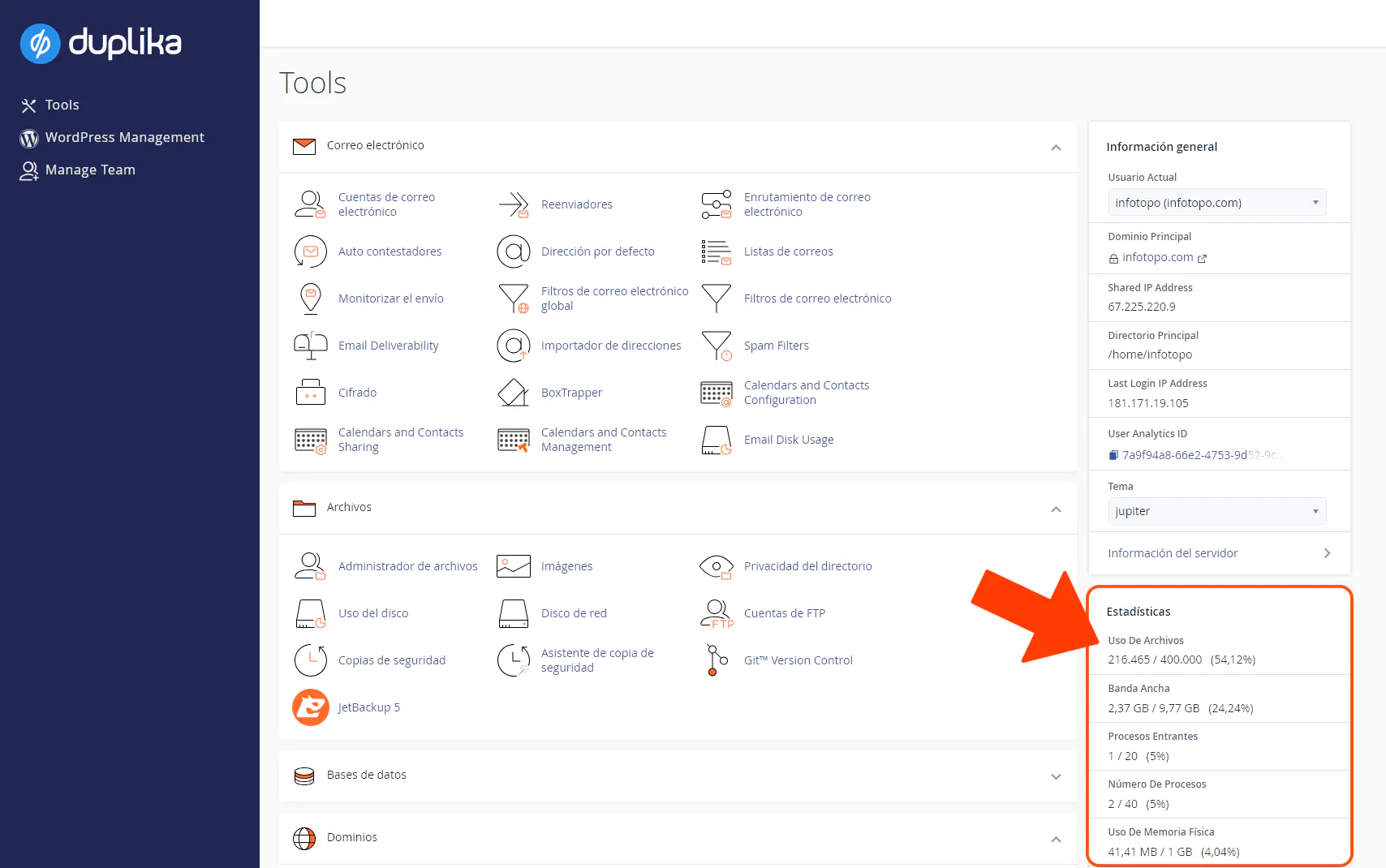
You can view the total number of files from your cPanel by going to the following address:

Note: Remember to replace "mysite.com" with your domain's actual URL.
In the highlighted box, Statistics, the first item shows the number of files used out of the total allocated to your account.
How to identify directories with the most files
You can run the following command via SSH or from Terminal in your cPanel to see the number of files in each directory:
find . -printf "%h\n" | cut -d/ -f-2 | sort | uniq -c | sort -rn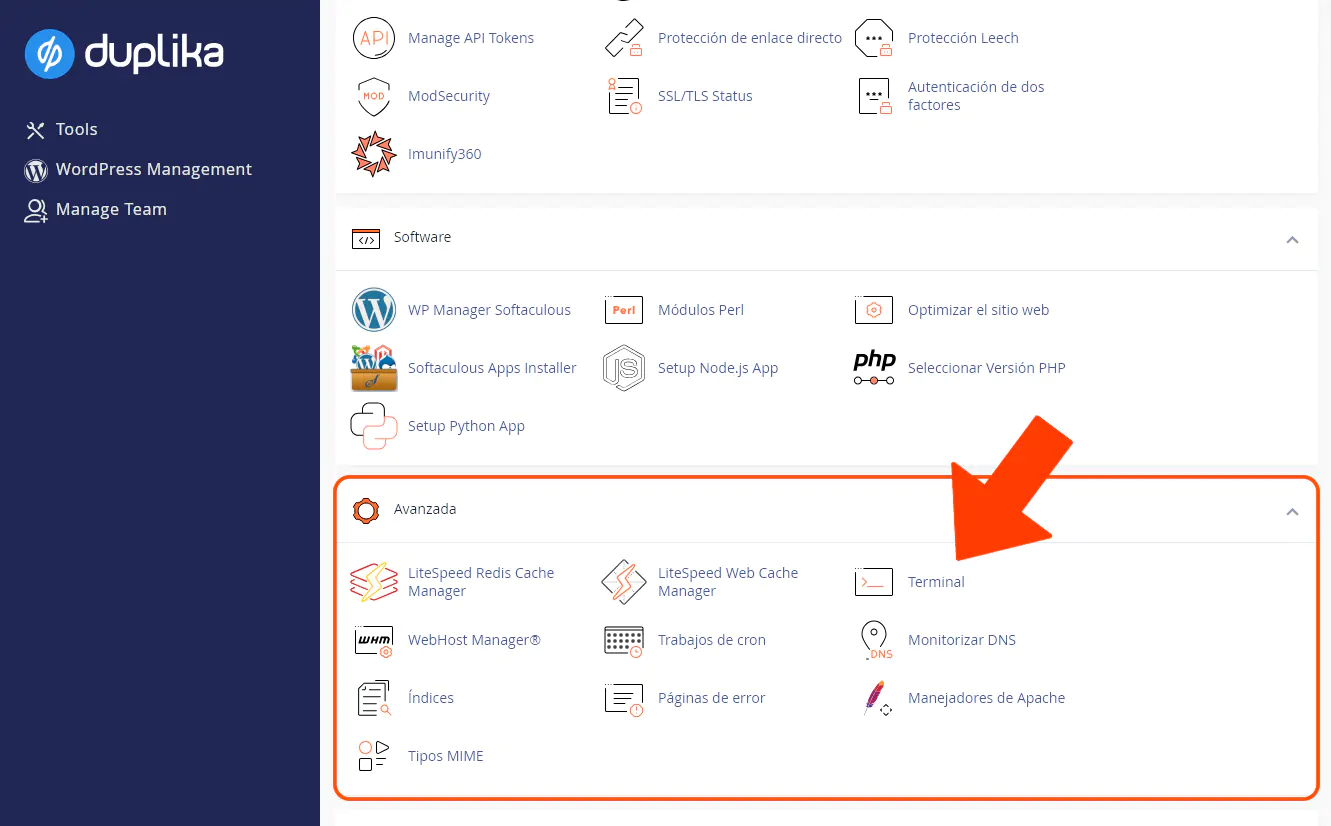
You will need to browse through the largest directories and run the command again until you identify exactly where most of your files are stored.
We recommend that no folder contain more than 20,000 files or subfolders, as this could slow down your site. Note: It's fine if the total across all subfolders exceeds this amount; the 20,000 limit applies only to an individual folder.
Also note that you won't be able to view more than 10,000 files in each directory over FTP, so it's best to keep the number below this limit.