

Ocultar productos fuera de stock en WooCommerce
Actualizado hace 3 meses
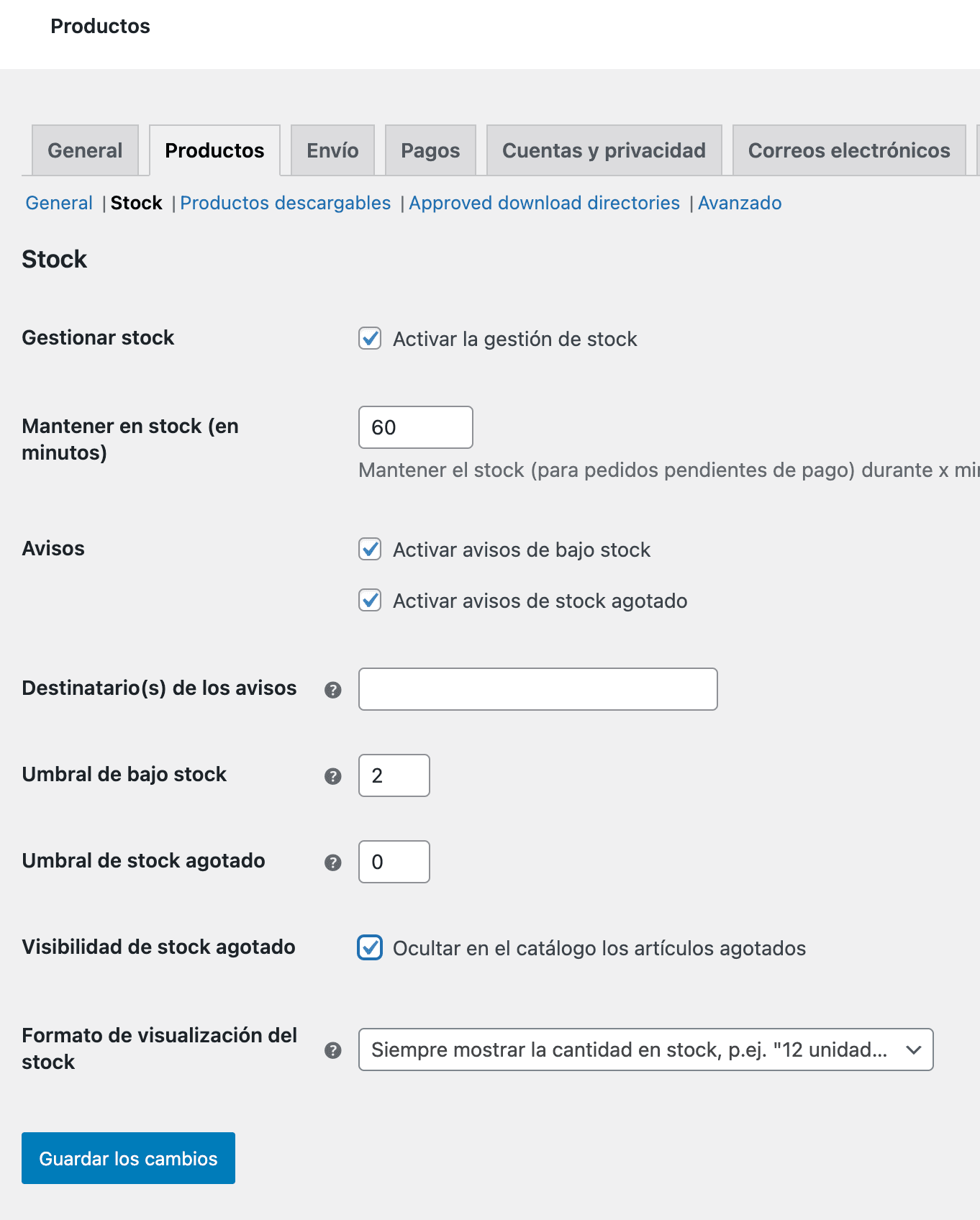
Si queremos ocultar los productos fuera de stock de las páginas de nuestra tienda, debemos activar la siguiente opción en WooCommerce, Ajustes, pestaña Productos, Stock y activamos la opción Ocultar en el catálogo los artículos agotados.
Nuestra recomendación es no ocultarlos, sino usar algún plugin como Back in stock notifier, o bien la funcionalidad nativa de Shoptimizer, a fin de que sus clientes puedan suscribirse para recibir una notificación en cuanto tenga stock nuevamente del producto en el que está interesado.
¿Te fue útil?
¿Te fue útil?