

Como acceder via SSH
Actualizado hace 3 meses
Para poder acceder vía SSH a nuestra cuenta de hosting puedes emplear un cliente SSH gratuito como Putty. Los datos que debes ingresar son:
Servidor: Tu dominio
Usuario: El nombre de tu usuario de la cuenta de hosting.
Contraseña: La contraseña de tu cuenta de hosting.
Puerto: 4444
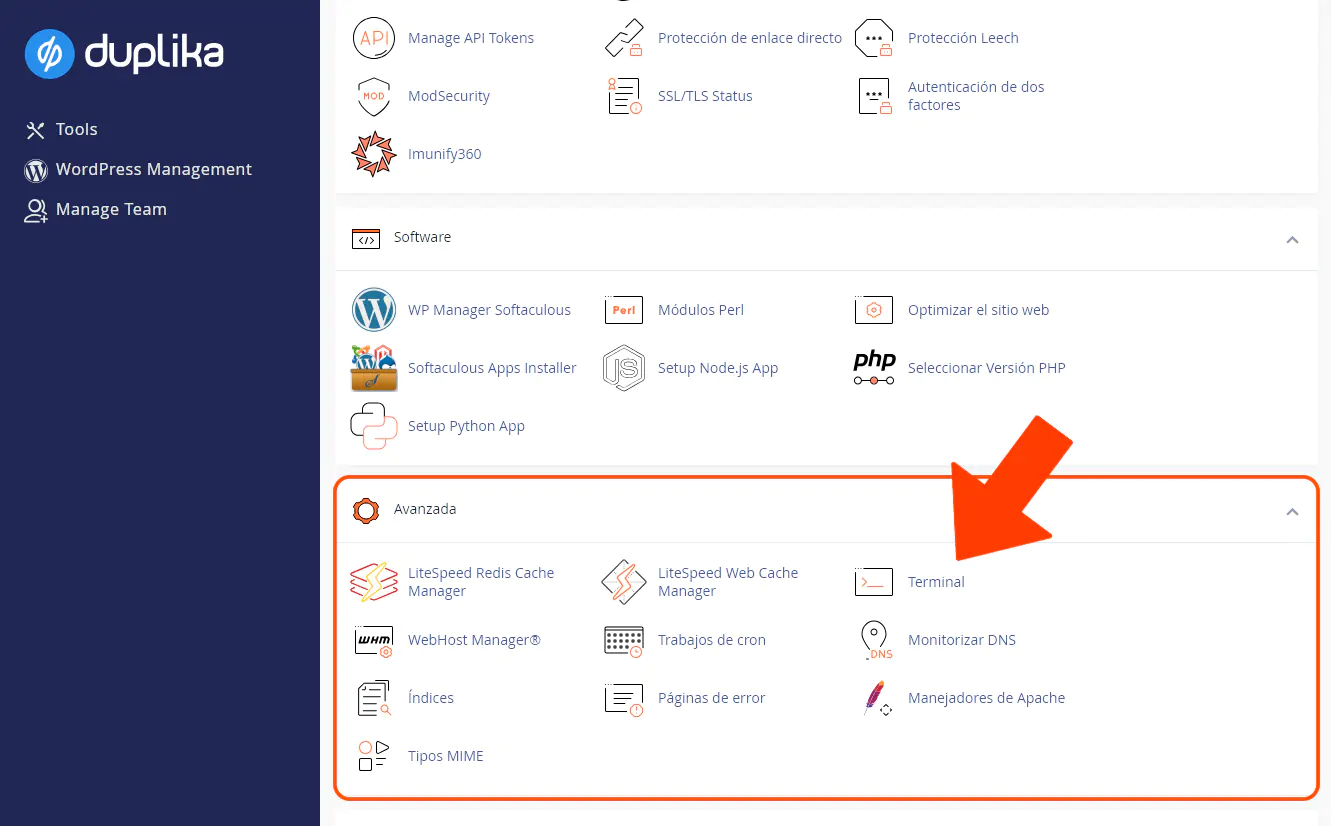
La herramienta cPanel también dispone de la opción de acceder a la consola desde el navegador, en la opción Terminal. Para emplearla, ingresa a tu cPanel a través de la dirección indicada en la captura inferior (reemplazando "midominio.com" por la URL correcta de tu sitio).
Una vez ingresado, busca la herramienta Terminal indicada en la captura debajo:
¿Te fue útil?
¿Te fue útil?