

Como agregar un dominio adicional o subdominio
Actualizado el mes pasado
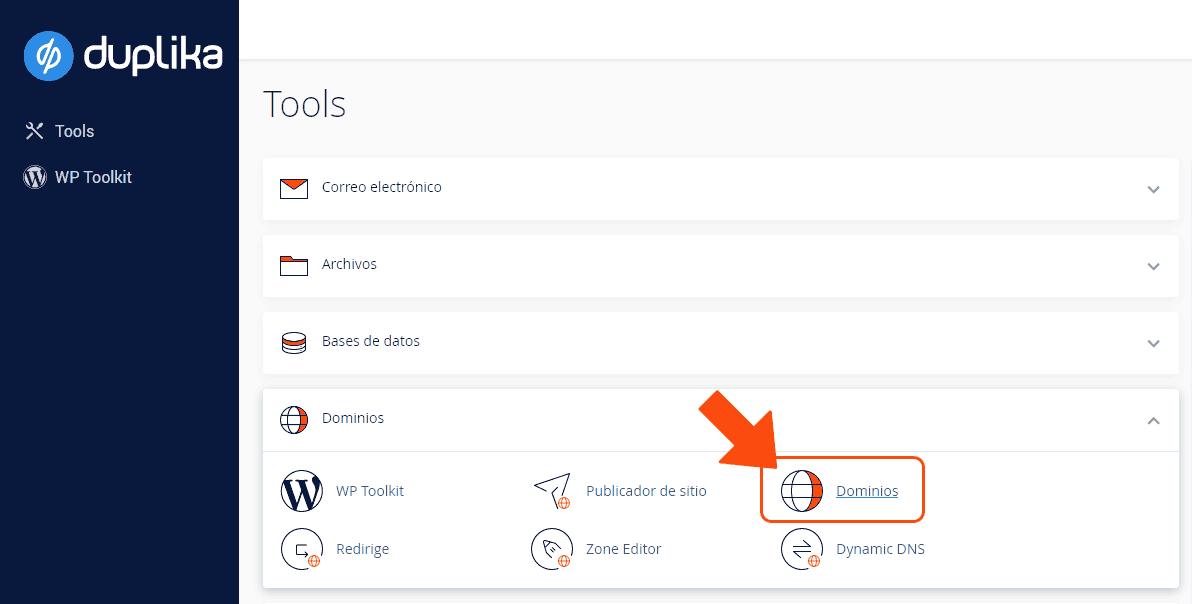
Para agregar un dominio adicional o un subdominio, en una cuenta de hosting, debemos ingresar a cPanel en la opción "Dominios", el dominio debe estar registrado y delegado a nuestros DNS.
Una vez dentro del administrador de dominios de nuestra cuenta de hosting podes hacer clic en el botón "Crear Un Dominio".
Si queremos que el nuevo dominio acceda al mismo sitio web del dominio principal entonces debemos dejar marcada la opción "Comparta la raíz de documentos" (compartir el mismo directorio raiz).
Esto es útil cuando por ejemplo agregamos otra extensión del dominio, pero queremos que se muestre los contenidos de nuestro dominio principal.Si queremos que el nuevo dominio sea independiente del dominio principal de nuestro plan de hosting, desactivemos la opción"Comparta la raíz de documentos" y completamos con lo siguiente:
Nuevo nombre de dominio: Completa aquí tu nuevo dominio sin www adelante (ej: duplika.com).
Subdominio: Recomendamos dejar el subdominio por defecto, pero puedes elegir el que desees.
Directorio raíz: También recomendamos dejar que cPanel complete este campo por defecto para así mantener tus archivos fuera de public_html (la ubicación donde se almacenan los contenidos de tu dominio principal).
Presiona el botón azul de «Enviar» y habrás completado la tarea.
El dominio deberá utilizar nuestros DNS para funcionar correctamente.