

Como conectarse vía FTP
Actualizado hace 3 meses
Una manera cómoda de gestionar los archivos en tu cuenta es empleando un cliente FTP (File Transfer Protocol, o protocolo de transferencia de archivos).
Para conectarte a tu cuenta de esta manera vas a necesitar dos cosas: los datos de acceso (que te enviamos en el correo de bienvenida al inicio de tu plan) y un cliente (software) de FTP. El programa gratuito que recomendamos es FileZilla y puedes descargarlo aquí.
Una vez descargado e instalado, debes acudir a Archivo > Gestor de sitio y configurar tu sitio de la siguiente manera:
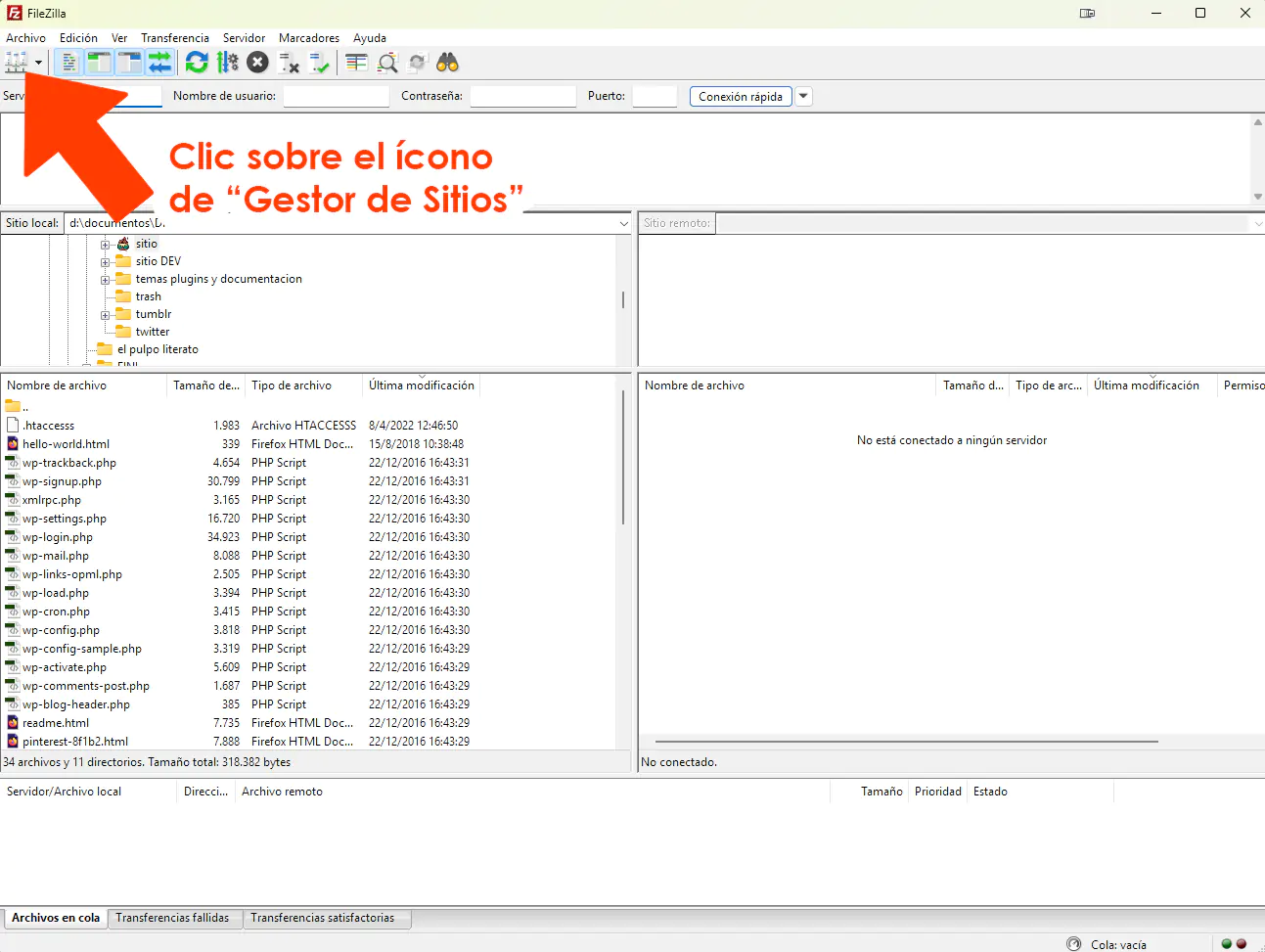
En el campo "Servidor" basta con que escribas ftp.misitio.com (reemplazando "misitio.com" por la URL correcta de tu dominio).
Cifrado: Use explicit FTP over TLS if available
Recuerda que el nombre de Usuario y su Constraseña te las enviamos en el correo de bienvenida.
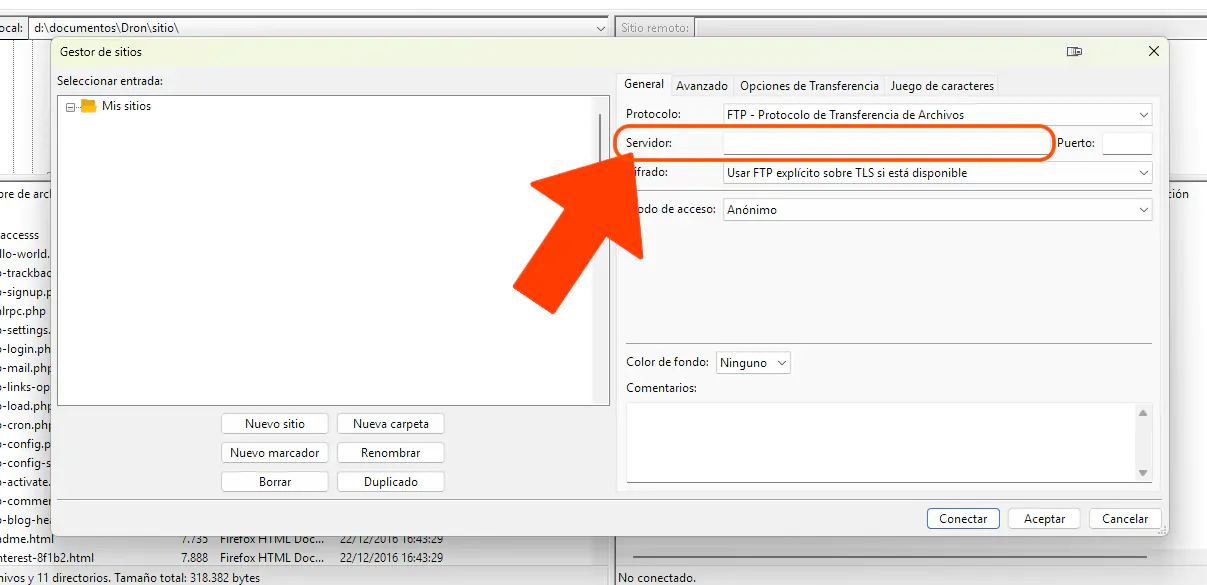
Tras ingresar estos datos, haz clic sobre el botón "Conectar". Es posible que se te pregunte si permites confiar en el certificado de conexión; en ese caso, acepta el certificado.
Si deseas emplear cifrado (conexión segura), deberás conectarte al hostname del servidor donde se encuentra ubicado tu cuenta. Por favor, escríbenos si no te encuentras seguro de cuál es.