

Como crear nuevos cursos en LearnDash
Actualizado hace 3 meses
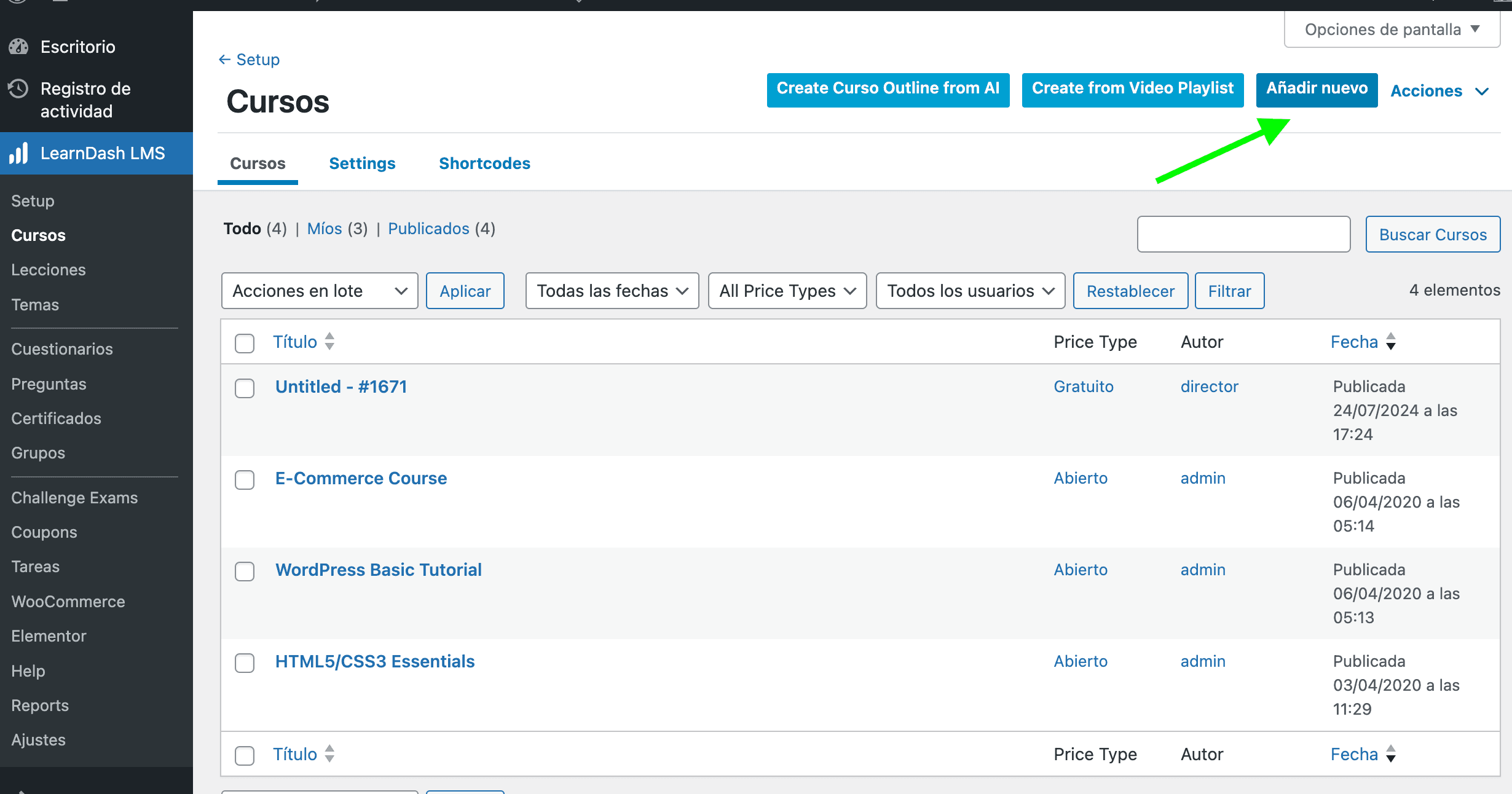
Podemos administrar nuestros cursos desde la opción LearnDash LMS, Cursos.
Podes editar los cursos existentes, o bien crear uno nuevo haciendo clic en el botón Añadir Nuevo.
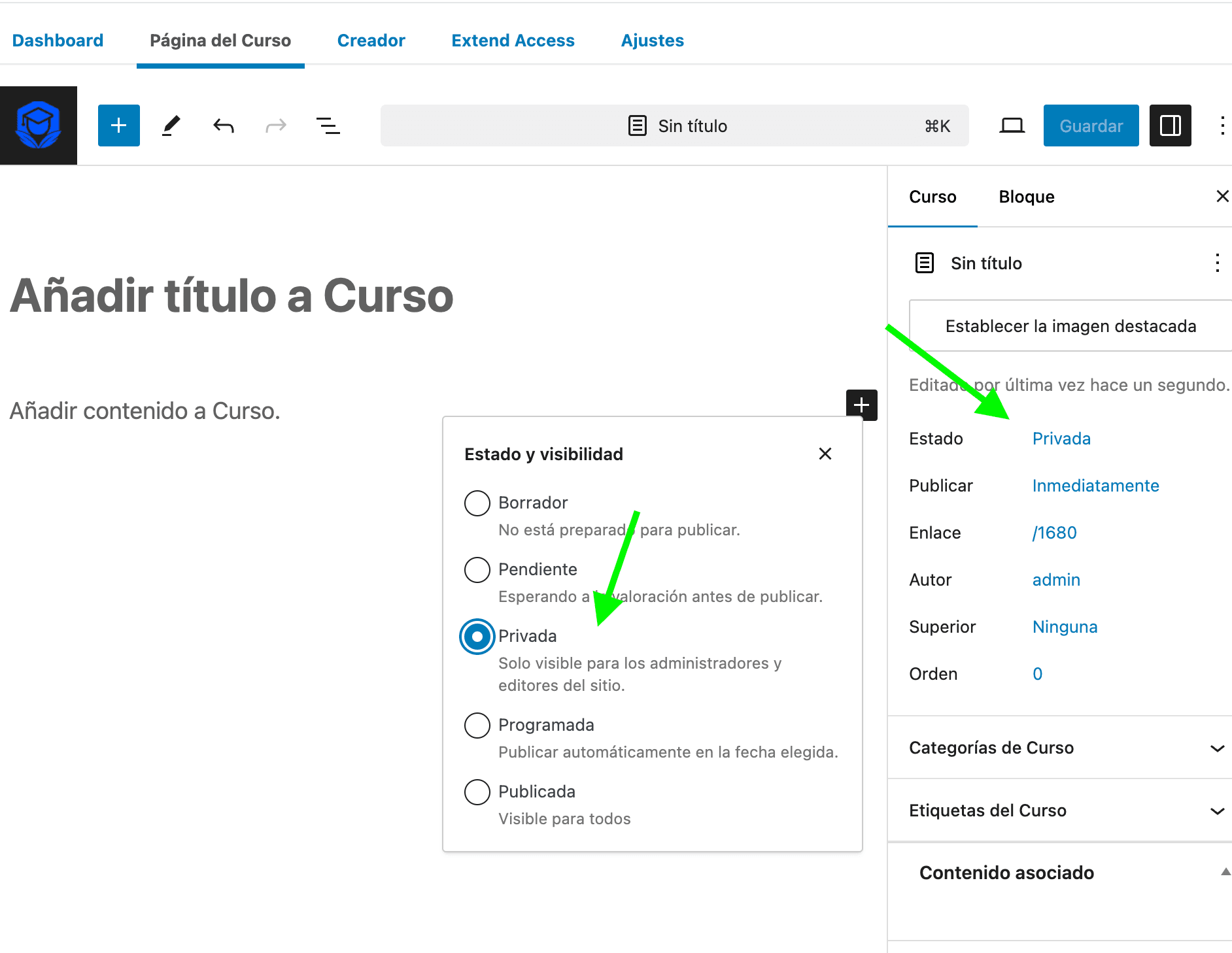
Alli titulamos nuestro curso y completamos la descripción del mismo.
Podemos establecer el curso como privado, para que podamos ir editándolo y guardando nuestro progreso hasta que lo hayamos terminado de configurar.
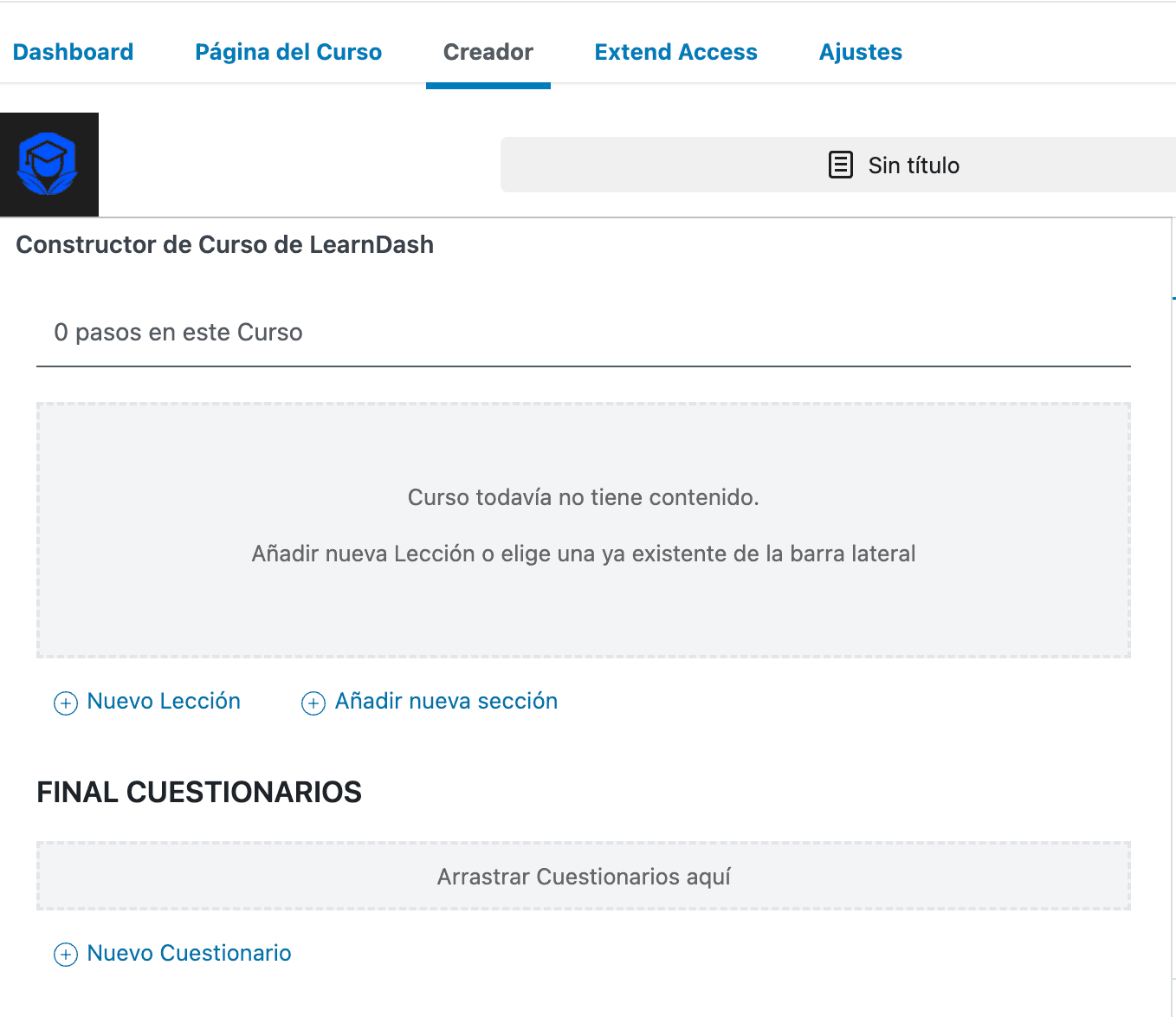
Luego nos dirigimos a la pestaña "Creador", dónde completaremos cada lección de nuestro curso, sus secciones y cuestionarios o evaluaciones.
¿Te fue útil?
¿Te fue útil?