

How to delegate my com.ar domain to the hosting provider
Updated 7 months ago

In simple terms, delegating a domain means specifying the server where a domain should go to retrieve the content (the files) of a website. For example, if we host with Duplika, the delegation process basically involves entering Duplika's DNS.
The process is completed through Remote Procedures /nic.ar and requires an AFIP tax code. Here is a step-by-step guide.
Updated com.ar delegation guide for 2025
We begin by going to https://tramitesadistancia.gob.ar/
On the site's home page, we will click the "Log in" button at the top, highlighted in the screenshot below.
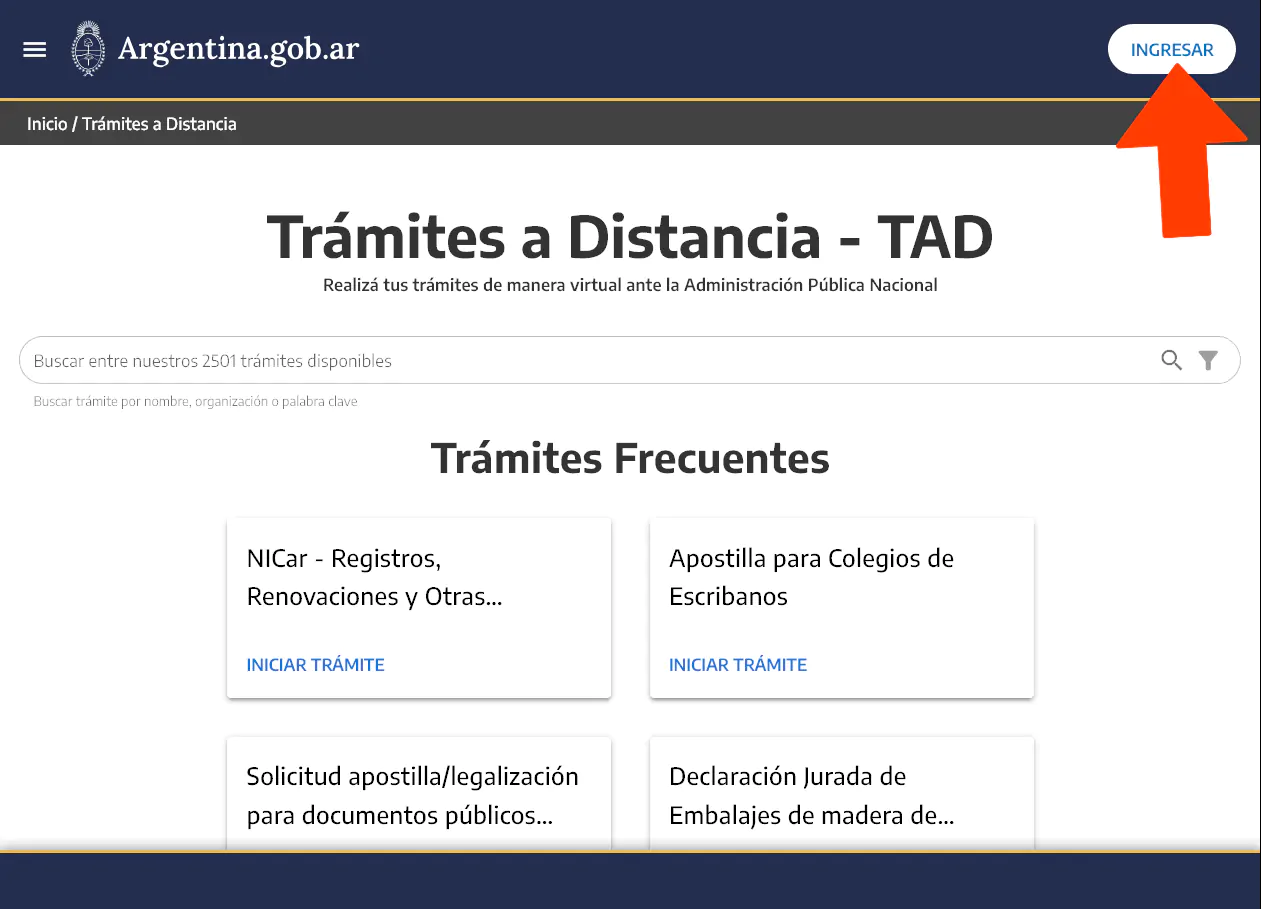
A pop-up window with several options will open. However, in Argentina, we will usually log in using our tax code.
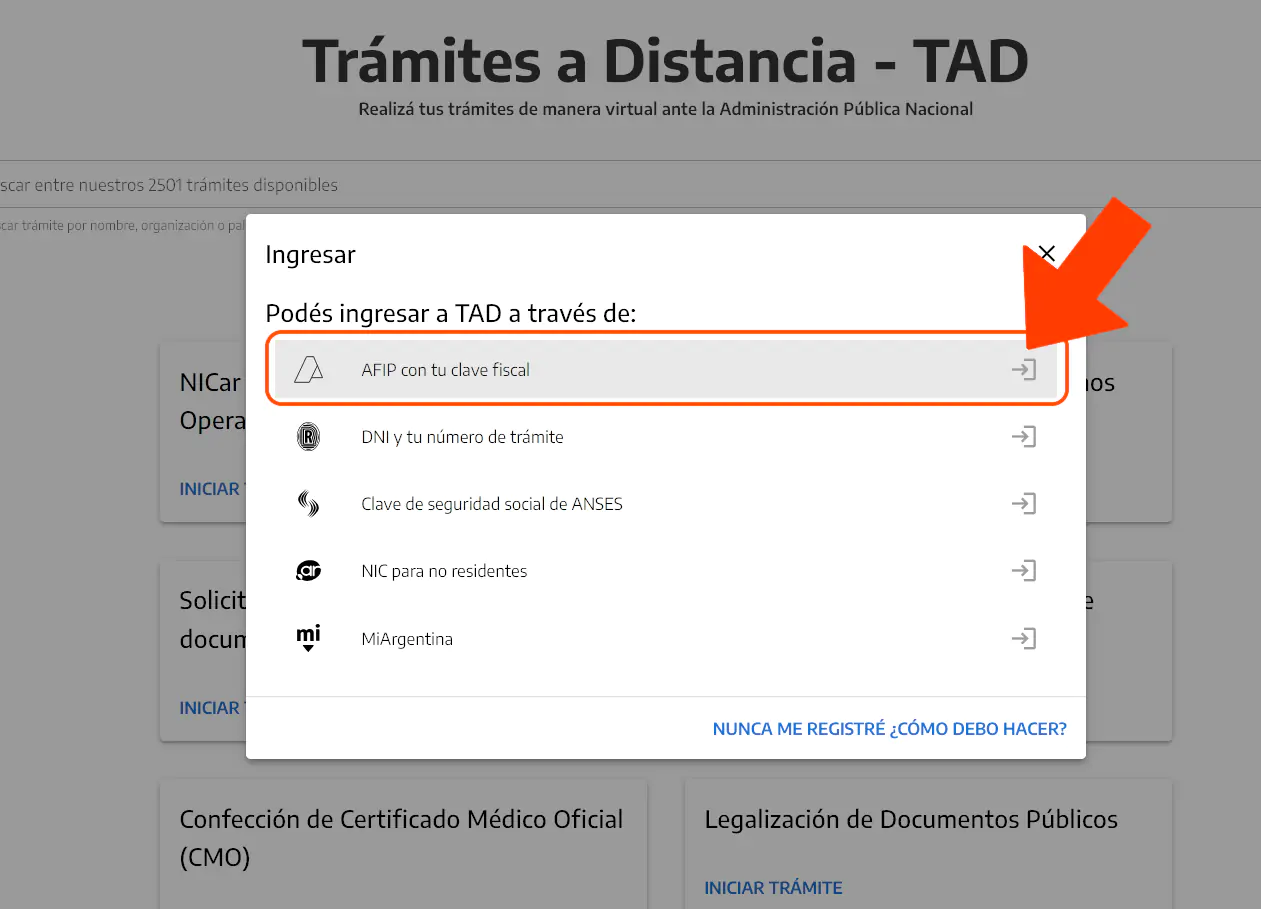
We will be redirected to the AFIP page. Don't worry—that is the correct process.
There, we will log in using our tax code.
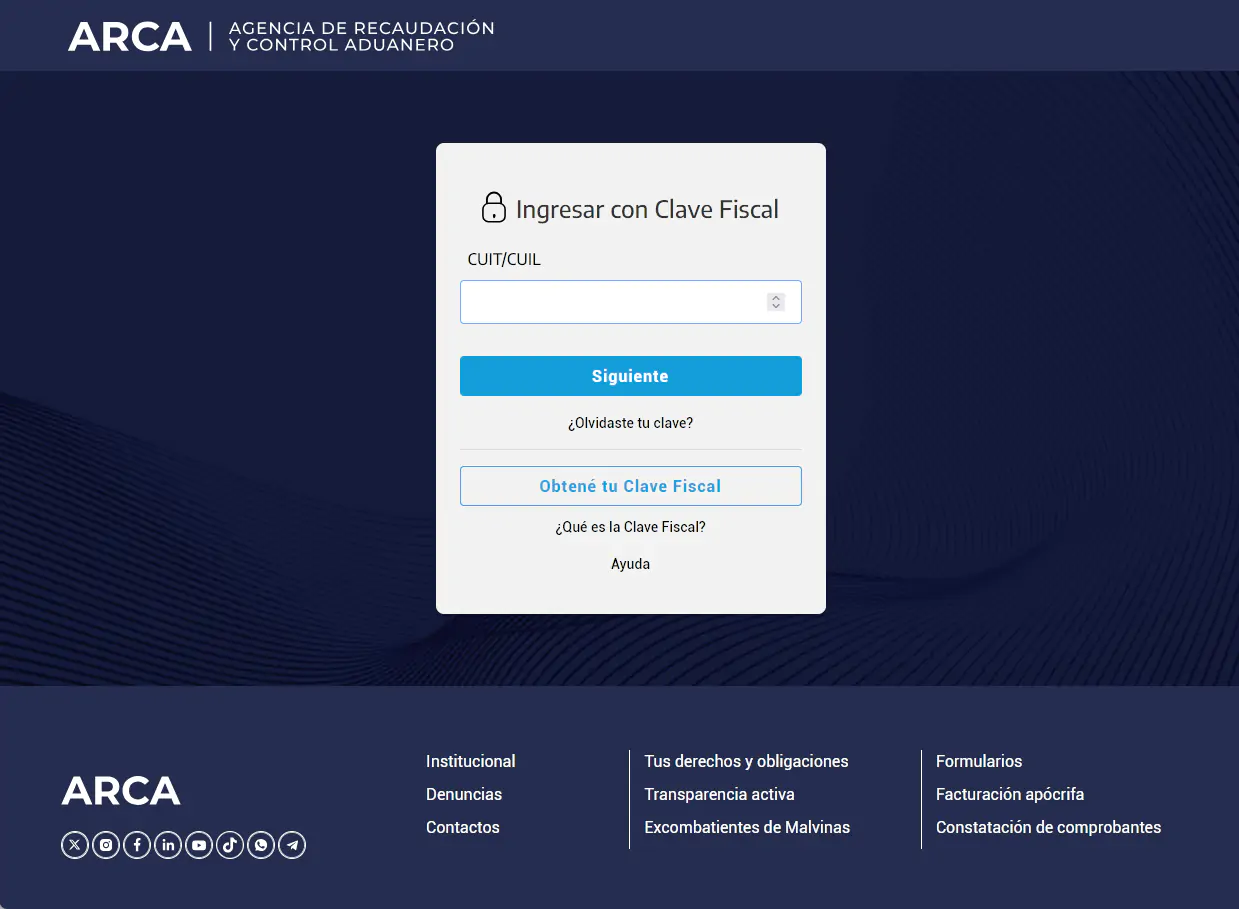
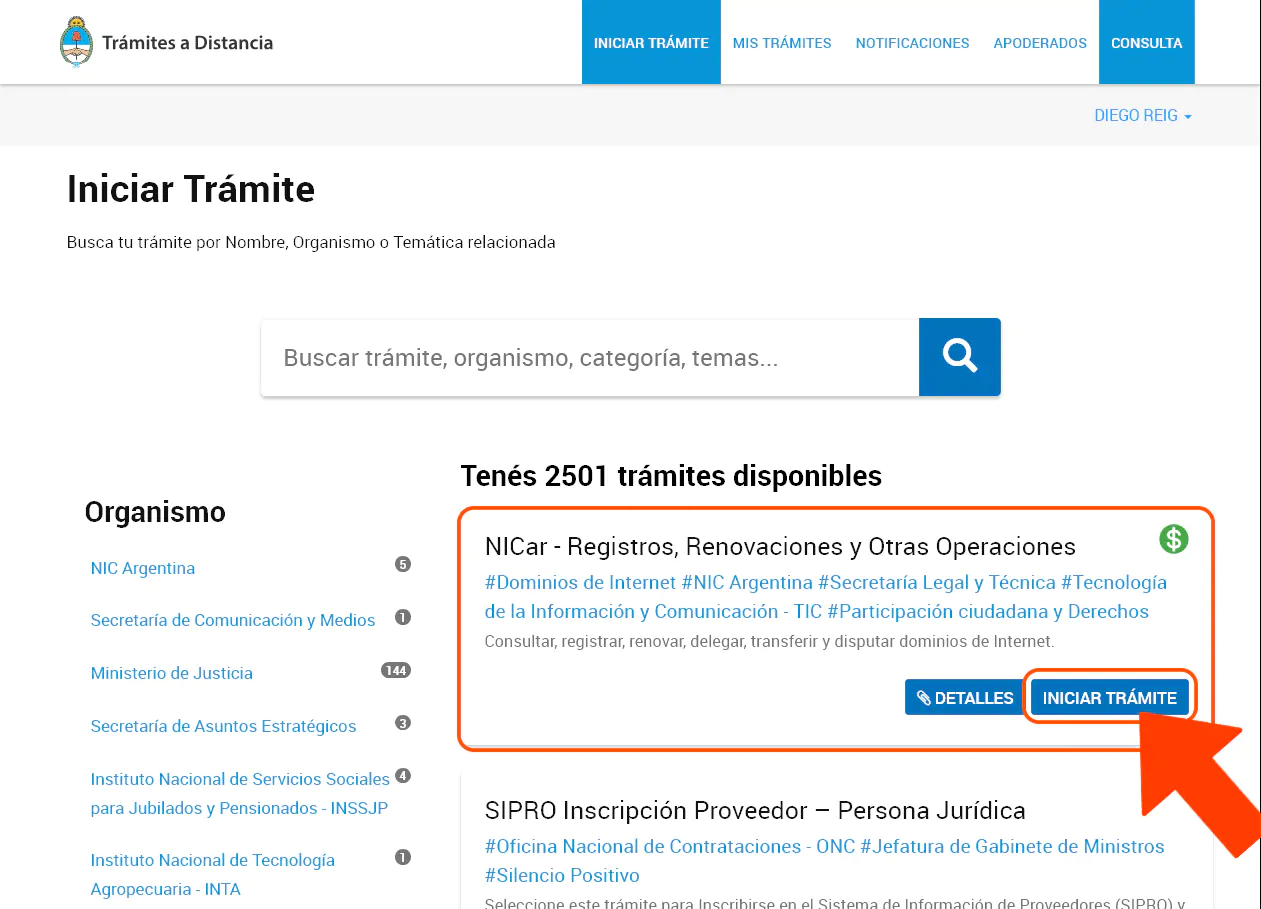
After entering our information correctly, we will be returned to the Remote Procedures site.
Here, we will click the blue Start Procedure button under the title NICar - Registrations, Renewals, and Other Operations.
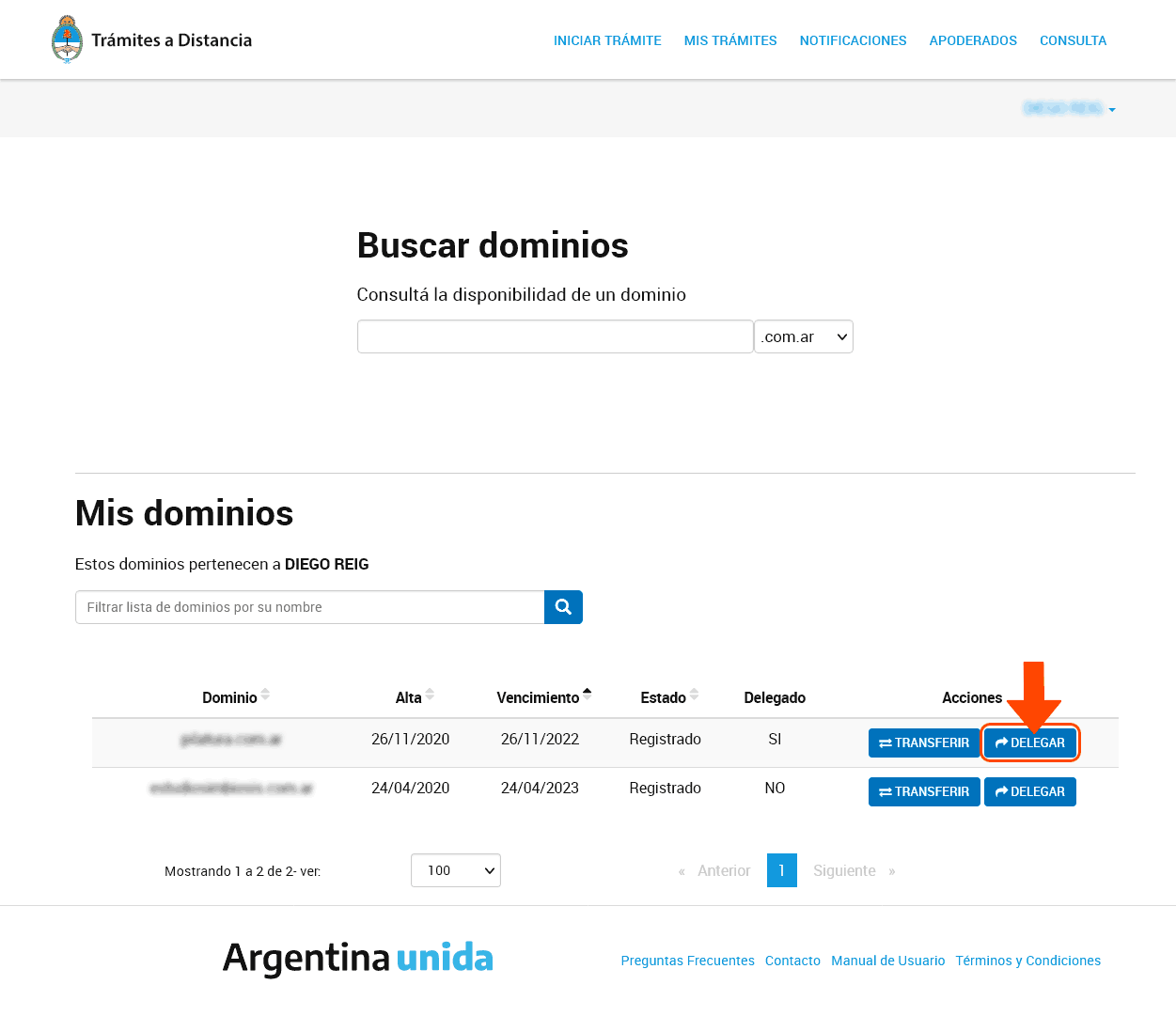
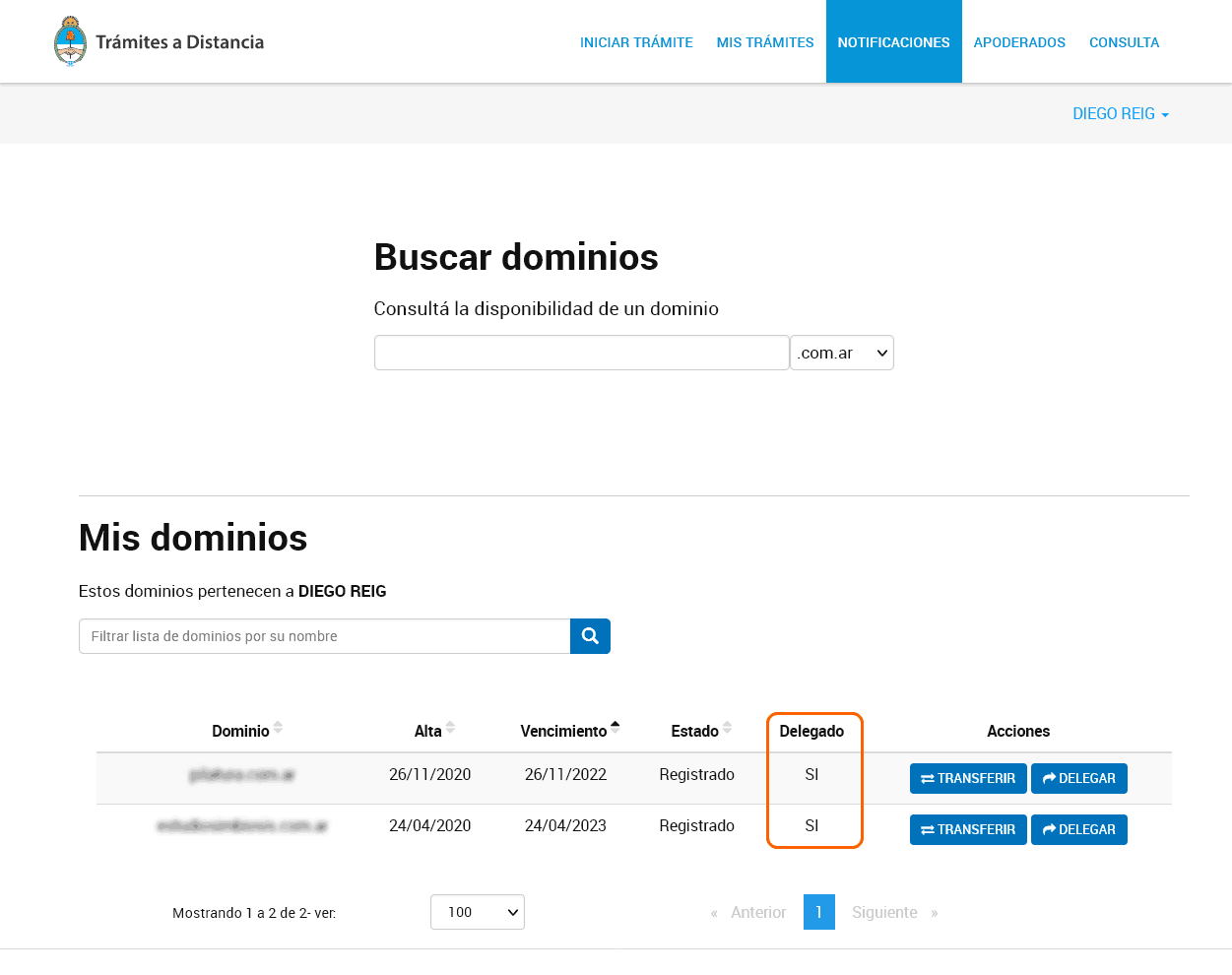
We will now see a list of all the domains we have acquired. Note that the button we need, "delegate," will appear on the corresponding row, as shown in the screenshot below.
We will click it.
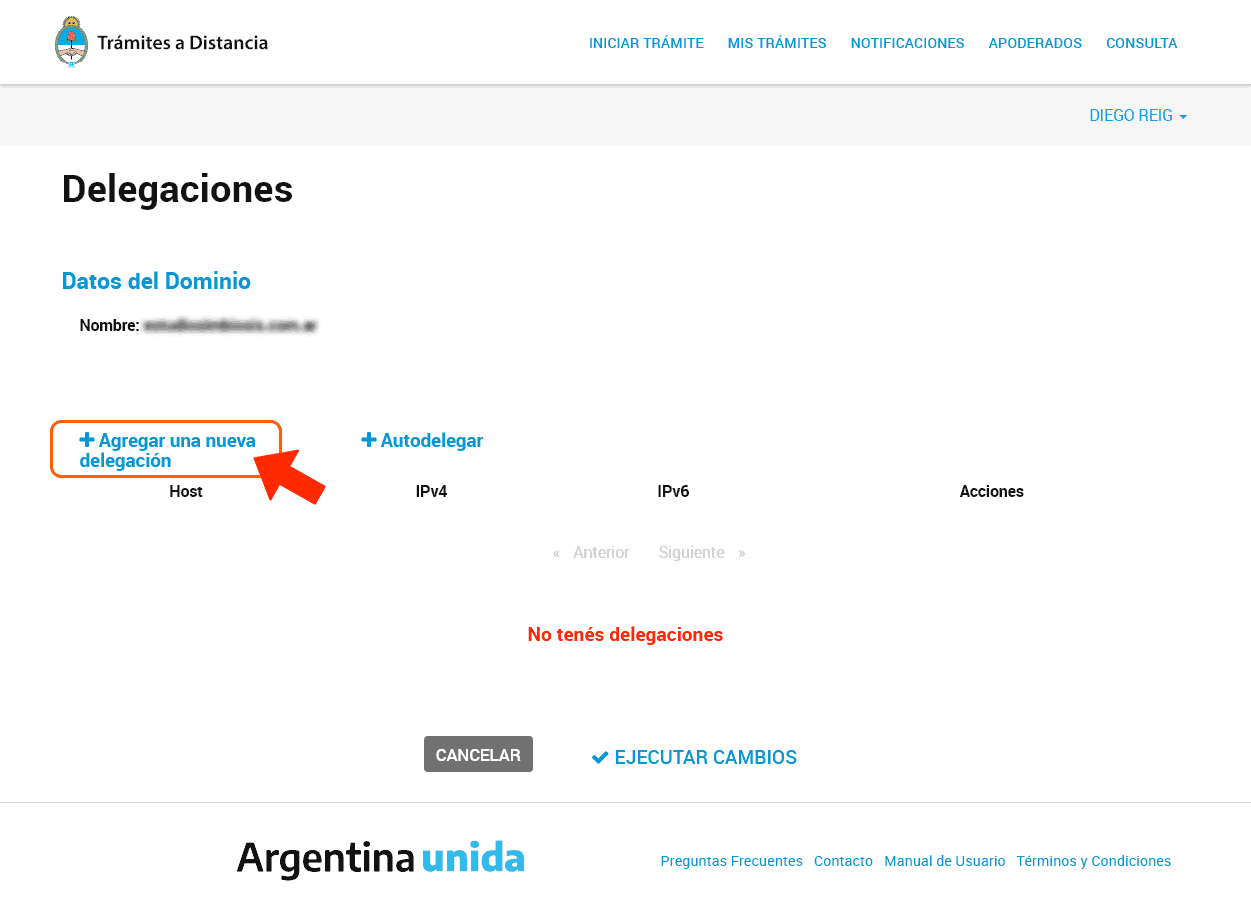
On the new screen, the Host, IPv4, IPv6, and Actions columns will be empty because the domain is new. Therefore, we must select "Add a new delegation" to enter the DNS provided by our hosting provider.
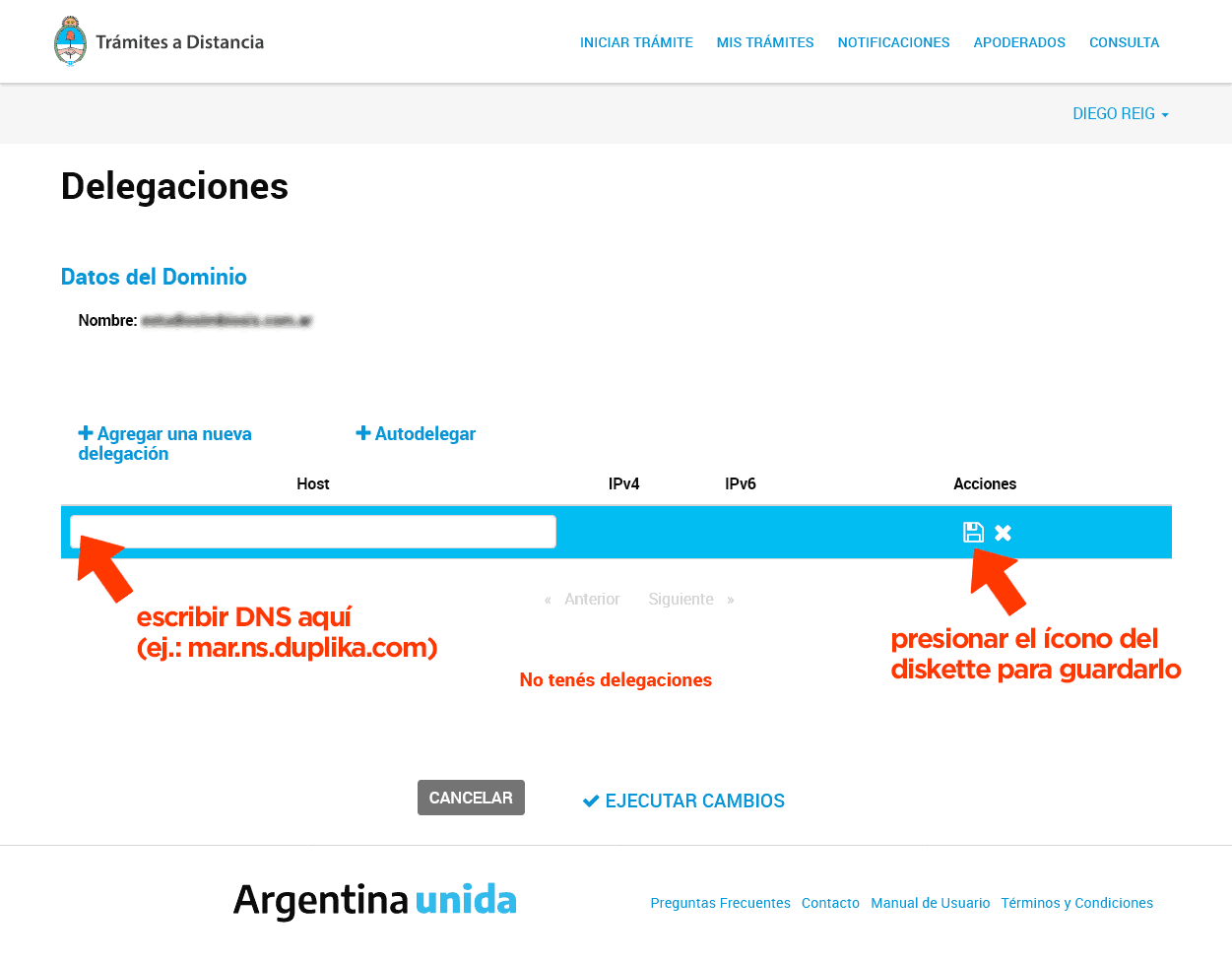
After clicking the link highlighted in the screenshot above, a field will open where we can enter the DNS.
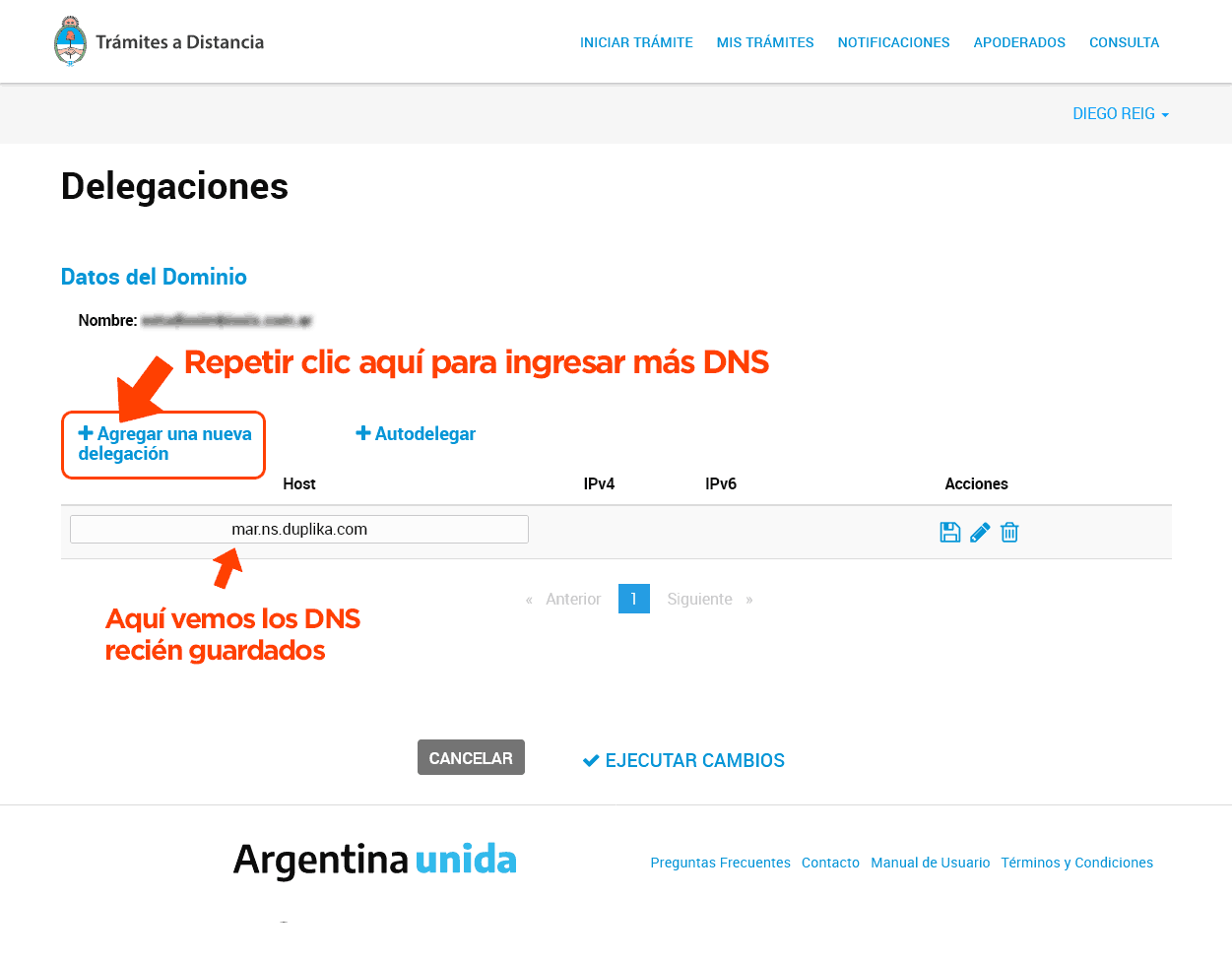
We repeat the operation to enter additional DNS records. The screenshot below illustrates this clearly.
Finally, we must apply the changes by clicking the corresponding button, highlighted in the screenshot below.
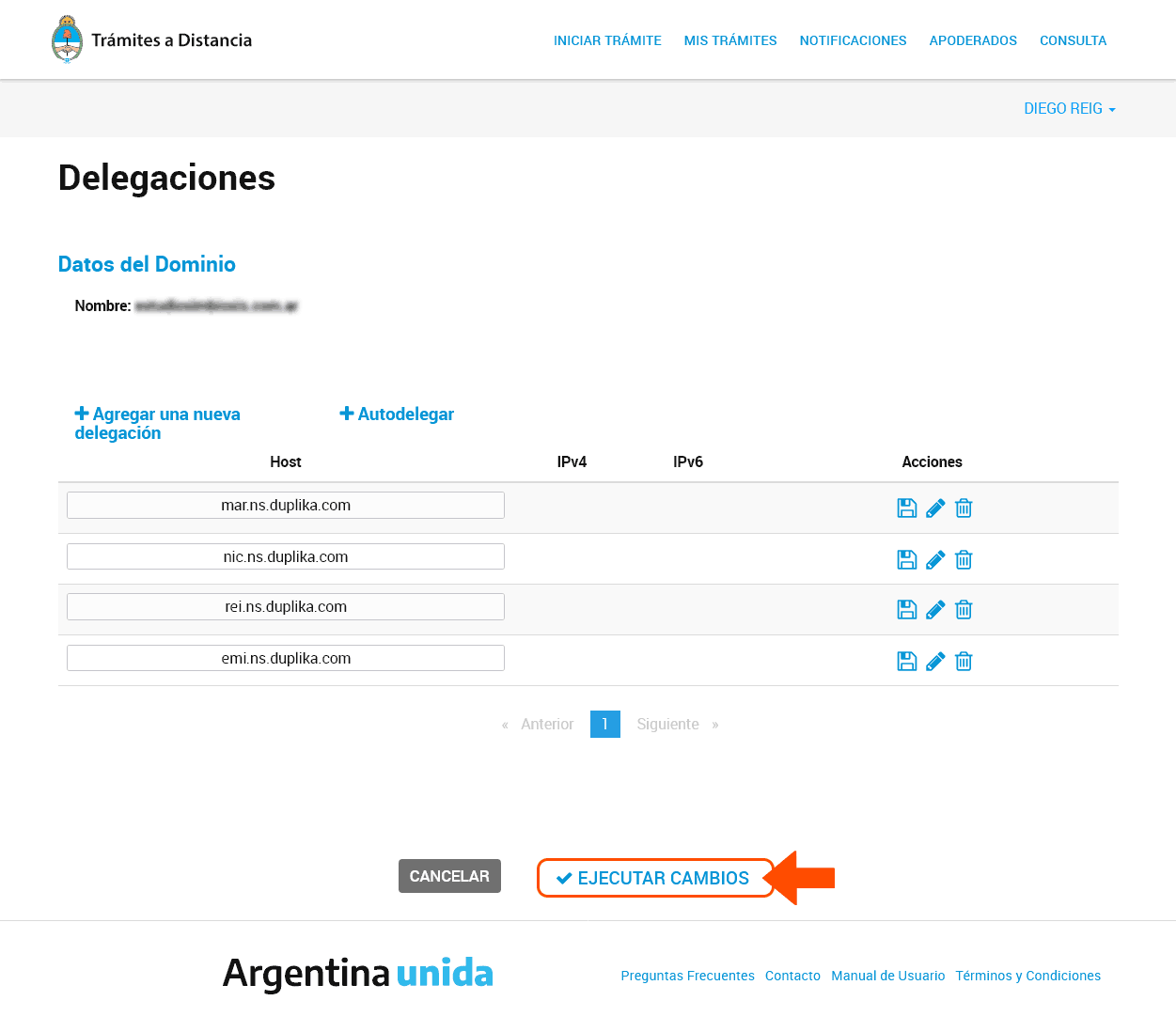
Next, we must check in the corresponding column that the domain has been delegated.
From this point on, a process on the internet called "DNS propagation" begins. This is the process by which the action we have just taken is propagated throughout the web, so that our site can be accessed under the designated hosting from anywhere in the world.
Don't panic...
DNS propagation—that is, the time it takes for our changes to take effect so we can access our site—can take up to 24 hours.
Best of luck, and thank you for reading.