

Como instalar WordPress fácilmente
Actualizado hace 2 meses
Todos nuestros planes de hosting son 100% compatibles con WordPress, contando con una plataforma optimizada para este poderoso CMS.
Para instalar WordPress en tu plan de hosting primero ingresa a tu cPanel empleando las credenciales que te hemos enviado en el correo de bienvenida de tu plan.

Recuerda reemplazar "misitio.com" por la URL real de tu dominio.
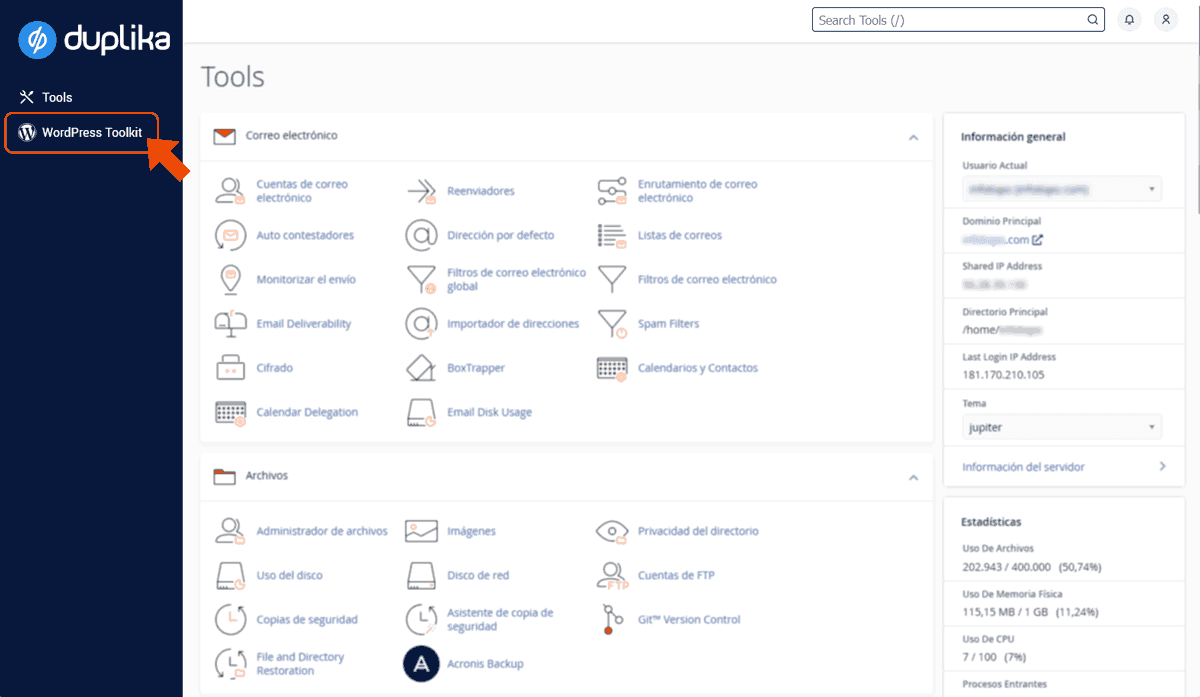
Dentro de tu panel de control, busca la opción WordPress Toolkit.
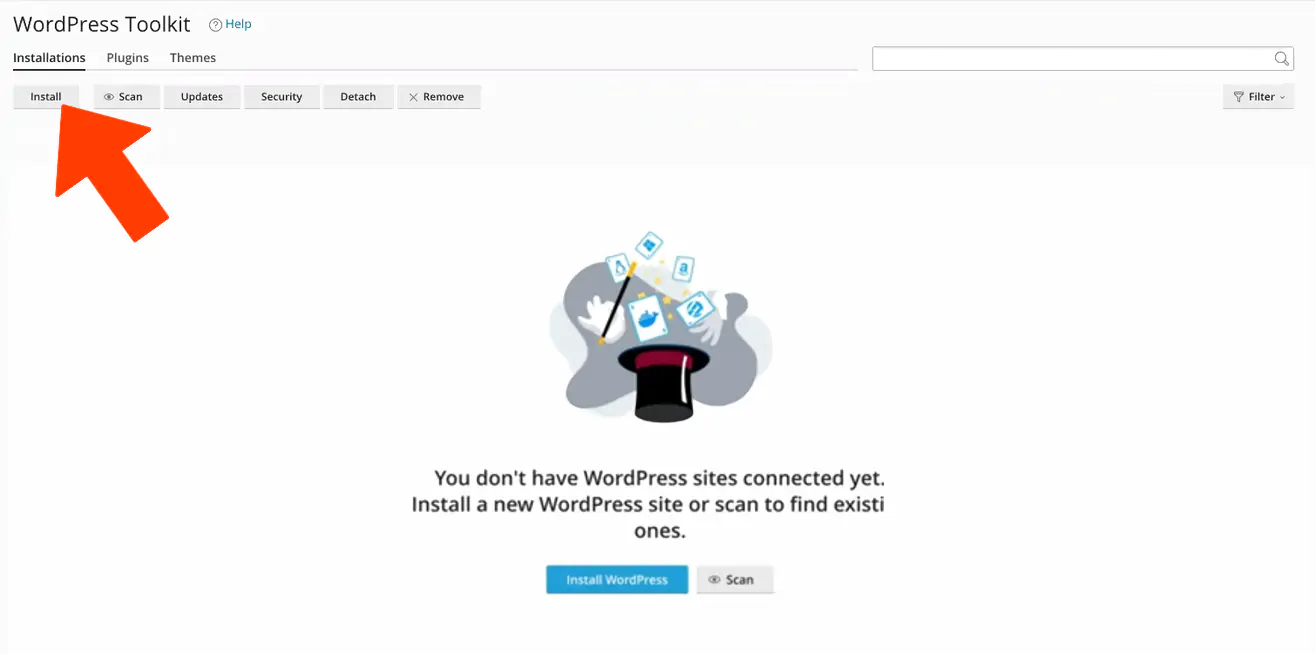
Tras acceder a la herramienta, selecciona "Instalar" para luego poder configurar tu instalación.
Será necesario completar el dominio donde queres instalarlo, el directorio y los datos de acceso.
Si prefieres que seamos nosotros quienes instalemos WordPress en tu web, simplemente envíanos un ticket de soporte y lo dejaremos instalado donde lo necesites.