

Como pagar via Pago Fácil o Rapipago
Actualizado hace 7 meses
En Duplika es posible abonar cualquier factura mediante Pago Fácil o Rapipago y en esta guía rápida te indicamos cómo realizar esta acción, paso a paso.
Para esto debemos ingresar a la mesa de clientes. Allí podremos ver la factura que debemos pagar en el sector destacado debajo.
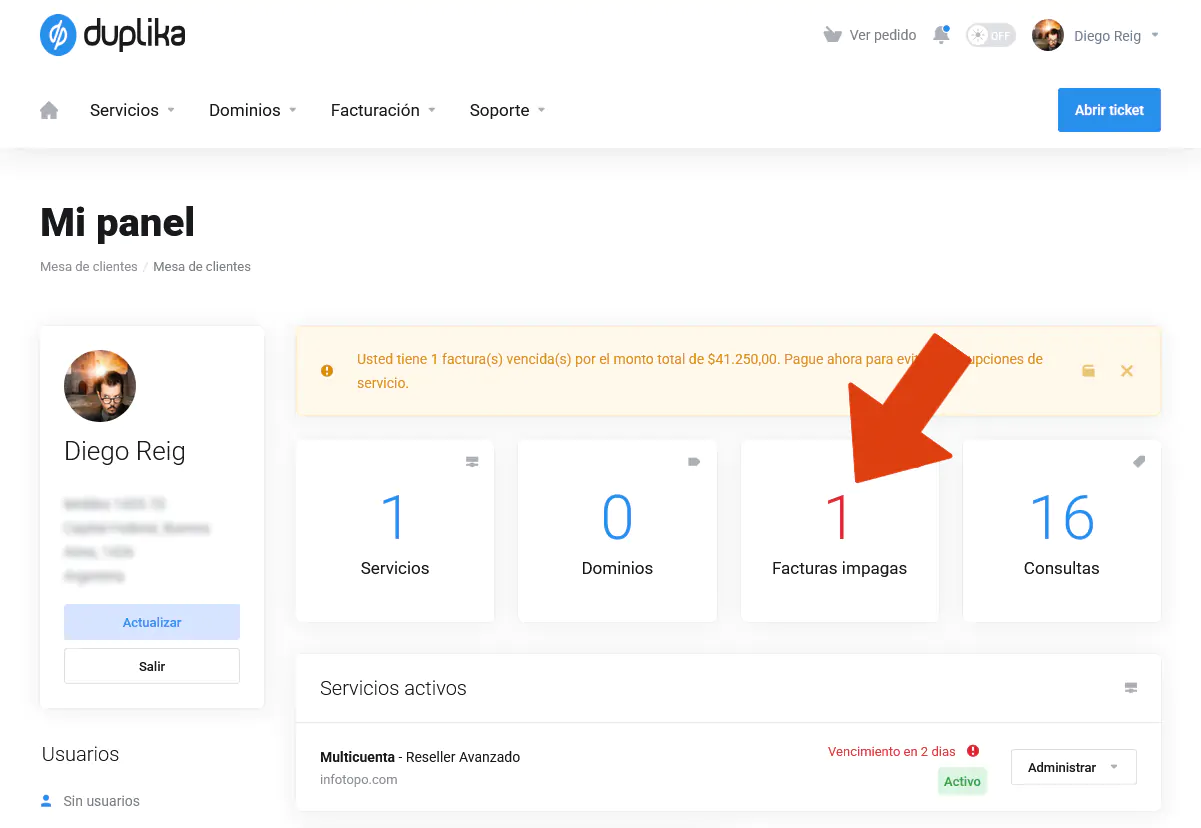
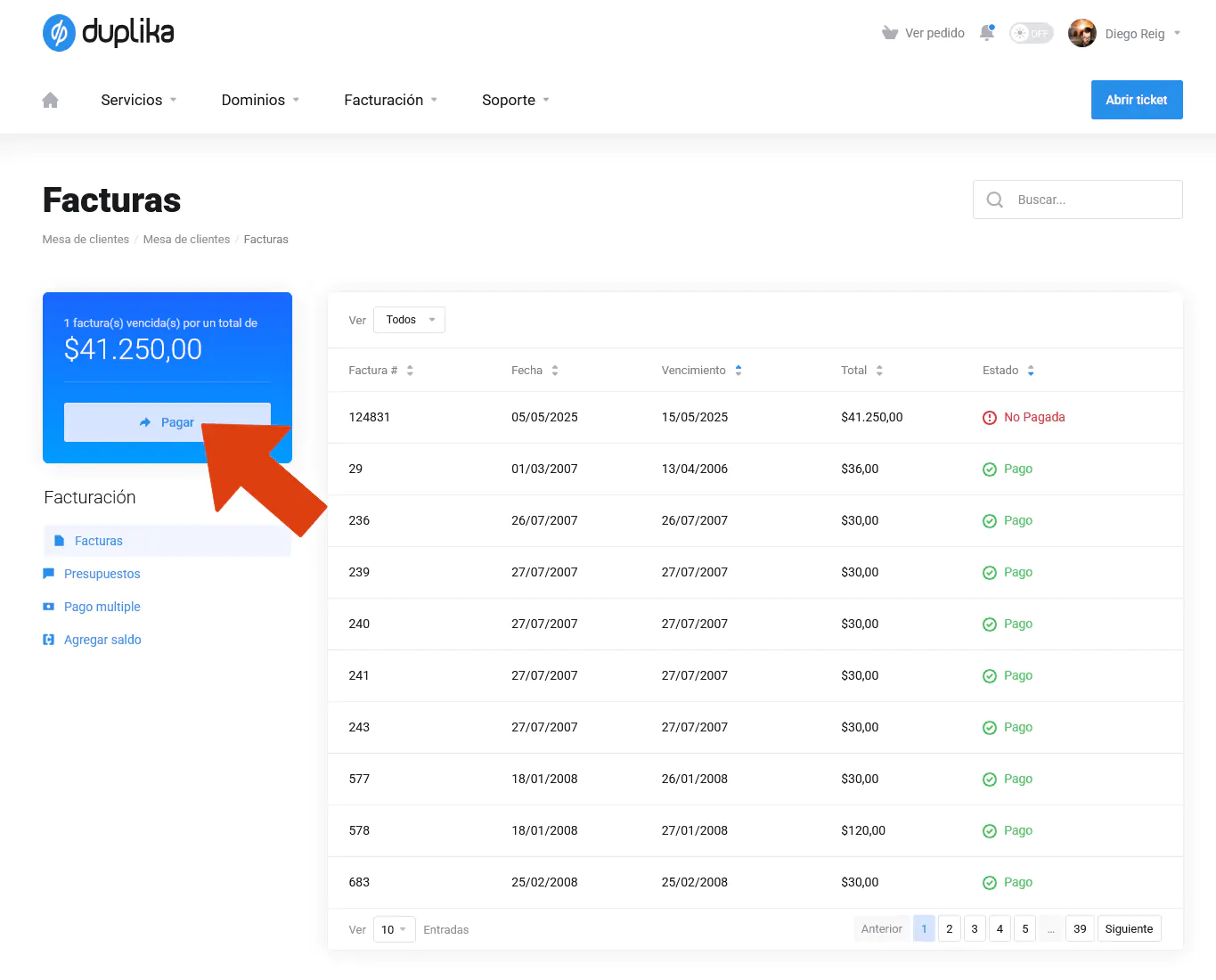
Al cliquear sobre el sector de facturas impagas podremos visualizar el detalle de todo lo que ya hemos saldado, y, asimismo, rápidamente, comprobar lo que nos falta abonar. Haremos clic sobre el botón de Pagar.
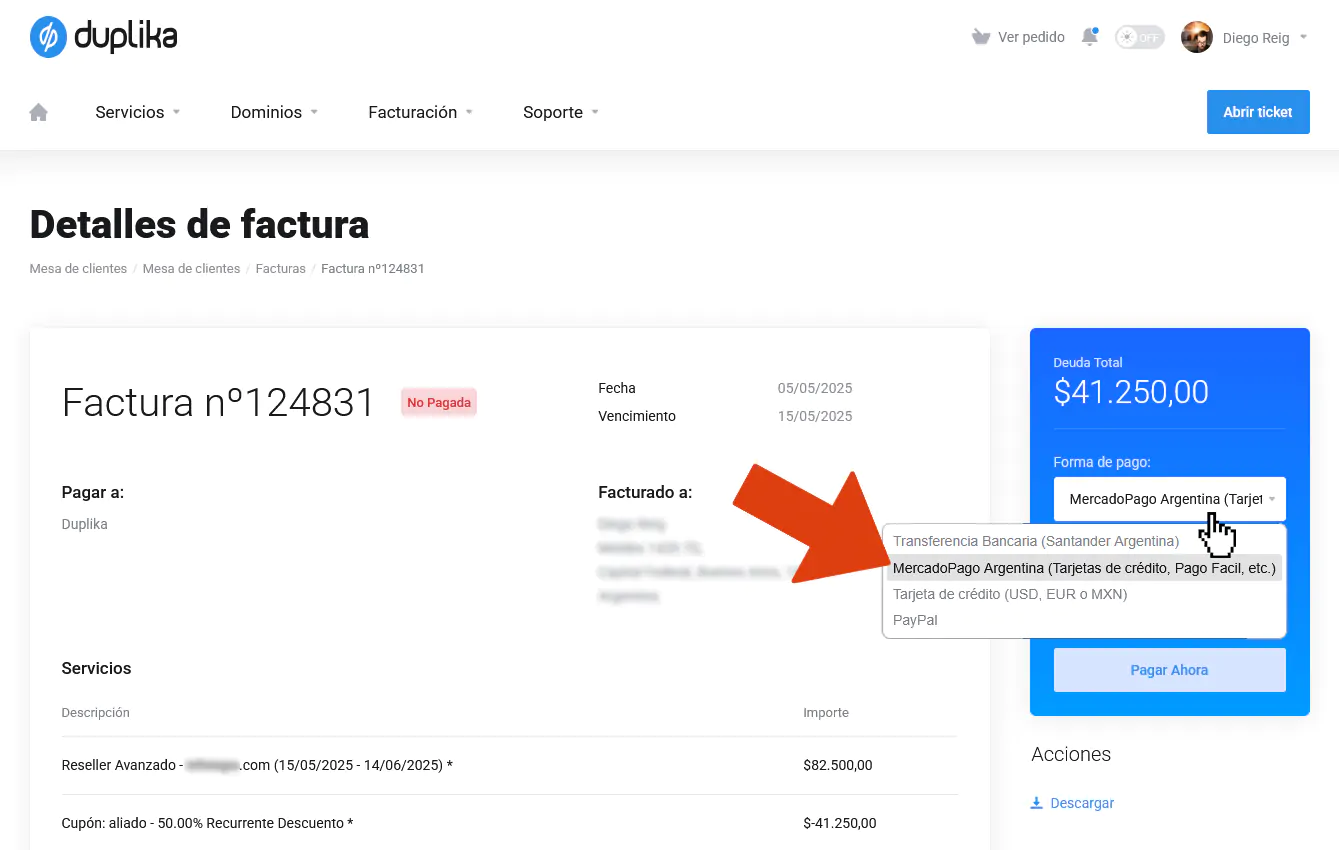
A continuación, elegiremos el método de pago tal cual se ilustra en la captura de pantalla inferior.
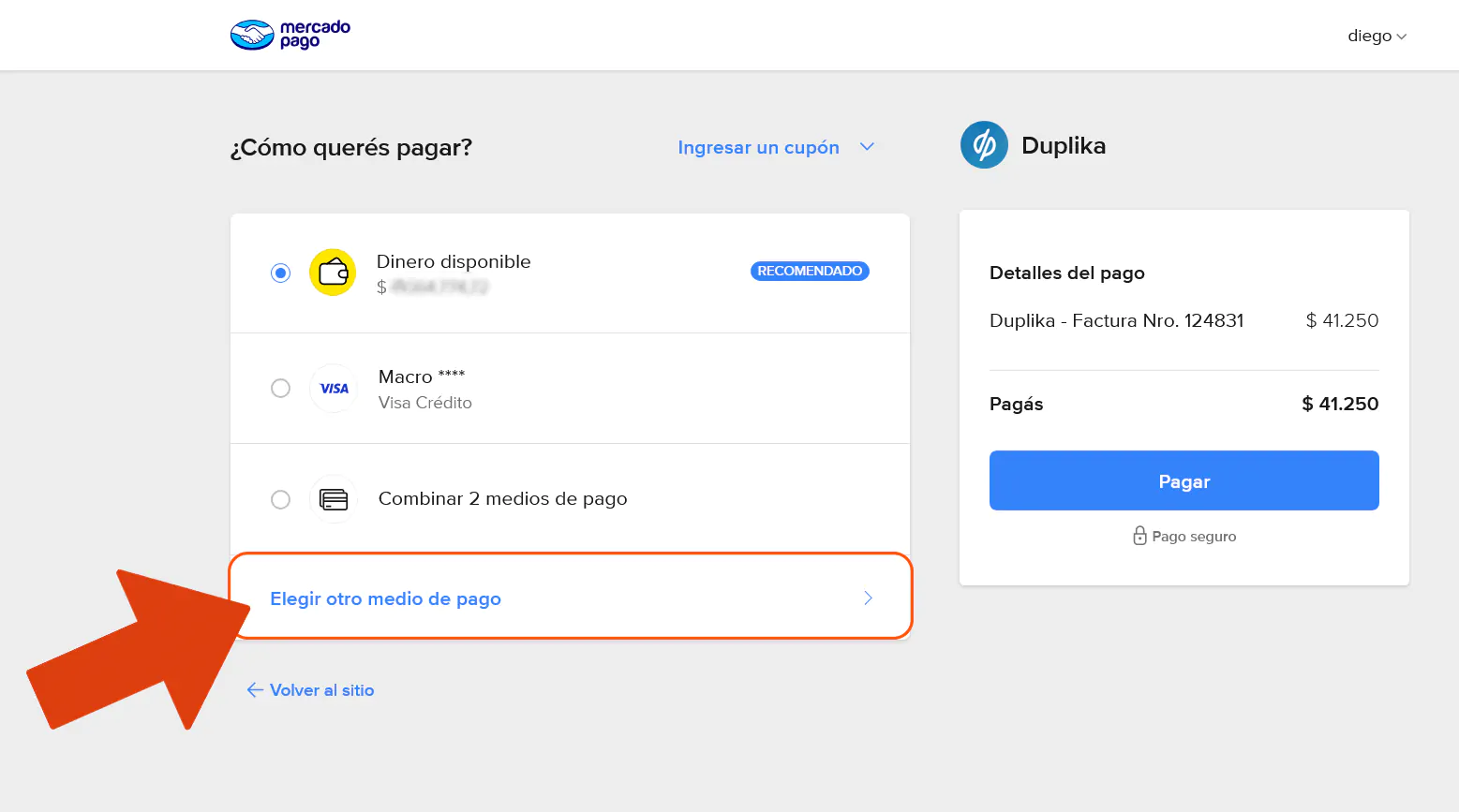
Si pretendemos pagar vía Pago Fácil o Rapipago, en la ventana que procede seleccionaremos Elegir otro medio de pago.
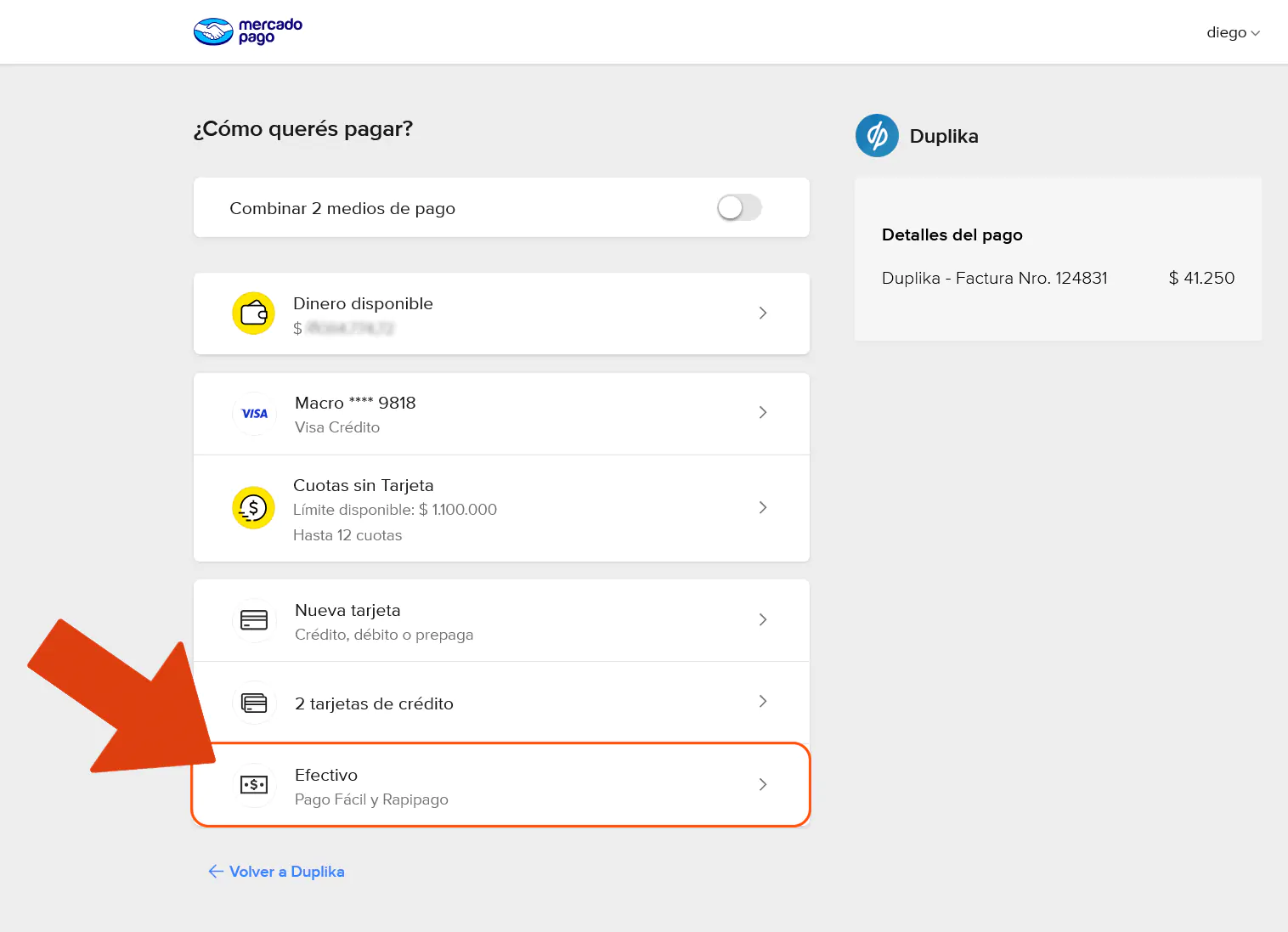
Y, a continuación, la opción de pagar en efectivo.
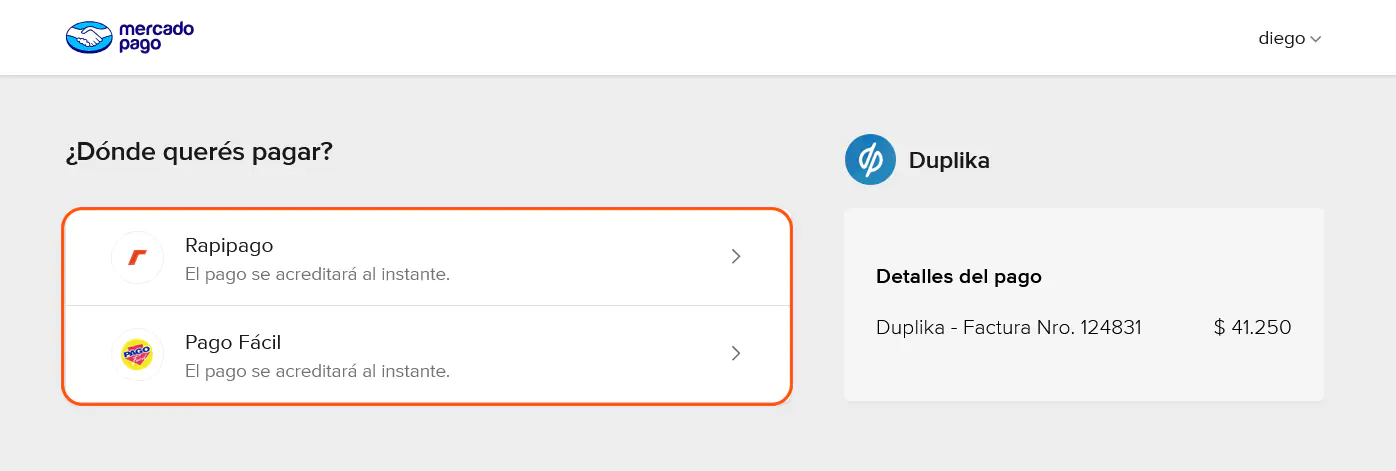
Escogeremos según nuestra preferencia:
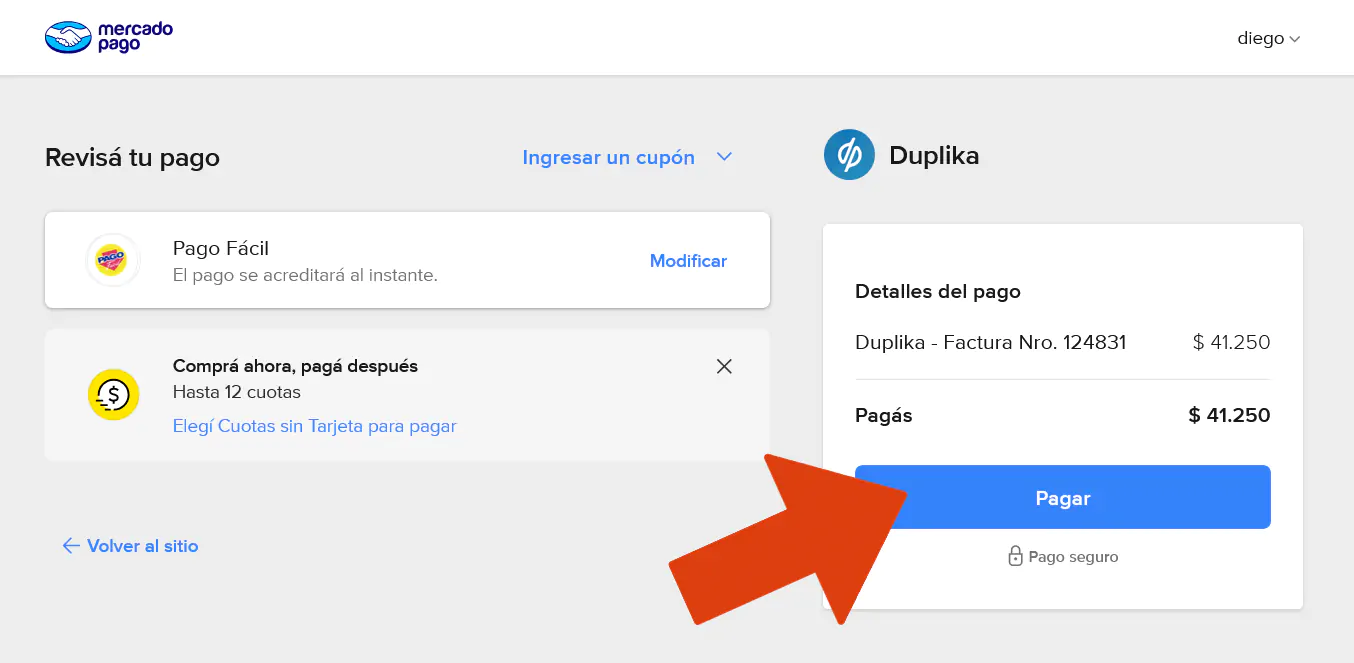
Y, finalmente, Pagar para generar el cupón de pago pertinente.
Gracias por la lectura. Ante cualquier inconveniente, escribir a [email protected] contándonos el problema. Estamos para ayudarte.