

Cómo renovar un dominio .com.ar en NIC Argentina
Actualizado hace 4 semanas
Todos los dominios de .com.ar (y todas sus variantes, como ar., net.ar, musica.ar, etc.) se administran desde la página web de NIC Argentina. En esta guía veremos, paso a paso y con capturas de pantalla, cómo realizar esta acción cómodamente.
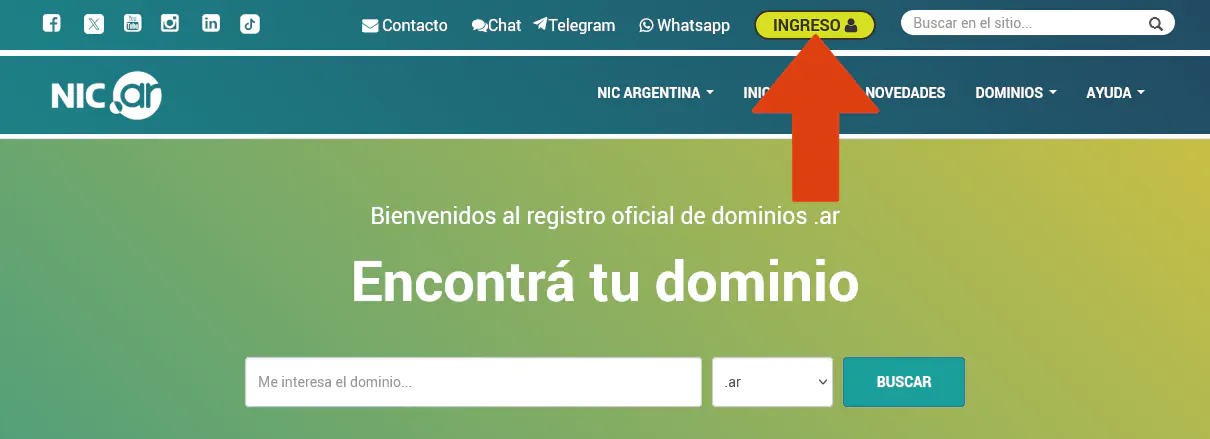
Primero debemos ingresar a la dirección nic.ar y allí haremos clic sobre el botón señalado en la captura inferior.
Para ingresar, se nos presentan dos opciones: una para argentinos con número de CUIT, y otra para No residentes. Elegiremos según corresponda. Pero, atención, que para ingreso con CUIT debemos haber tramitado una clave fiscal de nivel 2 (o superior), y para personas no Residentes debemos tener previamente un usuario creado en Nic.Ar.
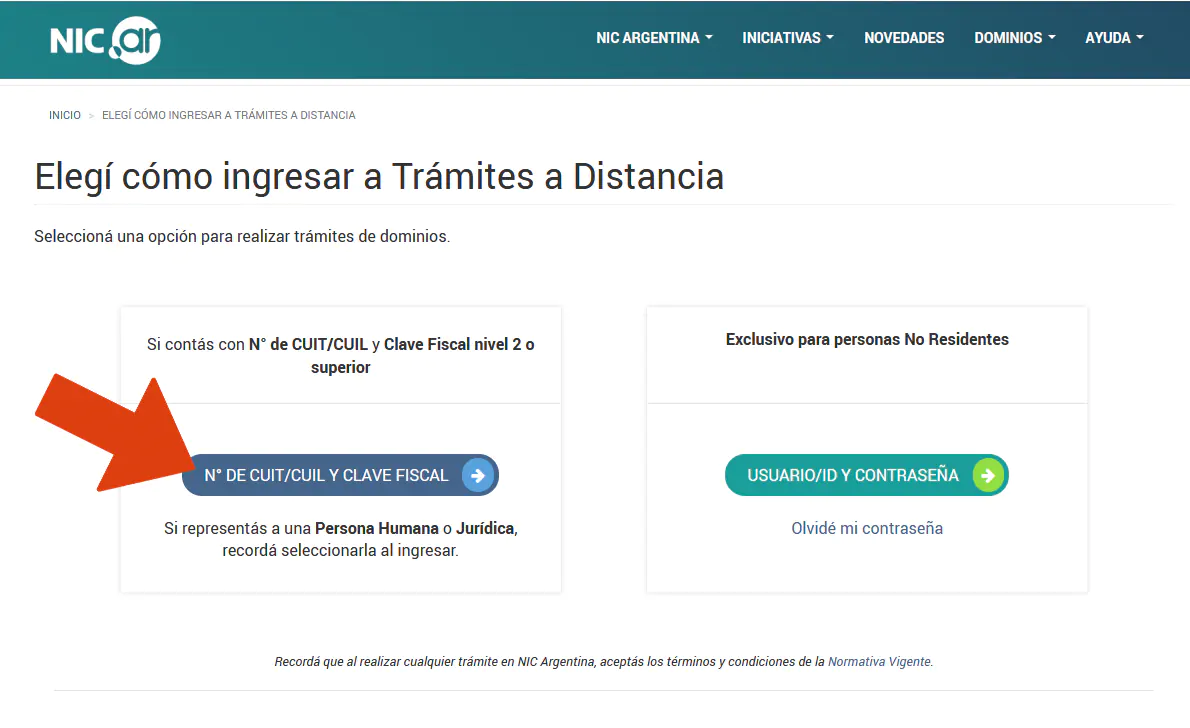
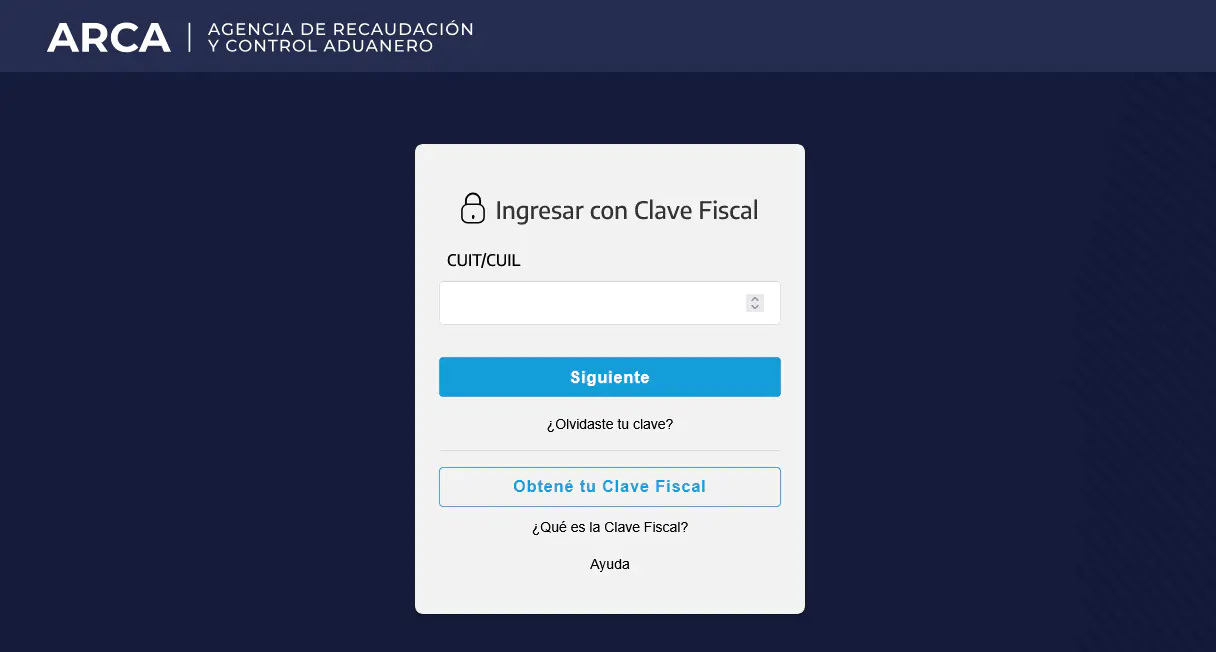
Si somos argentinos con CUIT y clave fiscal, accederemos por esta vía, dado que es la indicada.
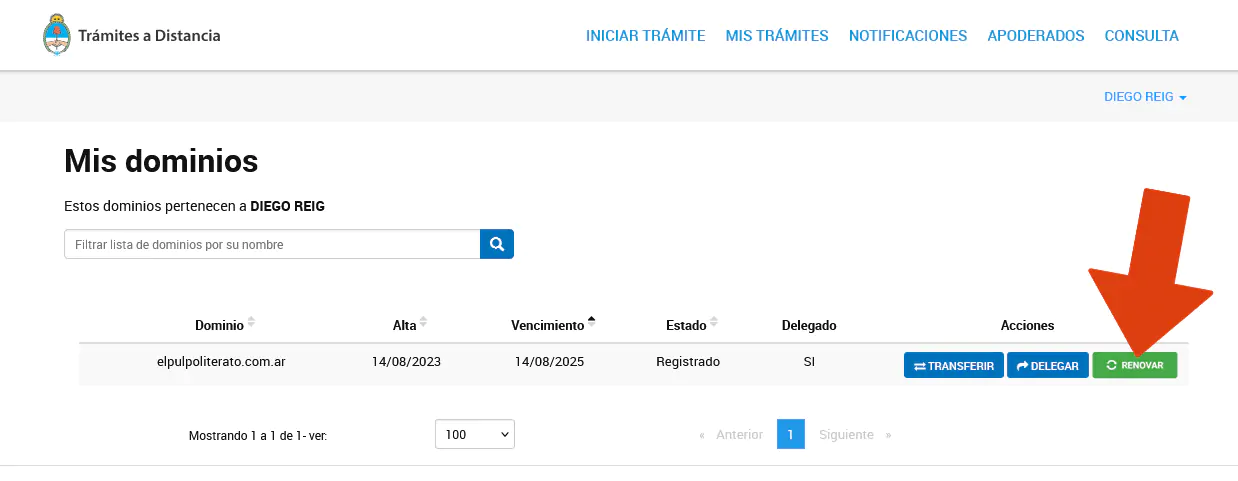
Ubicado el dominio que pretendemos renovar, haremos clic sobre el botón RENOVAR.
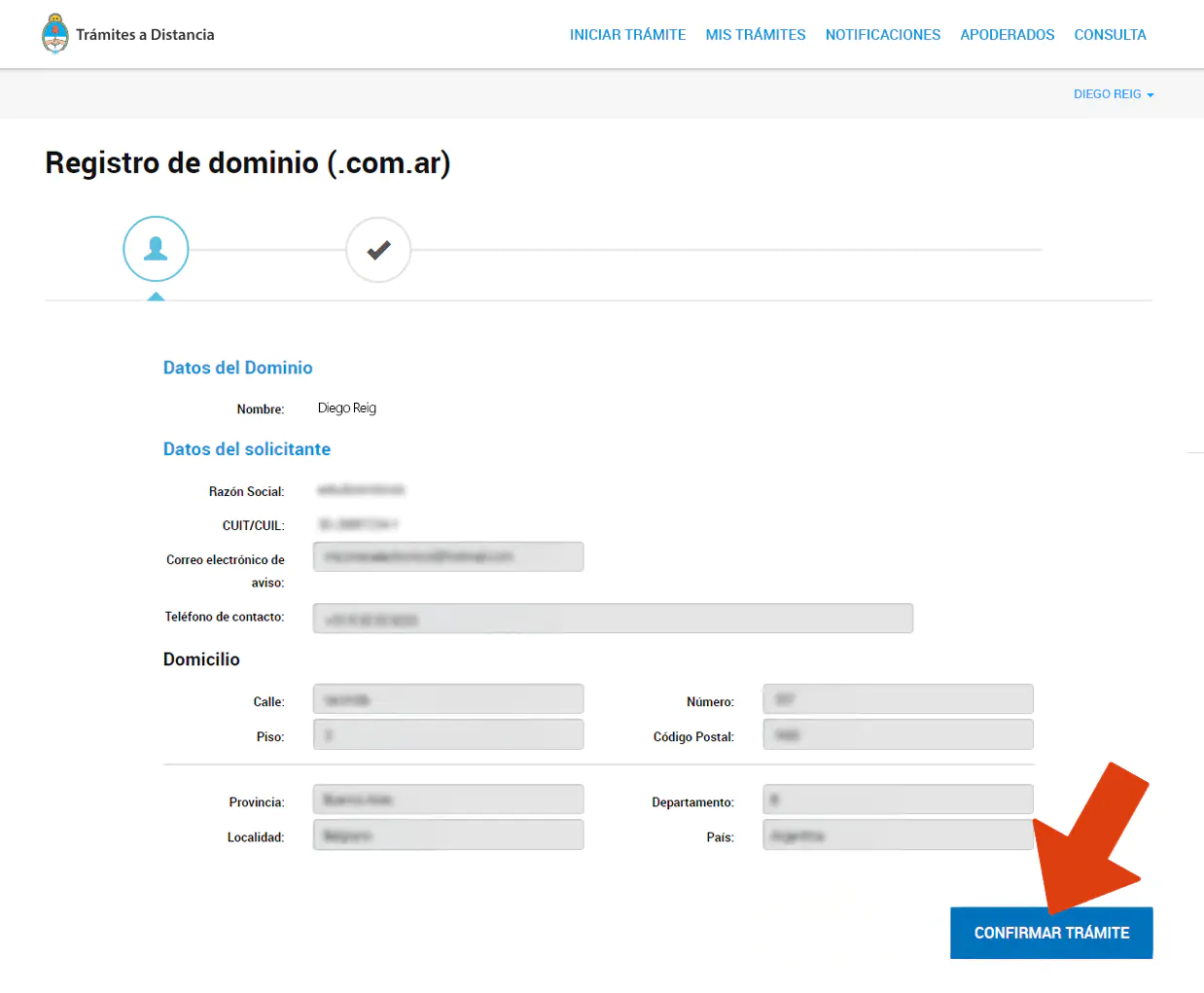
A continuación, podemos revisar nuestros datos y luego hacer clic sobre el botón de confirmación de trámite.
Elegiremos nuestro método de pago preferido.
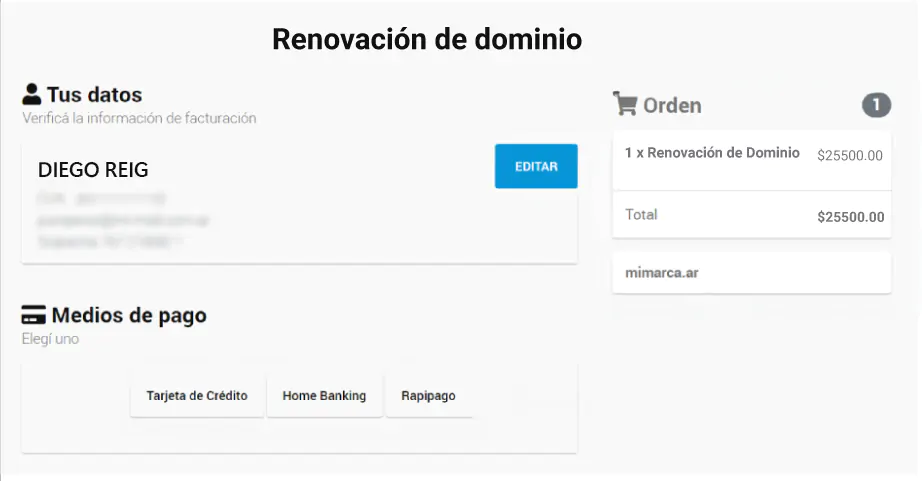
Completaremos con los datos pertinentes (por ejemplo, los de nuestra tarjeta de crédito).
¡Y listo!
Tengamos en cuenta que un pago efectuado con Tarjeta de Crédito o Pago Mis Cuentas se acreditará dentro de las 24 horas de haber realizado la operación. Por otro lado, con Rapipago la acreditación se realizará dentro de las 72 horas hábiles.