

Gestión de contactos autorizados y usuarios
Actualizado hace 4 meses
Desde nuestra mesa de clientes, es posible establecer nuevos contactos y usuarios autorizados.
Los usuarios permiten a otras cuentas de mail, ingresar y gestionar los servicios contratados y realizar pagos, compartiendo el acceso a su cuenta a otras personas autorizadas.
Puede gestionar los usuarios desde acá.
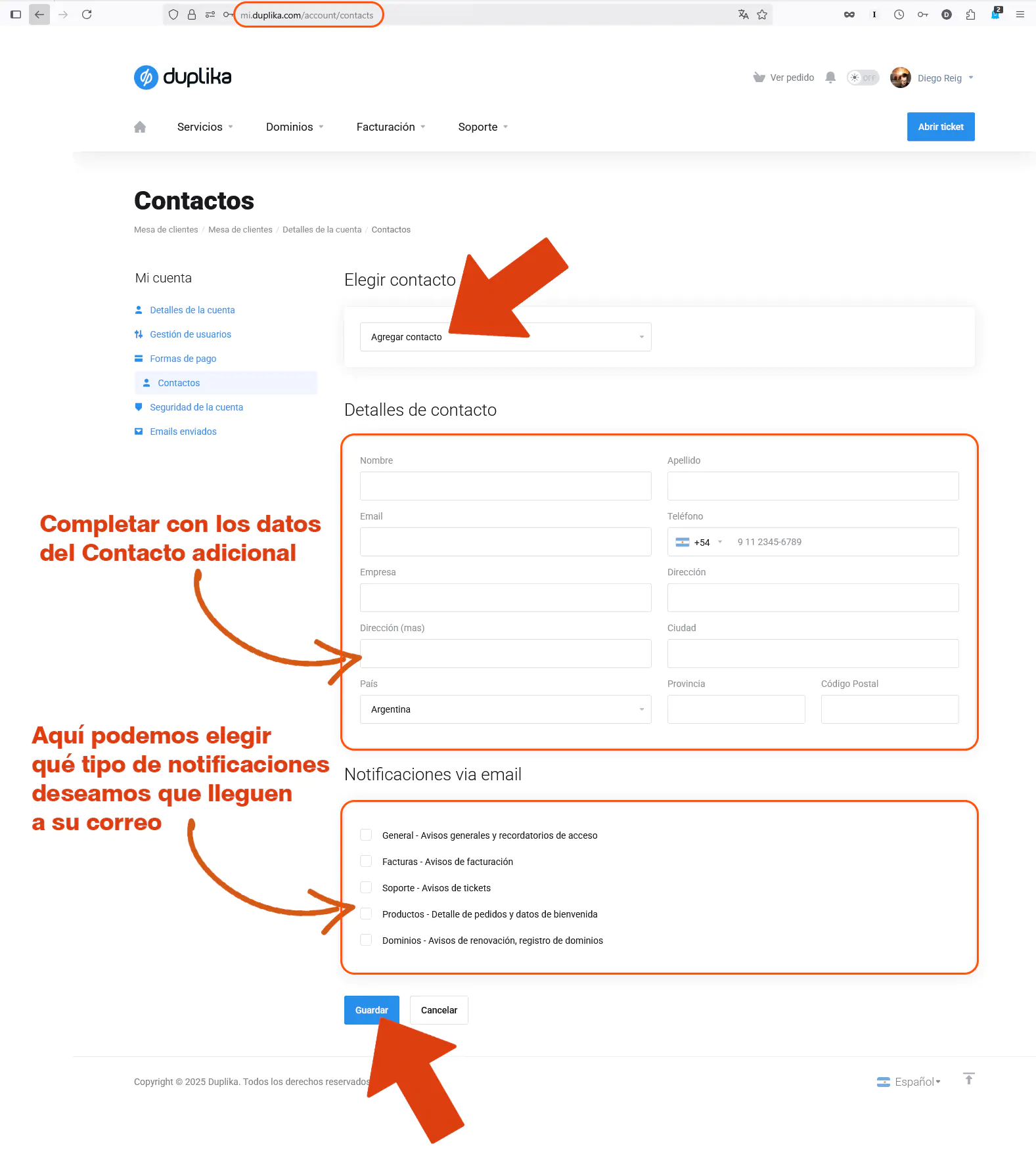
Los contactos permiten autorizar a otras cuentas de correo para solicitarnos soporte, además de poder recibir avisos de pedidos o pagos.
Podrá gestionar los contactos desde acá, seleccionando Agregar Contactos desde el menú superior desplegable. Allí podrás completar los datos y definir las notificaciones que recibirá cada contacto.
¿Te fue útil?
¿Te fue útil?