

ModSecurity Error 500
Updated 3 months ago
ModSecurity is our web application firewall. Its purpose is to detect and block malicious code injections on our clients’ websites.
This module may generate false positives, causing an edit to a file to trigger a 500 error and block access (even when performed by an authorized administrator).
If this happens, we recommend temporarily turning off ModSecurity in your cPanel. To do this, first go to your cPanel at the address shown below, replacing "midominio.com" with your site's actual URL.

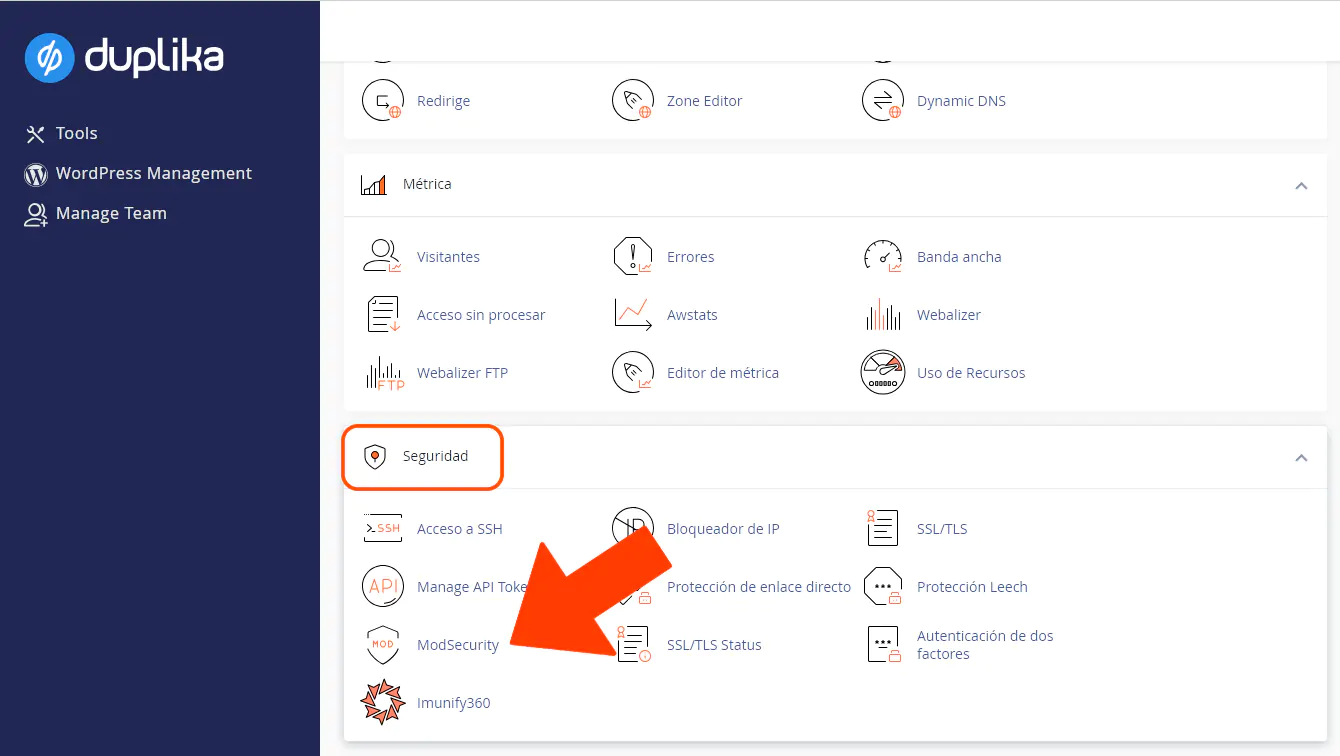
Once you're in your control panel, look for the ModSecurity icon in the Security area.
Once you open the tool, click the Disable button.
If this resolves the error, please write to us so we can identify the problematic rule and disable it. Once we've done that, we'll let you know so you can continue making edits without having to keep ModSecurity turned off in your account.