

Acceso MySQL remoto
Actualizado hace 3 meses
Primero, por favor ingresa a tu panel mediante la dirección que te mostramos en la captura inferior (reemplazando "midominio.com" por la URL correcta de tu sitio).

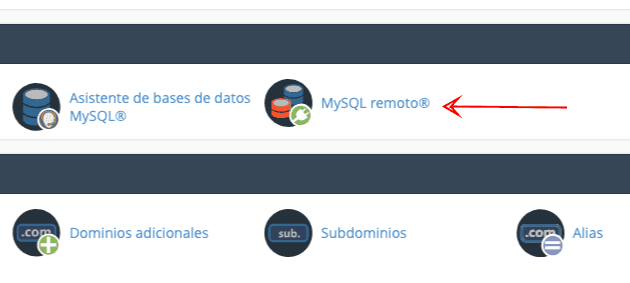
Tras ingresar al panel, busca la herramienta MySQL remoto como te mostramos en la captura inferior:
Entrando a la herramienta, te será posible habilitar IP's específicas, o bien todas para poder acceder desde cualquier conexión (nota: sugerimos habilitar solamente las IP's que sean necesarias).
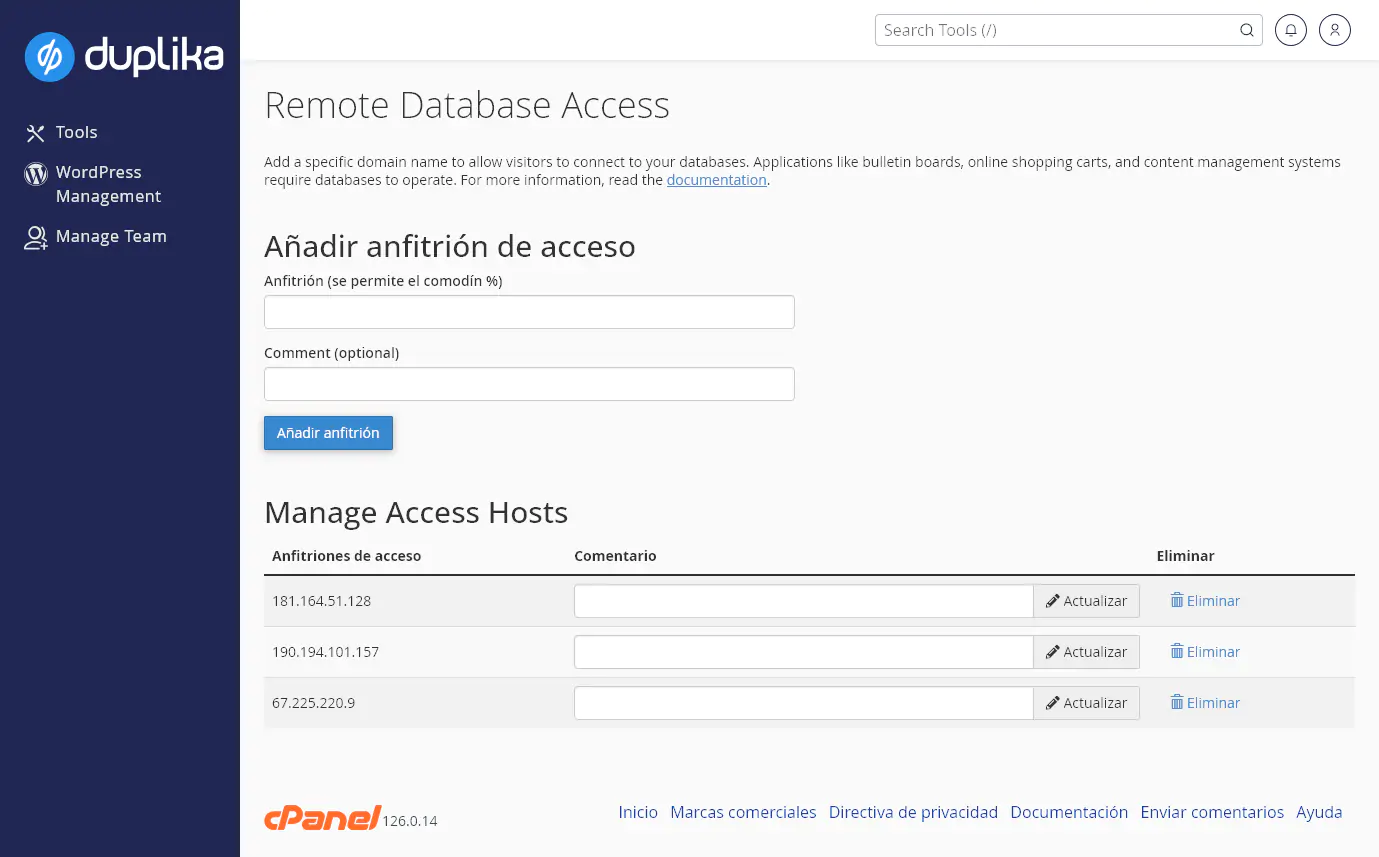
Gracias a estas acciones podrás ingresar usando cualquier cliente MySQL, utilizando el puerto 3306 y los datos de los usuarios MySQL creados previamente desde la opción Bases de datos MySQL.
¿Te fue útil?
¿Te fue útil?