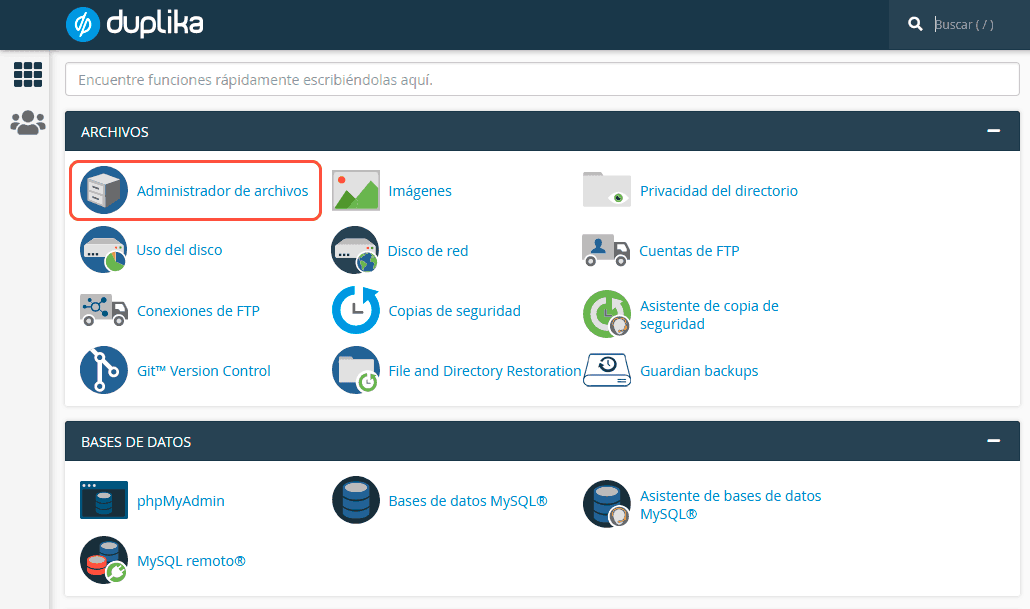
Respaldo completo de mi cuenta
Actualizado hace 3 meses
Podemos descargar una copia de seguridad total de nuestra cuenta accediendo a cPanel. Las copias de seguridad se realizan cada día —automáticamente— e incluyen todos los contenidos, bases de datos, cuentas de mail y configuraciones. Para esto, debemos ingresar a nuestro cPanel como primer paso. Esto se logra de la siguiente manera:

Recuerda reemplazar "misitio.com" por la URL real de tu dominio
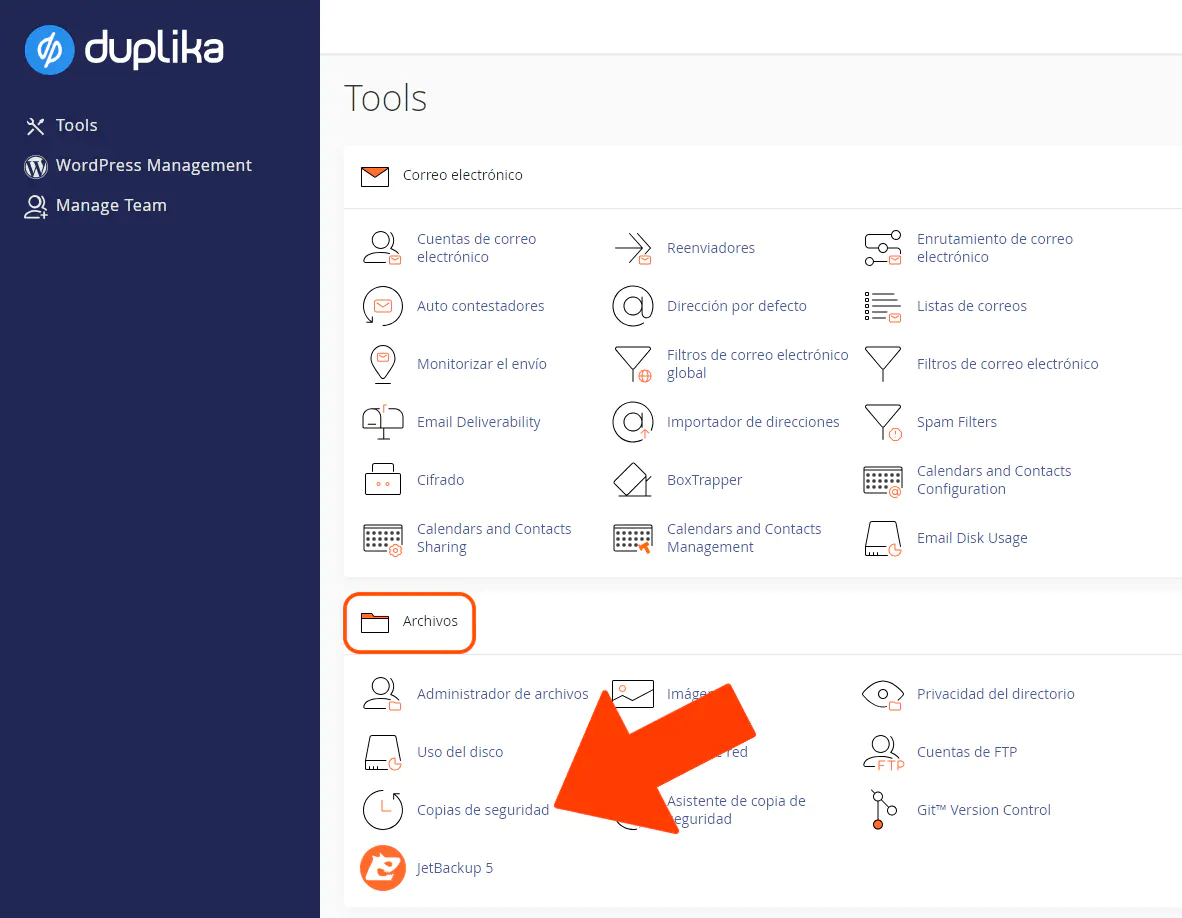
Luego debemos acudir a la opción Copias de Seguridad.
Y, a continuación, clic sobre Download a Full Account Backup.
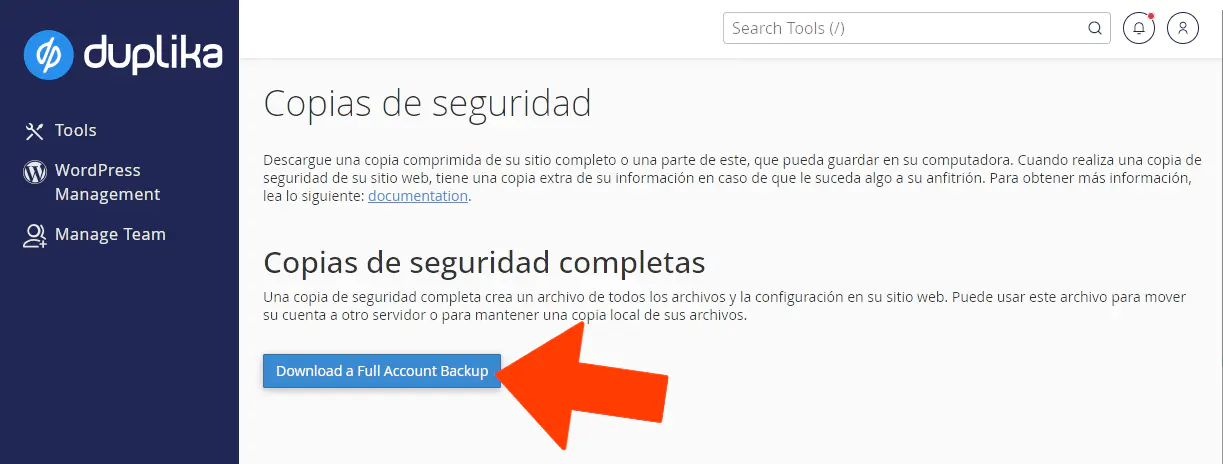
Con el archivo descargado desde cPanel podemos restaurar la cuenta tanto en Duplika como con cualquier otro proveedor de hosting que utilice cPanel. El sistema nos brinda libertad para alojar nuestros contenidos en donde deseemos.
Como alternativa, desde dicha página también es posible descargar las bases de datos si así lo requerimos, o bien los contenidos desde el Administrador de Archivos.