

Improve WordPress email delivery using SMTP
Updated last month
A fairly common problem in WordPress is that, for various reasons we will review in this article, emails sent from the platform are automatically filtered as spam. In this brief article, we explain the problem and provide the recommended solution to prevent this from happening again.
Why are emails filtered?
Emails sent by WordPress often have no formatting: they are generated via PHPmail, and, by default, the sender is not defined: WordPress uses [email protected] (your site's domain). The actual address may vary depending on the plugins and server configuration.
This causes filters used by many email providers—such as Gmail or Outlook—to filter emails automatically, since a similar sender is an indicator of possible spam.
Sending WordPress emails via SMTP
If we configure WordPress to use an SMTP account—instead of phpmail for sending emails—this will help providers improve the score assigned by their filters. This gives our emails greater credibility, reducing the chances of them being filtered.
There are numerous plugins that help with this. We recommend FluentSMTP. Why? Because the configuration is very simple, and we can complete it using the SMTP details of the account we are using.
If your site is hosted with us, simply send us a support ticket and we will take care of configuring it.
FluentSMTP configuration
After installing the plugin, we need to add an email connection and select Other SMTP:

Next, we go to the SMTP settings. There, we will use an email account from our domain that was previously created.
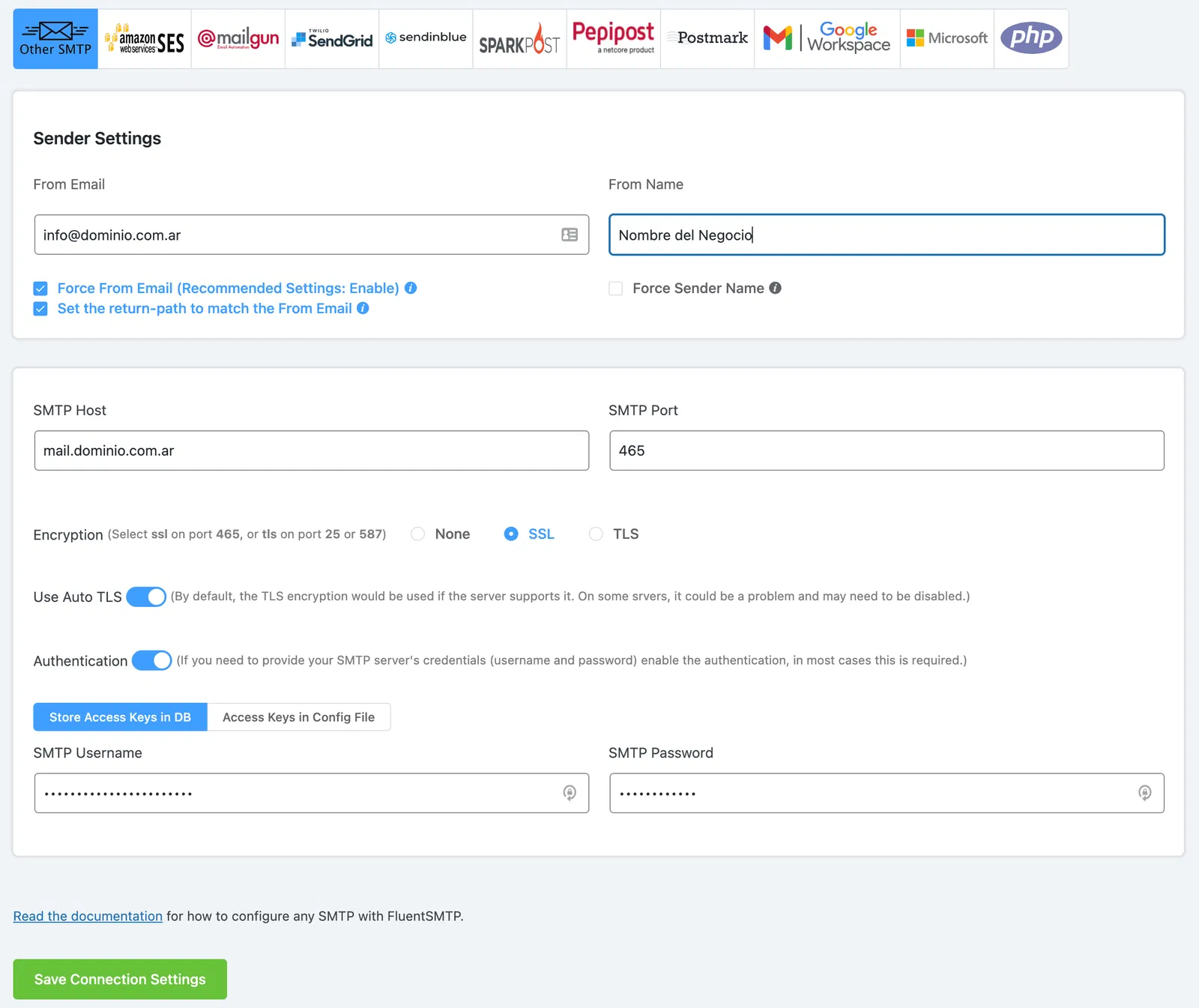
We enable SSL and Authentication to validate our emails.