

What are DNS?
Updated 4 days ago
DNS (Domain Name System) are the system that tells each domain which server to look on for its site’s content: the files, email, and databases hosted on a web server. When someone enters your domain in their browser, DNS directs that request to the right place.
DNS delegation and servers
Delegating a domain means specifying which DNS servers are responsible for it. You choose these servers when registering the domain, and from then on, they store its records.
If you host your site with us, you delegate the domain to our DNS servers:
mar.ns.duplika.com
nic.ns.duplika.com
emi.ns.duplika.com
rei.ns.duplika.com
With a reseller plan, you can use our anonymous DNS servers (ns1.servidoronline.net and ns2.servidoronline.net) by contacting us so we can configure them for your account. On a VPS or dedicated server, we can help you configure custom DNS servers. You can find the complete list and their IP addresses in the Duplika DNS guide.
DNS records
DNS records are the domain’s address book: each entry indicates a location, generally using IP addresses. Each record type serves a different purpose, and they are not interchangeable.
Type | Purpose |
|---|---|
A | Point a name to a server using IPv4. |
CNAME | Make one name an alias for another. |
MX | Specify which servers receive the domain’s email. |
TXT | Publish a verification or information such as SPF, DKIM, or DMARC. |
Where records are edited
When your domain uses our DNS, you edit its records from cPanel, using the Zone Editor option in the Domains menu. There, you can view this address book and create or modify your domain’s records.
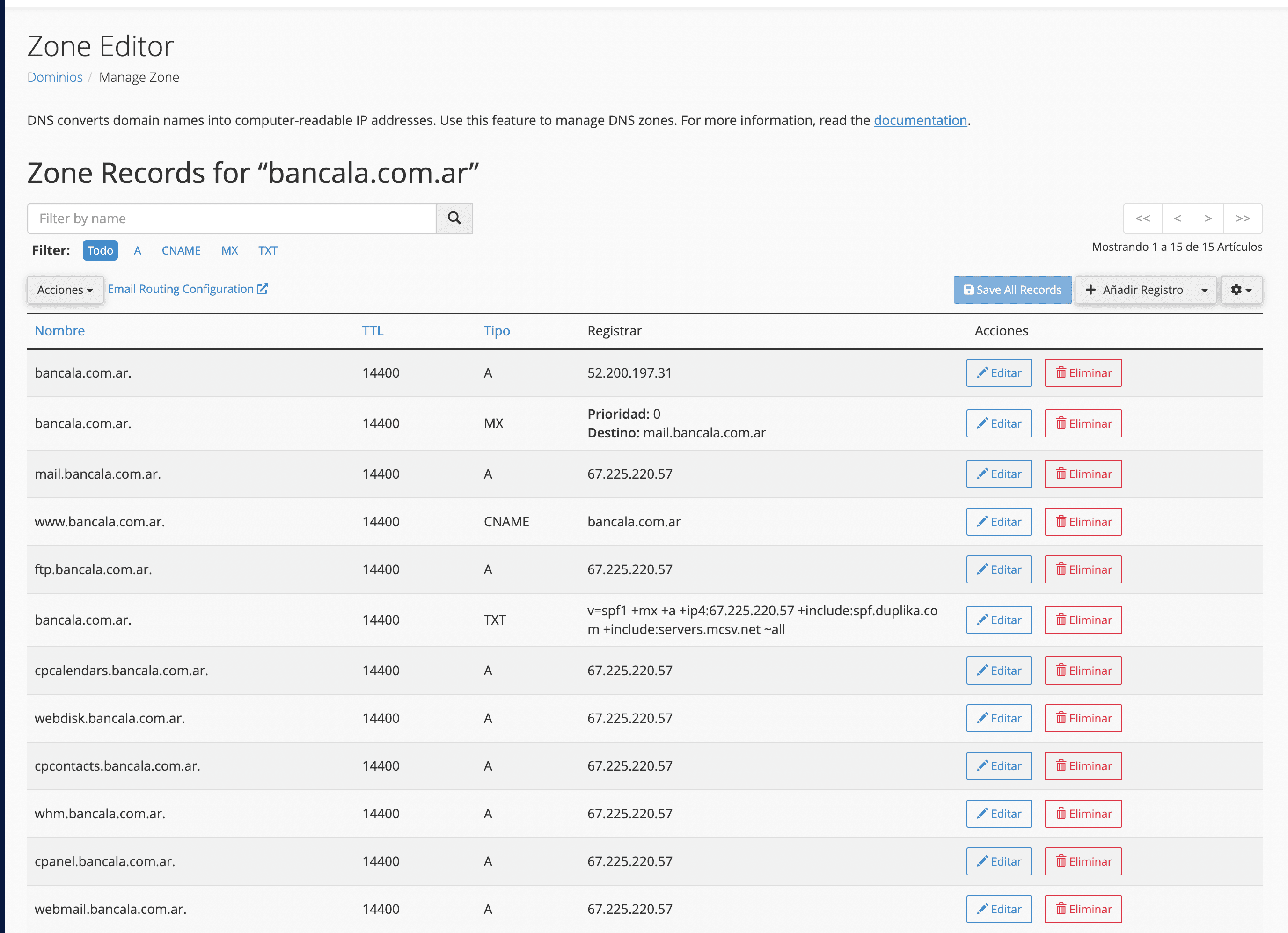
We recommend editing records only if you understand the change you are going to make. If you have any questions, contact us and we’ll guide you through the process.
To create or modify records step by step, follow the How to create and edit A, CNAME, MX, and TXT records in cPanel guide.
How long it takes for a change to appear
After editing a record or changing the delegation, the change may appear within minutes or take several hours; in some cases, it may take 48 to 72 hours or longer. What we call propagation is the update of DNS caches across different providers, and you do not need to wait that long to start checking the change. To review it, follow the DNS propagation guide.
Continue reading
If you need to point your domain to Duplika, the steps depend on where it is registered: you can delegate a .com.ar domain or change the DNS in GoDaddy. If the domain is already delegated to our servers and you still need to add it to your hosting account, follow the guide to add an additional domain or subdomain.