

Renew a .com.ar domain
Updated 6 months ago
All .com.ar domains (and all their variants, such as ar., net.ar, musica.ar, etc.) are managed through the NIC Argentina website. In this guide, we’ll walk through how to complete this action conveniently, step by step and with screenshots.
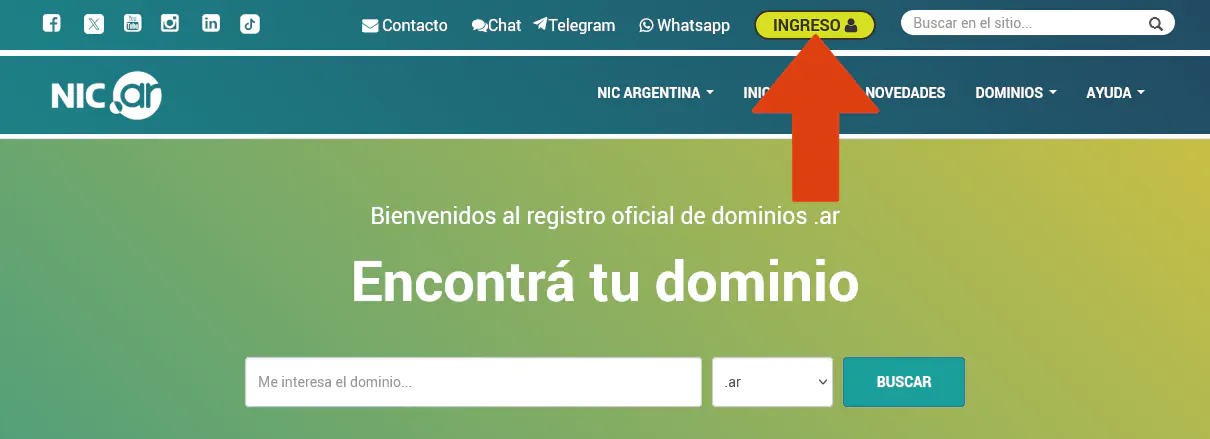
First, go to nic.ar and click the button highlighted in the screenshot below.
Two options are available for signing in: one for Argentine citizens with a CUIT number, and another for non-residents. Choose the appropriate option. However, please note that signing in with a CUIT requires a level 2 or higher Clave Fiscal, while non-residents must have previously created a user account on Nic.Ar.
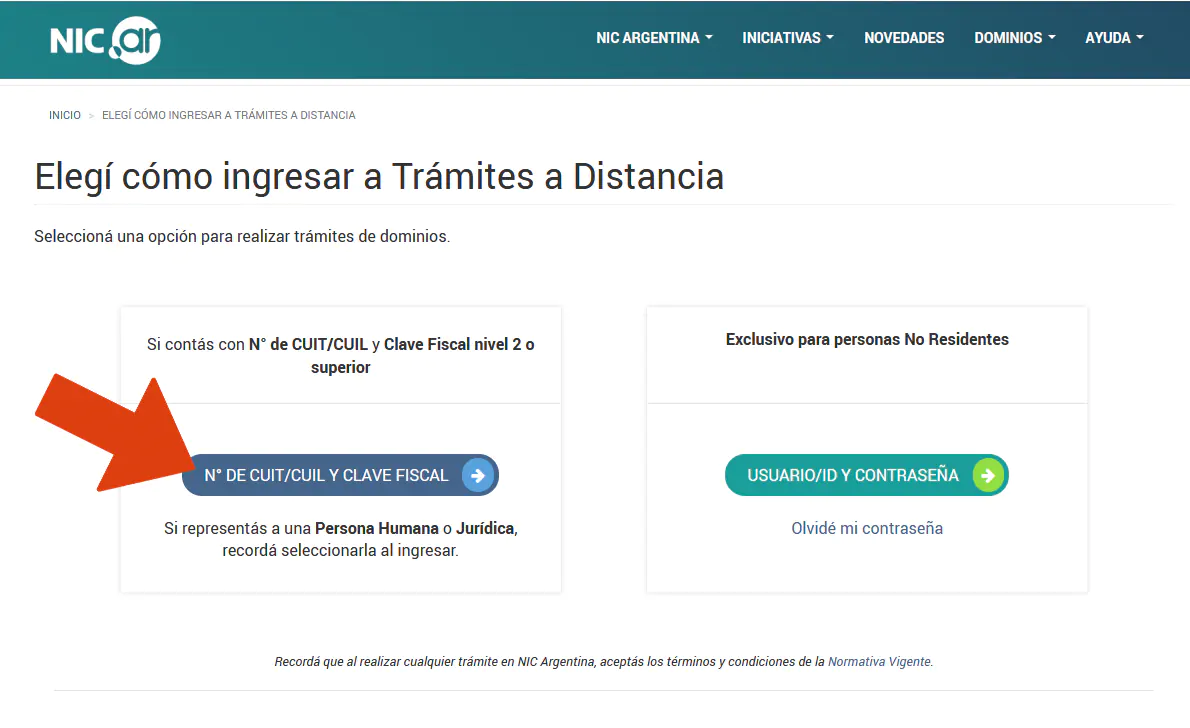
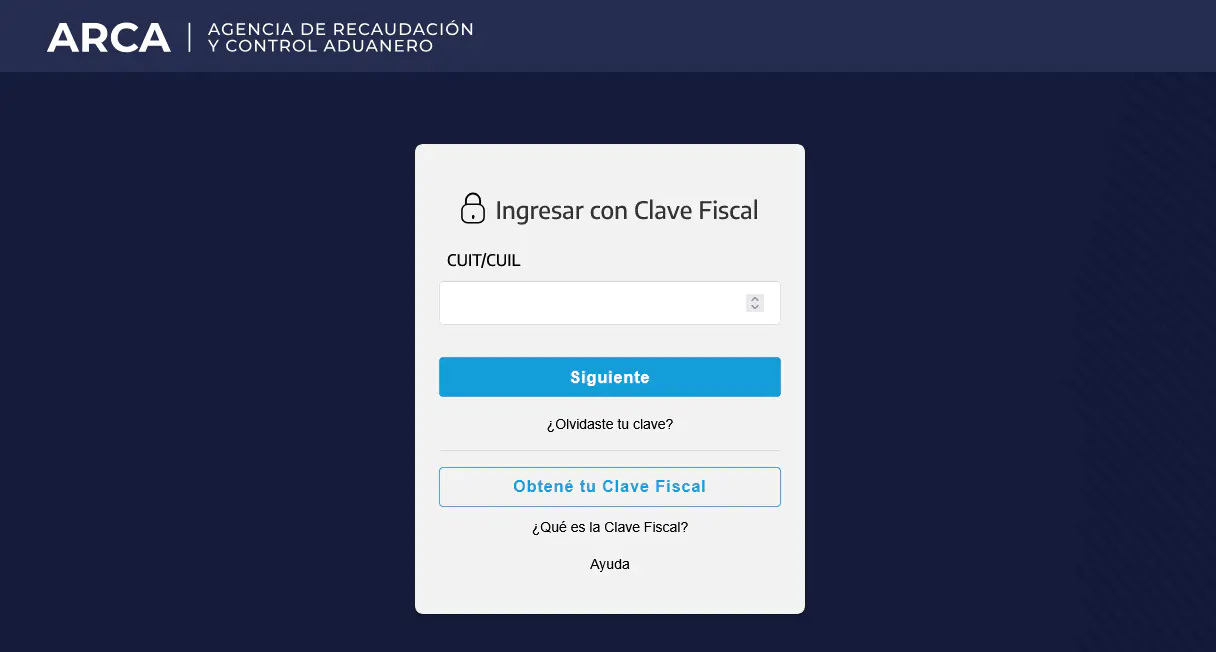
If you are an Argentine citizen with a CUIT and Clave Fiscal, use this option, as it is the appropriate one.
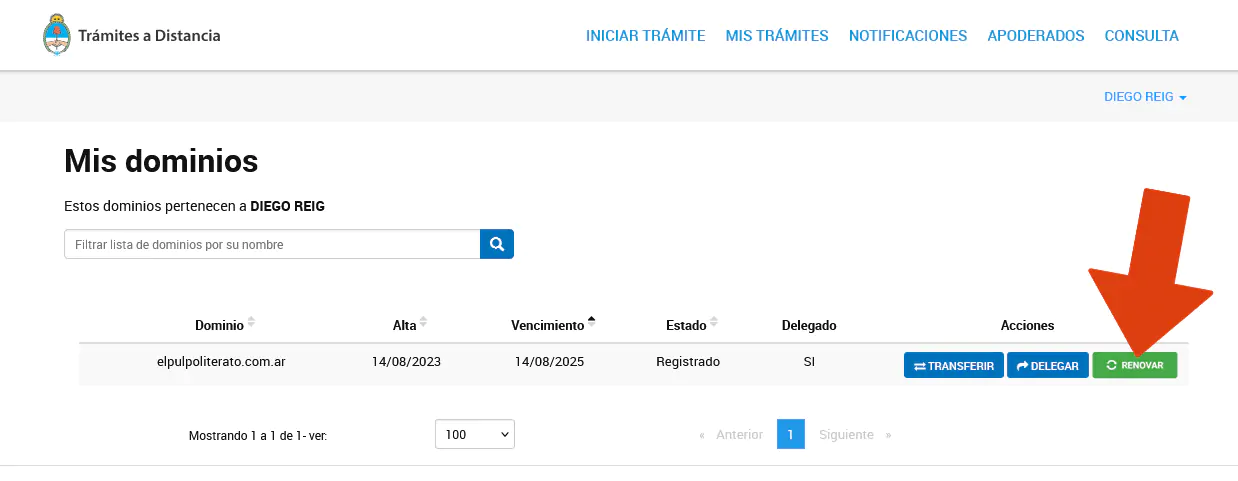
Once you have located the domain you want to renew, click the RENEW button.
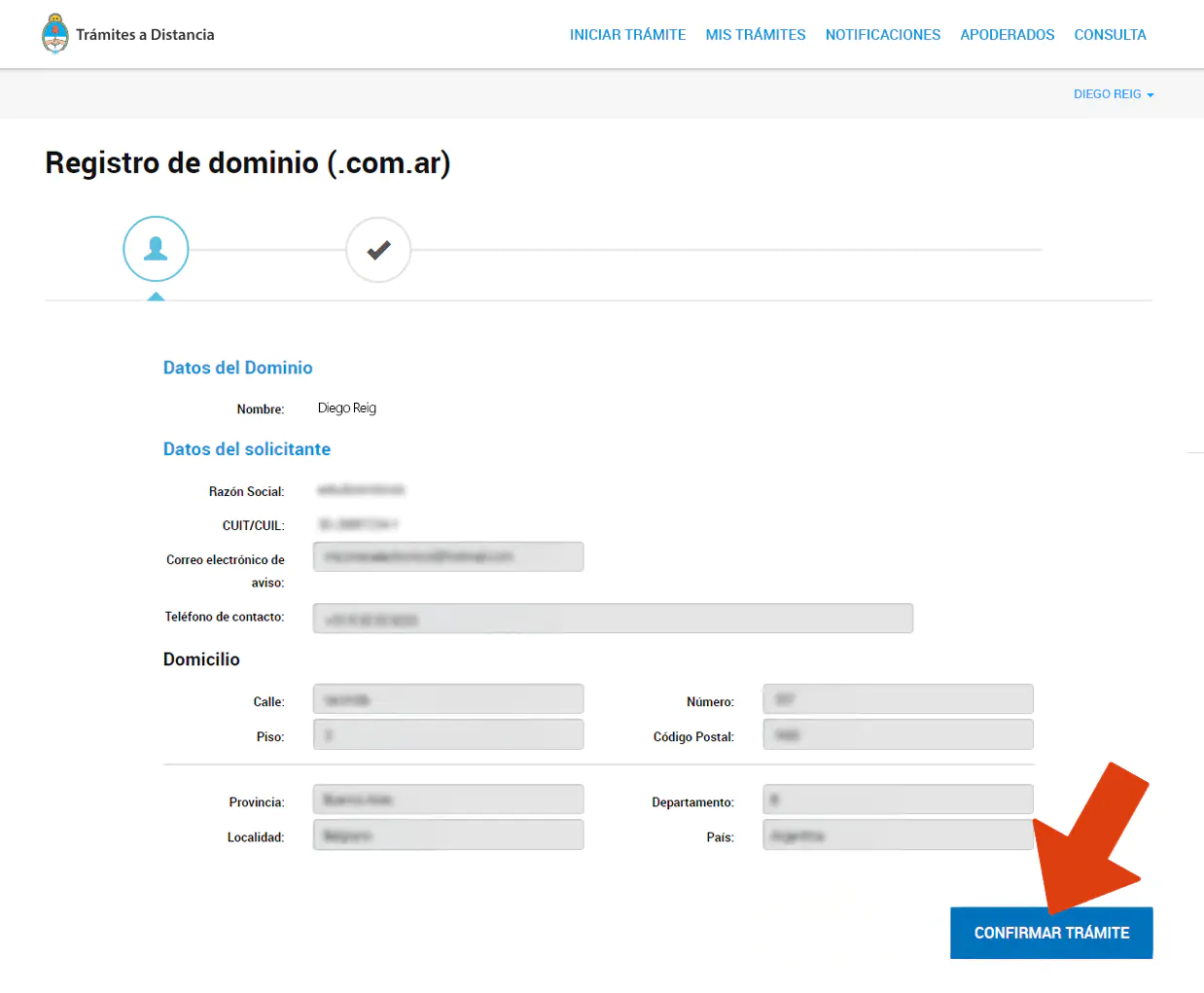
Next, you can review your information and then click the button to confirm the request.
Choose your preferred payment method.
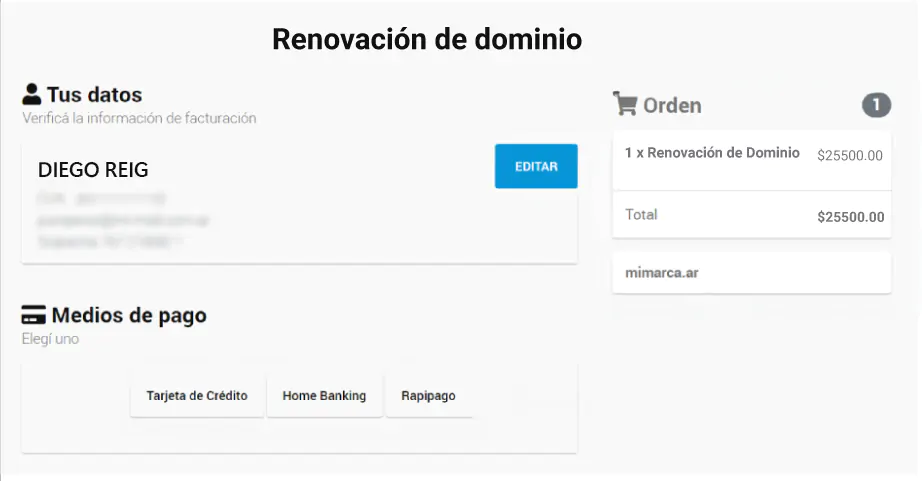
Enter the required information, such as your credit card details.
That’s it!
Please note that payments made with a Credit Card or through Pago Mis Cuentas will be credited within 24 hours of completing the transaction. Payments made through Rapipago will be credited within 72 business hours.