

What is hosting and what is it used for?
Updated today
Hosting, also called web hosting, is the service that allows the files, images, databases, and other content of a website to be stored on a server that is permanently connected to the Internet.
In simple terms: if the domain is your site's address, hosting is the place where its content lives.
When someone enters your domain in their browser, the hosting server receives the request and delivers the files needed to display the page.
That's why publishing a website requires two essential elements: a domain, which identifies the site's address, and a hosting service, which stores and serves its content.
What is hosting used for?
Hosting allows a website to be available on the Internet.
When you purchase a hosting service, you get space and resources on a server to store your site's files, databases, emails, and other components needed for it to function.
Without hosting, your website's files could exist on your computer, but no one would be able to access them over the Internet.
A good hosting service also provides resources related to performance, security, backups, administration, and technical support.
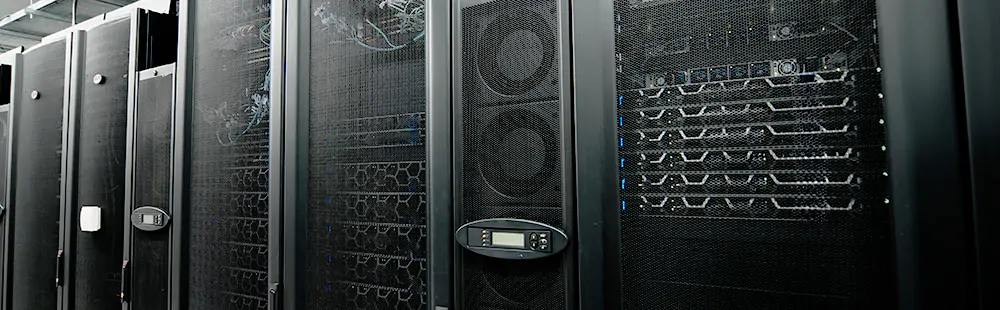
Physical servers located in the datacenter. This is where website files are hosted and delivered ("served") to users (site visitors) through the hosting service.
How does hosting work?
When someone visits a website, their browser connects to the server where it is hosted and requests the files needed to display the page.
The server processes the request and delivers HTML, images, style sheets, scripts, and data to the visitor's device.
All of this normally happens in a fraction of a second. That's why the server's speed, connectivity, storage, and hosting configuration directly affect a website's performance.
Professional servers operate in data centers equipped with redundant connectivity, backup power, cooling, and physical and digital security measures.
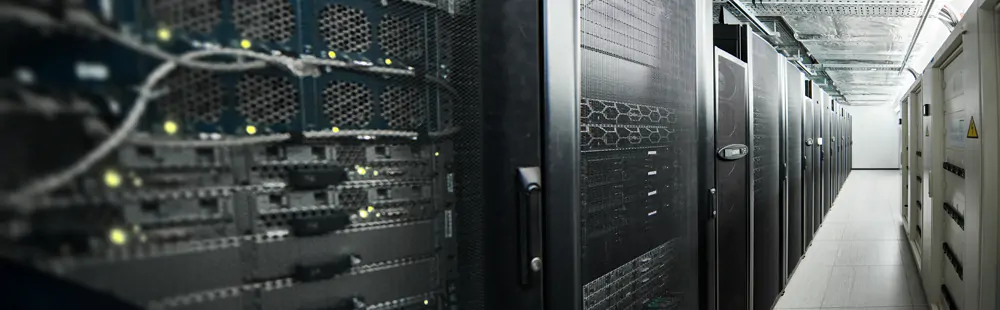
Racks filled with web servers, always kept in cooled and fire-resistant environments.
Web hosting is a service offered by specialized companies that provide server space to store and publish websites on the Internet. These servers—high-performance computers located in data centers—operate in controlled environments with constant cooling, stabilized power, and strict physical security measures.
In addition to the physical environment, these centers have permanent Internet connectivity through high-speed redundant links, allowing hosted websites to be accessible from anywhere in the world, 24 hours a day, 365 days a year. All these resources—infrastructure, connectivity, and environmental control—are what guarantee the stability, speed, and continuous availability of hosted websites.
What is the hardware like in a hosting service?
The server hardware plays a fundamental role in hosting speed and stability. Components such as the CPU determine how many simultaneous visits a site can handle without degrading its performance. For example, our servers use high-end processors such as AMD EPYC and Intel Xeon Gold, specifically designed for demanding web workloads.
https://www.youtube.com/watch?v=hR6eu06IzeU
What is the difference between a domain and hosting?
The domain and hosting serve different functions, but they work together.
The domain is the address a person enters to access the site, for example duplika.com.
Hosting is the service that stores the site's files and data and delivers them when someone visits that address.
You can think of it this way: the domain is a home's address, and hosting is the house and the space where you keep all its contents.
You can register a domain with one company and purchase hosting from another; the two connect through DNS configuration.
What happens when we enter a web address
When you enter a web address in the browser's address bar—for example, duplika.com—it means that you are entering a URL (short for Uniform Resource Locator, that is, the unique identifier that makes it possible to locate a site on the Internet).
That URL acts as a kind of digital coordinate: it tells the browser which server to connect to in order to obtain the requested content. Your device—whether a computer, cellphone, or smart TV—then sends a request to the web server where the site is hosted, and the server responds by sending the files needed to display the page on your screen: text, images, style sheets, scripts for special features, and so on.
This exchange takes place in milliseconds. As the files download, the browser starts rendering—assembling and arranging all the elements correctly on the screen—which results in the webpage loading and being compiled progressively. If the server is efficient and the site is well optimized, all the content can be displayed in less than two seconds.

However, behind that web address and its fast loading is an invisible but crucial infrastructure: the hosting service. Every online project has specific needs—a high-traffic online store is not the same as a personal blog—which is why there is no one-size-fits-all solution.
A professional and transparent hosting company should help you choose a plan that suits your site's technical profile: its actual resource requirements, hardware appropriate for its traffic volume, keeping updates current, and other key factors that improve the user's browsing experience on your website.
And, beyond the service itself, it is also important to have tools that make daily site management easier.
That's why, and to make life easier for customers, Duplika includes the powerful cPanel in all its hosting plans. This management tool gives customers full control over their website, email accounts, backups, and many other essential features for managing hosting quickly, simply, and efficiently.
Web space in your hosting
We mentioned that hosting involves disk space as its sine qua non feature. This is no coincidence: hosting literally means “accommodation,” that is, the physical place where your website's files are stored.
This storage space can be based on two major technologies: HDD drives (with mechanically spinning platters) and modern SSD drives (solid-state). How do they differ, and why is this important in terms of speed?
What is the difference between HDD, SSD, and NVMe hosting?
Servers can use different storage technologies.
HDD uses mechanical disks and is the traditional technology. It offers large capacity at a low cost, but has higher access times.
SSD uses solid-state memory, with no moving parts, and allows files to be accessed much faster.
NVMe is solid-state storage technology designed to take advantage of higher-speed connections and reduce latency even further.
For a modern website, SSD or NVMe offers a clear advantage in speed and responsiveness over a traditional HDD.
Nuestros planes de hosting utilizan almacenamiento de estado sólido de alto rendimiento, incluyendo NVMe según el servicio contratado.
The evolution of data storage
To understand this, imagine a vinyl record: the turntable spins, the needle reads the grooves sequentially, and this plays the music. In essence, that mechanism is similar to how an HDD works: physical platters spin at high speed while a head moves to read (or write) data.
By contrast, an SSD has no moving parts. It is more like an ultra-fast flash drive: it accesses data directly on memory chips, making it much faster, quieter, and more resistant to wear than a traditional HDD.
In the context of hosting, this translates into faster-loading websites, shorter response times, and a better experience for visitors. That's why at Duplika we work exclusively with SSD drives across all our plans.
HDD hosting is still a deeply established system because it predates SSD and is much more affordable. But each generation of SSD far surpasses the previous one, making the gap between the two technologies barely comparable.
You can immediately identify a mechanical HDD in a desktop computer because it makes noise when reading or writing data: a faint mechanical hum, as if tiny grains of rice were bumping into each other. An SSD is silent.
HDD hosting represents the traditional storage system. Its main advantage remains its low cost, making it an affordable option for those who prioritize budget over performance. However, although modern versions have improved rotational speed to optimize performance, HDD technology faces an insurmountable physical limit: because it relies on moving mechanical parts—such as motors and heads—it cannot compete with current SSD systems in speed or durability.
The relatively new SSD hosting differs from HDD hosting like night and day: the former uses “solid-state” drives, components without motors or spinning disks. With SSDs, there are no moving parts: everything works like a large electronic memory. This means they make no noise, benefit from a longer lifespan, and—no small advantage—can access multiple files at the same time, just like RAM.
For practical purposes, the difference between HDD and SSD can be compared to this:
→ With an HDD, to eat a sandwich you have to get up from the couch and walk to the kitchen, open the refrigerator, and look for the ingredients one by one. → With an SSD, in one second we fly to the refrigerator, collect all the ingredients at the same time, and have a sandwich after taking 10% of the time required in the previous example. That's how different these two technologies are.
Of course, this evolutionary leap comes at a price. Storing the same amount of information on an SSD costs, on average, twice as much as on an HDD per megabyte of space. That's why most hosting providers still do not offer solid-state drives in their plans. At Duplika, on the other hand, we work exclusively with SSDs across all our services.
Types of Hosting
There are different types of hosting services, so the ideal choice will depend on the characteristics and needs of your project.
Shared hosting
This is the most common and affordable type of hosting. Several websites coexist on the same physical server, sharing resources such as CPU, memory, and bandwidth. If the server is properly configured and the site is well optimized, it is an excellent option for starting a project.
In these environments, it is essential that the provider use technologies such as CloudLinux (as we do). CloudLinux isolates each account to prevent an account malfunction—including infections—from affecting the other sites on the server.
Multi-account / Reseller plans
Reseller hosting plans allow you to create and manage multiple independent hosting accounts from a single platform. They are especially useful for agencies, developers, and professionals who manage sites for different clients.
VPS and Cloud servers
A VPS server uses virtualization, usually KVM or VMWare, to assign independent resources and configurations within a server infrastructure. It offers more control, scalability, and capacity than a shared hosting plan.
Dedicated servers
Unlike the cloud, here the entire physical server is reserved exclusively for the client, with no virtualization layers. It is the most powerful and customizable option, intended for large-scale projects or those with highly specific technical needs.
What is "WordPress Hosting"?
WordPress hosting emerged to support the enormous popularity of this content management system, which powers no less than 43.4% of all websites worldwide (according to W3Techs data). WordPress is software for creating and managing websites, and like all software, it needs a suitable hardware environment and technical configuration.
In this context, WordPress hosting is a hosting service specifically optimized for sites built with WordPress. This means providing sufficient memory, processing capacity, and connectivity, together with a software platform configured so that the site operates with maximum speed, security, and responsiveness.
What should you consider when choosing a hosting service?
Before purchasing hosting, pay particular attention to:
Performance: storage type, CPU, memory, and server technology.
Availability: look for a provider that clearly publishes its uptime commitment.
Technical support: make sure you can contact people who can help you when a real problem occurs.
Backups: check how they are performed and how long they are retained.
Security: firewall, account isolation, malware protection, and updates.
Scalability: it should be possible to increase resources or change plans without having to rebuild the entire site.
Transparency: review the limits, renewal price, and included resources before purchasing.