

Show prices with and without VAT in WooCommerce
Updated last month
If we want to show prices with and without taxes (with or without VAT in Argentina) in WooCommerce, we can do so easily, without needing to add plugins or functions.
We go to the Tax options within WooCommerce, Settings, Taxes tab:
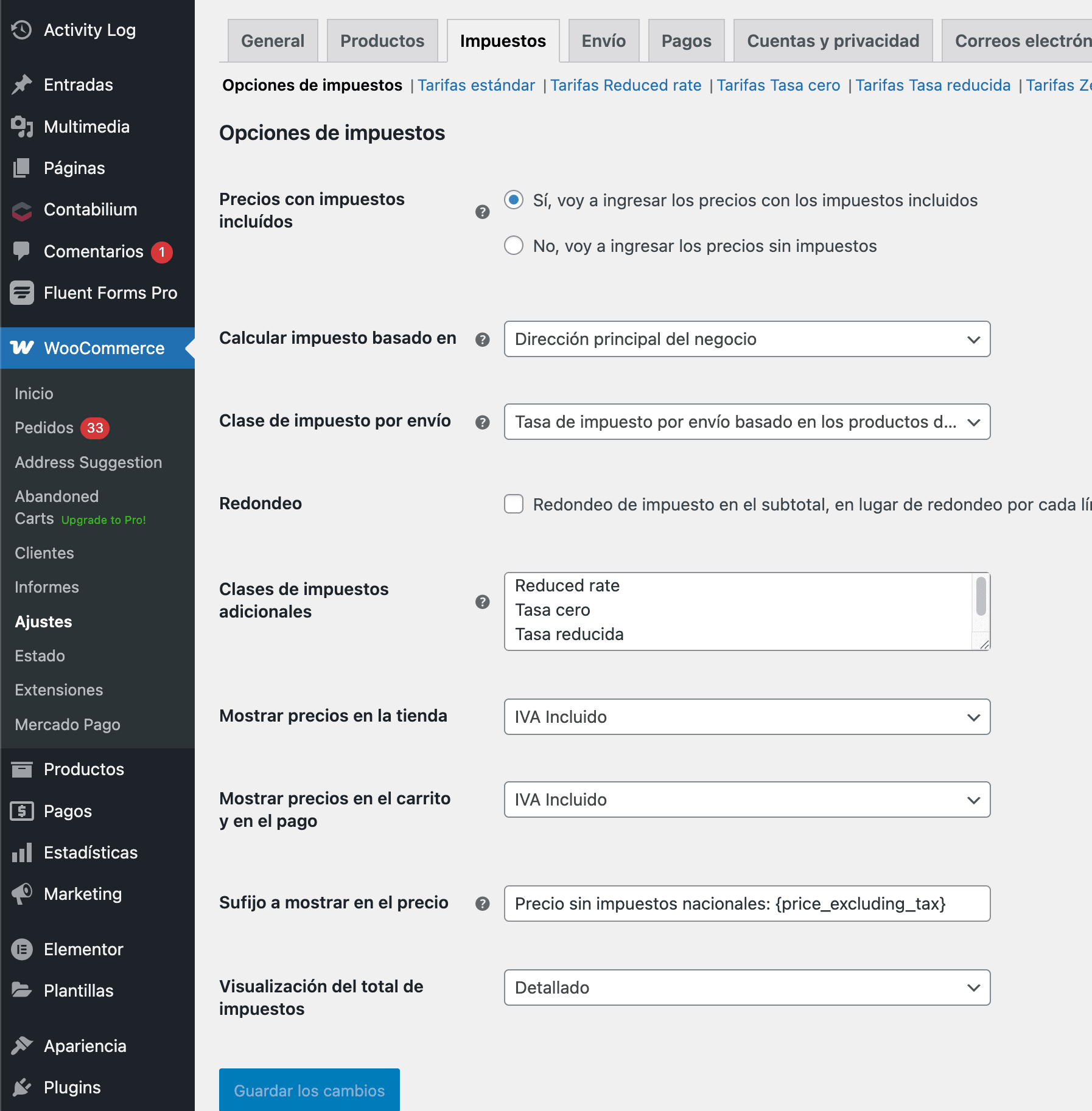
If we display final prices, as most stores do, we only need to add the following under Price display suffix:
Precio sin impuestos nacionales: {price_excluding_tax}Once this is done, all that remains is to adjust the design a little so it looks better. To do this, under the Customize option, depending on our theme, we look for the option to add custom CSS code and include:
small.woocommerce-price-suffix {
font-size: small;
display: block;
margin-top: 5px;
}
small.woocommerce-price-suffix bdi {
font-size: 14px;
font-weight: 5000;
}
You can see examples of how this looks on some of our clients’ websites:
Was this helpful?
Was this helpful?